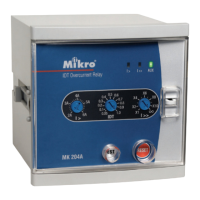
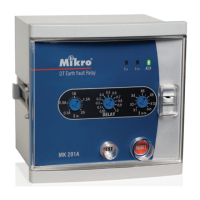
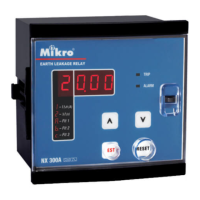
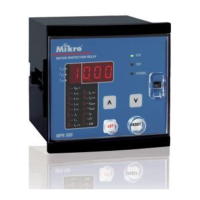
3.2 Programming Setting
Step 1: Press "RESET/MODE" until the Function LED shows the required setting.
Step 2: Press "UP" and "DOWN" simultaneously toenter programming mode.
The Function LED blinks to indicate the relay is in programming mode.
Step 3: Press "UP" or "DOWN" to change the value.
Step 4: To save the new value, press "UP" and "DOWN" simultaneously again. Programming mode exits,
function LED stop blinking.
To exit programming mode without saving, press "RESET/MODE" once
3
t
6X
Thermal overload
time constant
1-40s. In steps of 0.1s
for 1-10s, in steps of
1s for 10-40s.
Time constant for thermal overload
off, 2-12 x I
B.
In steps
of 1 x I
B
Short circuit setting in
multiples of
I
B
t>> Short circuit delay
time
0-25s. In steps of 0.1s
for 0-10s, in steps of
1s for 10-25s
Delay time for short circuit
off, 20-90% of I
B
. In
steps of 1%
Undercurrent setting in % of I
B
t<< Undercurrent delay
time
0-60s. In steps of 0.1s
for 0-10s, in steps of
1s in 10-60s.
Delay time for undercurrent
off, 10-50%. In steps
of 1%
Phase unbalance setting in %
0-25s. In steps of 0.1s
for 0-10s, in steps of
1s for 10-25s.
Delay time for phase unbalance
off, 10-60% of I
B
. In
steps of 1%
Earth fault setting in % of I
B
t
0
>> Earth fault delay
time
0-25s. In steps of 0.1s
for 0-10s, in steps of
1s for 10-25s.
Delay time for earth fault
I
S
>> Prolonged starting
/stalled rotor
off, 2-12 x I
B.
In steps
of 0.1 x I
B
Prolonged starting/stalled rotor setting in
multiples of I
B
t
Start
>> Prolonged
starting delay
time
0-60s. In steps of 0.1s
for 0-10s, in steps of
1s for 10-60s.
Delay time for prolonged starting
t
Stall
>> Stalled rotor
delay time
0-60s. In steps of 0.1s
for 0-10s, in steps of
1s for 10-60s.
Delay time for stalled rotor
I
B
Base/full load current
Base/full load current of motor
External CT ratio. 1=direct.
0 - Manual reset
1- Auto reset
Manual or auto reset of tripping
Thermal overload is always auto reset
0 - Block relay 1
1 - Reset tripping
2 - Instant tripping
0 - On any tripping
1 - On thermal tripping
2 - On thermal
warning
Table 1: Description of settings
External CT ratio
F4 Phase sequence (PS)/
phase loss (PL) option
0 - PS and PL off
1 - PS on
2 - PL on
3 - PL and PS on
Phase sequence and phase loss option
F5
Frequency
50 or 60Hz
Nominal value of network frequency


 To Next Page