3
• Regularly check the product and the AC adaptor for damage, and do not use either of them if they
are damaged. Never open them up.
• Please observe any safety information printed on the AC adaptor.
1.4
Package contents
The package contains the following components:
• 1 King Performance computer unit M830 with liquid crystal display (LCD)
• 17 white chess pieces (including additional queen)
• 17 black chess pieces (including additional queen)
• 1 AC adaptor
• 1 cable with 2 identical connectors (to connect the computer with the ChessLink)
• 1 instruction manual
• 1 guarantee card
2
Getting started
2.1
The adaptor
At the rear of the computer unit there are three sockets.
1. Take the AC adaptor (supplied in the package) and insert the small connector on the end of the cable
into the right-hand socket on the rear of the computer unit.
2. Connect the AC adaptor to a power supply. A sound signal is emitted.
2.2
Selecting the language
The chess computer’s LCD display can show its text in any of the following 7 languages:
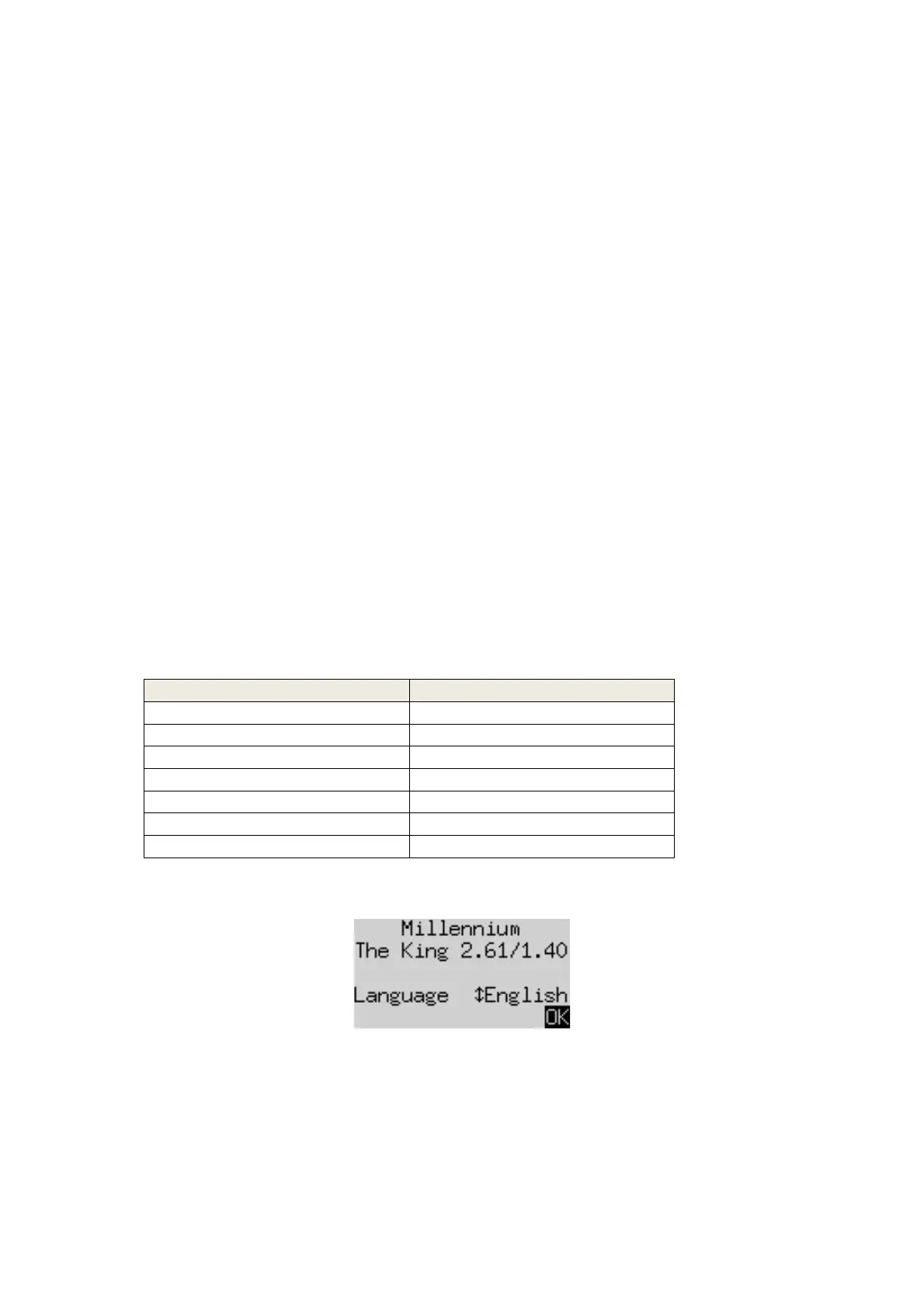
After you connect the power, the display shows the word ‘English’ together with the version number of the
chess program:
To select the English language, confirm by pressing the GREEN button.
Or
to choose a different language:
1. Press the down-arrow button ò as many times as needed until the language you want is displayed.
2.
Then
confirm with GREEN. (The language may later be changed, via the ‘Options’. See Section 5.4.)


 To Next Page