9
4.3
Info screen: Game score
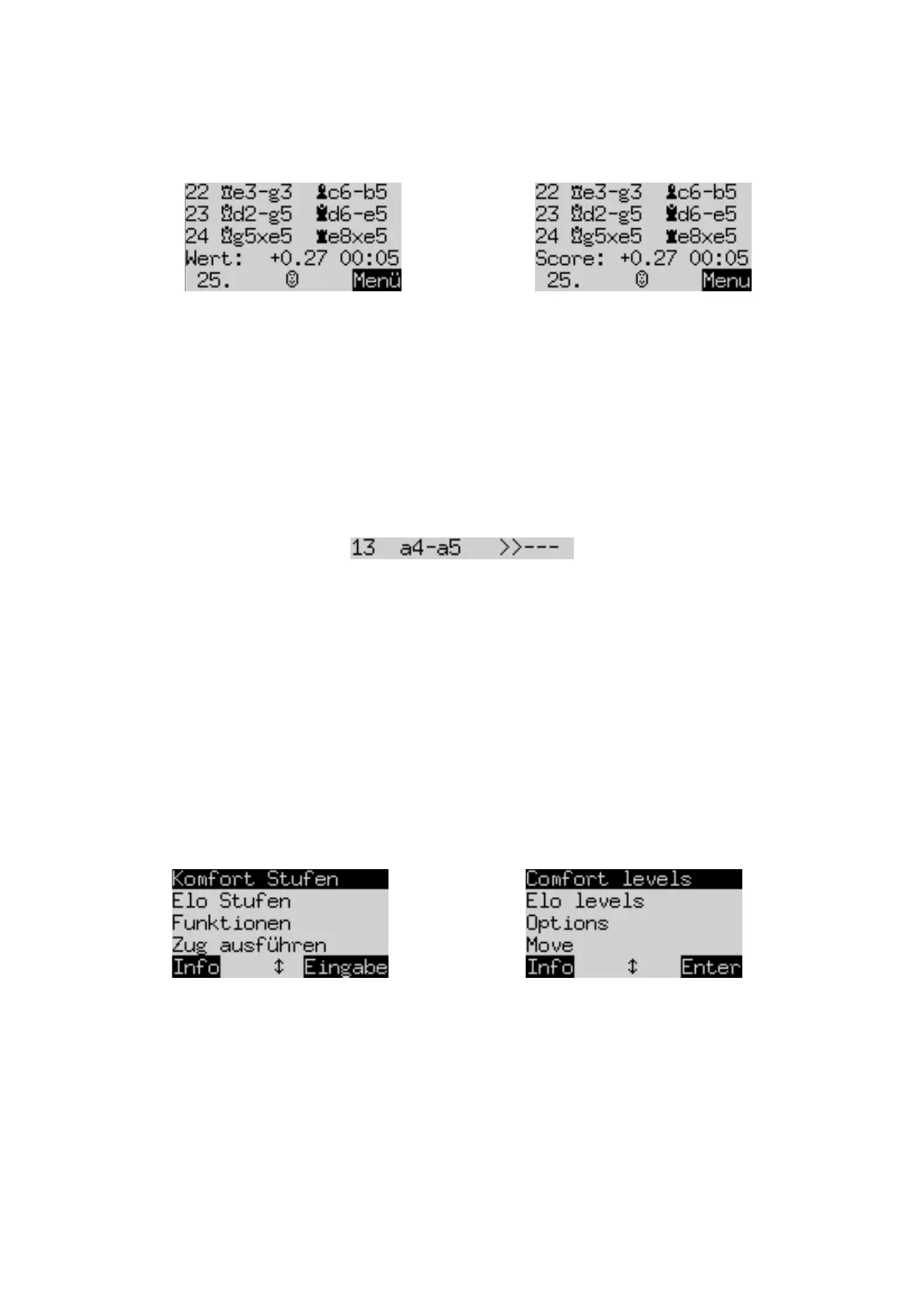
This screen shows the most recent moves, for example:
The number +0.27 is the computer’s evaluation of the position: The King believes it has a small advantage,
worth 0.27 of a pawn. Further examples of what may appear in this place on the screen are:
-1.89 The computer has a disadvantage nearly equivalent to 2 pawns.
Book The position is in the computer’s ‘book’ of standard chess openings.
+M 7 The computer can force checkmate in 7 more moves.
-M 4 The opponent can force checkmate in 4 more moves.
The number 00:05 is the time (mm:ss) taken by the computer over its last move.
Moves that have been retracted (see Section 3.5) are indicated as follows:
In this example, Black’s 13
th
move has been retracted.
Note:
the ‘score’ is not shown when The King is playing on its lowest level (‘Play & Win’).
5
Special functions
5.1
The menu
If you press GREEN when one of the of the ‘Info’ screens is shown (see Section 4), the menu of special
functions appears. In ‘Comfort’ mode there are 9 of them: : ‘Comfort levels’, ‘Elo levels’, ‘Options’, ‘Move’,
‘Hint’, ‘2 Players’, ‘Position setup’, ‘Verify’ and ‘Save/Load game’.
Four functions at a time are listed, with one of them highlighted (i.e. displayed on a dark background), e.g.:
By repeatedly pressing ñ or ò, you can display them all in rotation and highlight each one in turn.
To select an item, highlight it and press the GREEN button.
To return from the menu to the info screen, press the RED button.
Note:
When operating the special functions, remember that the uses of the RED and GREEN buttons are
always indicated by the ‘inverted’ wording at the left and right of the bottom line. Notice also the arrow signs:
2 The ñ/ò buttons are currently enabled for menu operations.
2D All 4 direction buttons (ïðñò) are enabled.
D Indicates that a parameter can be altered with ï or ð.


 To Next Page
 Loading...