MILESTONE
USER MANUAL
Ethos EZ User manual MA073-006 Sensors and Accessories chapter -18-
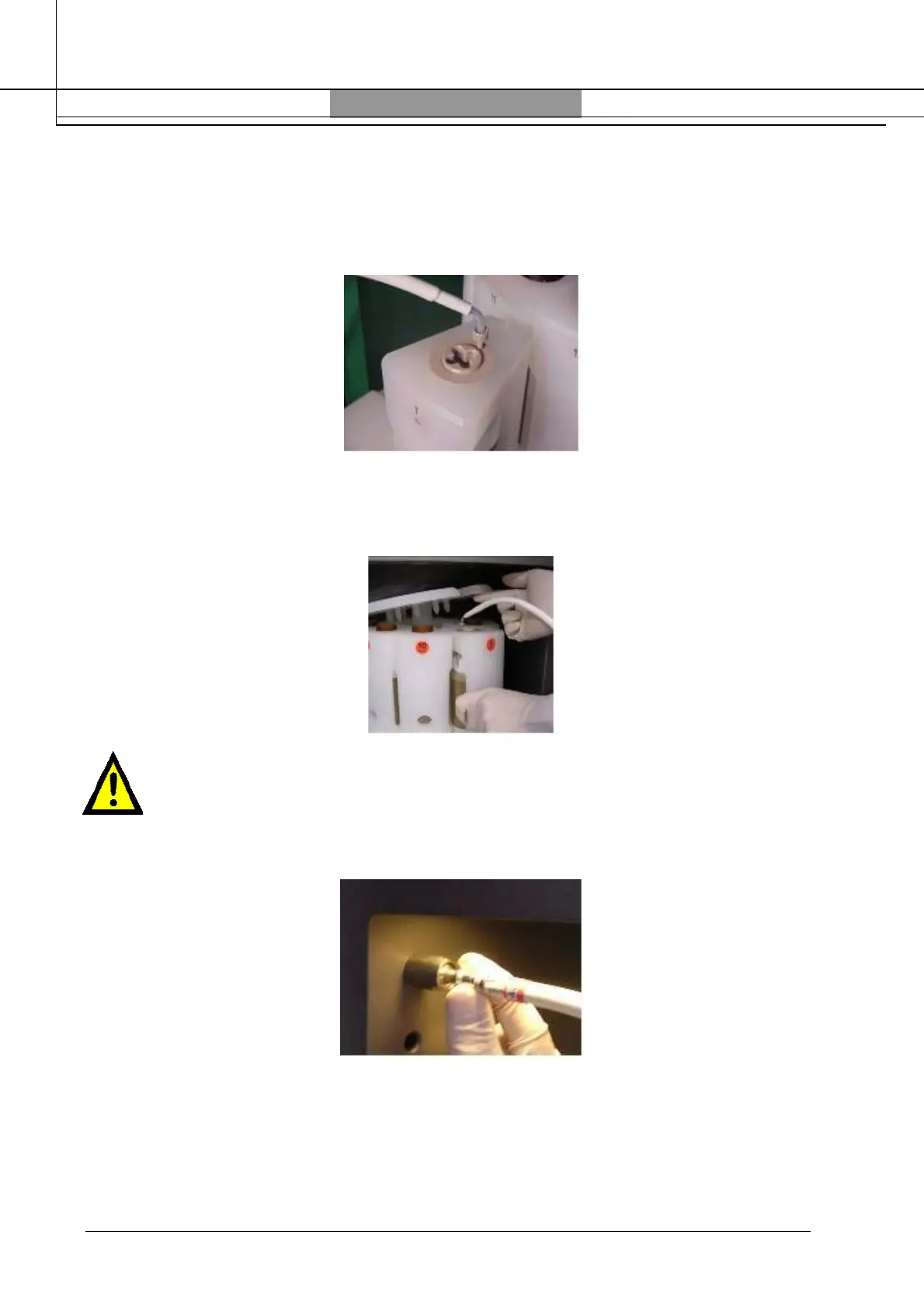
After the assembling of the reference segment introduce the thermocouple into the vessel, simply
sliding-in the sensor through the hole in the screw of the segment.
This is aligned with the thermowell, therefore allowing the temperature sensor to be fully
introduced in the vessel. Completely introduce the temperature sensor into the thermowell, until
the snap connector is fixed.
Introduce the segmented rotor top plate; the plate is fixed by the connectors to each individual
polypropylene segment. Lift up one side of the top plate to facilitate the introduction of the
reference segment; then relocate back the top plate in its position.
Unplug, if presents, the jumper of the ATC-400 Automatic Temperature Control device of
the ETHOS.
Warning: do not pull free the sensor by using the cable! Pull only on the metal
connector. Be sure the that the line on the white protection is facing out of the
microwave cavity to ensure proper connection.
Plug now the temperature sensor in, again touching only the metal plug. Bend the temperature
sensor as shown by the next picture. This positioning of the rotor and of the sensor is now correct.



 To Next Page