MILESTONE
USER MANUAL
Ethos EZ User manual MA073-006 Sensors and Accessories chapter -20-
Milestone suggest to always work with rotor control ON when infrared sensor is installed.
The value of T
2
is only a limit, T
1
must follow the set temperature profile of the internal sensor, T
2
does not reach its set temperature.
T
1
(internal temperature sensor) is always the control of the reaction.
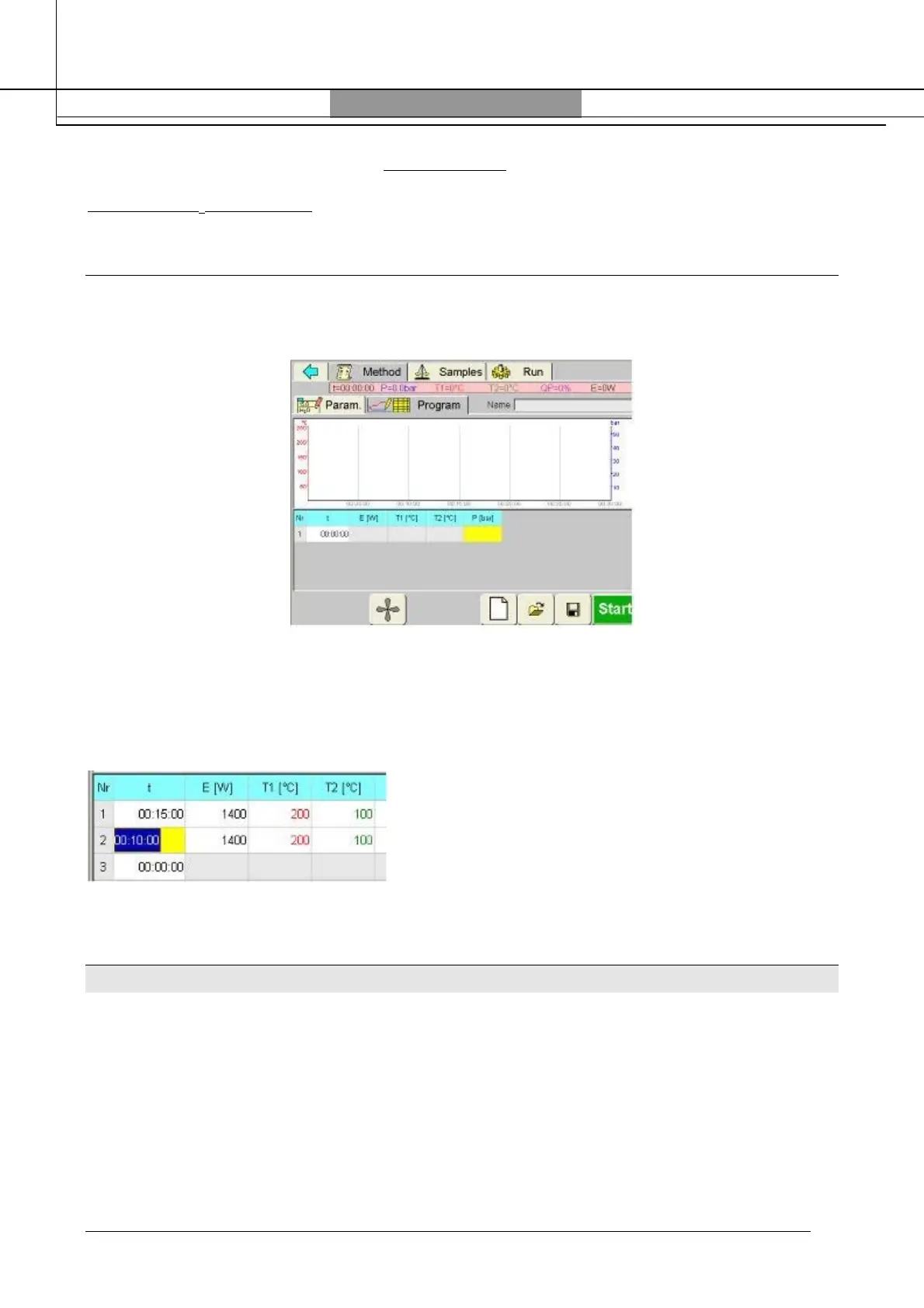
HOW TO SET THE INFRARED SENSOR IN THE SOFTWARE
Enter in the software and select the “Program” page:
Set the microwave program, select the T2 (infrared limit) in accordance with Milestone suggestions
(see previous paragraph).
Example:
Type of rotor: SK-10
T
1
= 200°C
T
2
= 200°C/2= 100°C
MILESTONE TEMP-SURE (option)
TEMP-SURE allows monitoring and controlling of both external (infrared sensor) and internal
temperature (ATC400/ATCFO) of all vessels in real time during the run.
Both sensors are interfaced with a microprocessor-controlled rotor positioning system.
This device enables the software to identify which vessel is passing in front of the infrared sensor
while the rotor is turning.
The software correlates the external temperatures data and all profiles are displayed with the
corresponding ID code of the vessel.
The software will show internal and external temperature profile for each position.



 To Next Page