MILESTONE
USER MANUAL
ETHOS EZ User manual MA073-006 Terminal chapter Page - 64 -
Print-out
PRINT
Touching the
Print
opens an anteprima. Touching twice the diagram
and the data of the process run will be printed out.
If no printer can be found, the printer icon will appear faded,
meaning that no printer is connected.
If the document is made of several pages, user can page through
from here.
PAGE SELECTION FOR PRINTING
Select the pages with the pink icons.
Print-out of page 1 with diagram, method parameters and system
info and microwave program.
Additional printing of Sample table (the sample table can also be
printed from the “Sample” section.
Sample table is printed in “landscape” format.
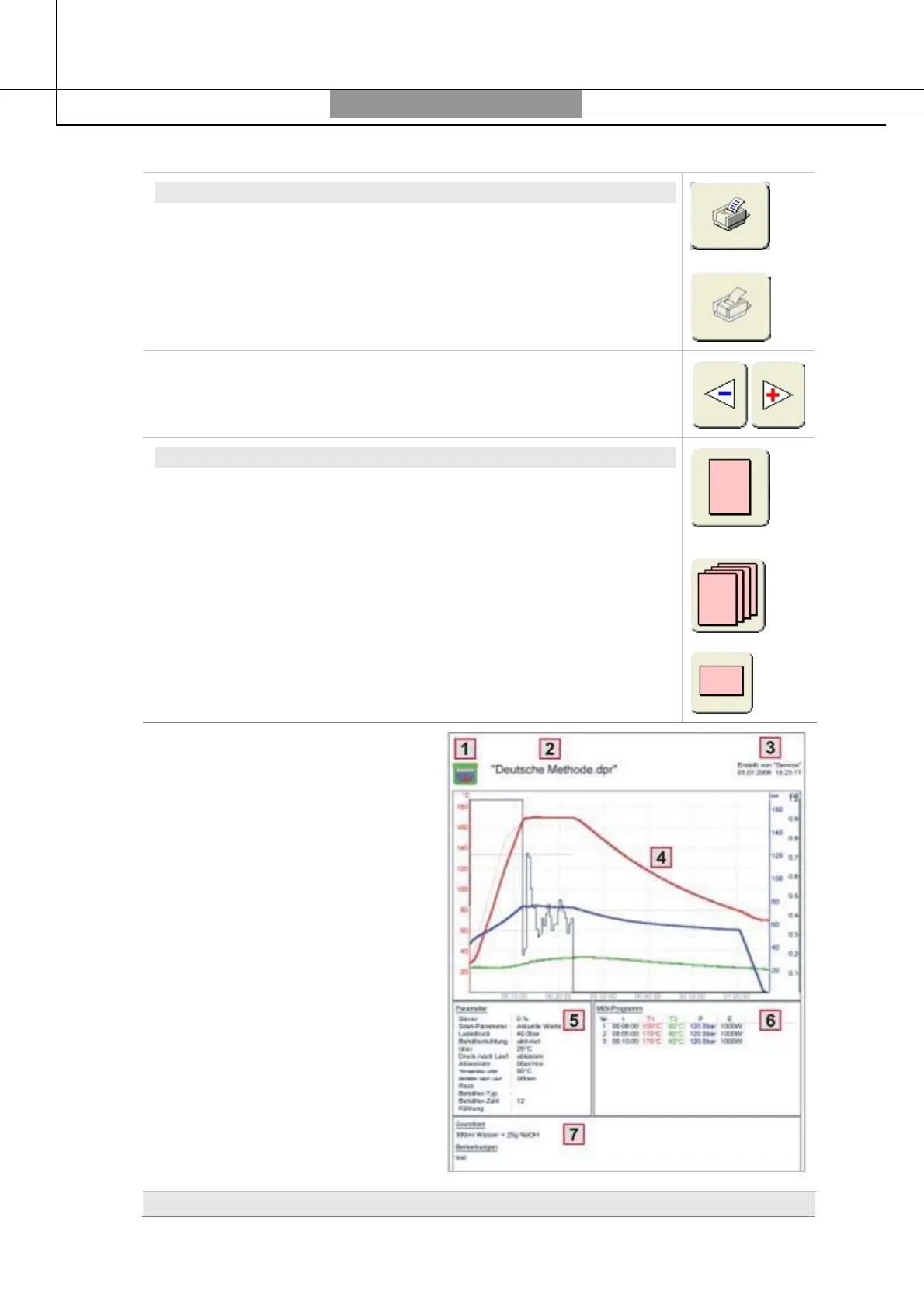
1: Icon of Program variants
2: File name, if the run was saved.
3: Operator, Name, Date and Time of
saving, in case the run had been
saved. If the run was signed then
also signature will be shown.
4: Diagram. If it was zoomed, then
the zoomed cutout will be shown.
5: Actual Method Parameters and
System-Data. If the method was
not changed after opening, then
the method name will appear in
the title.
6: Actual Method-Program. If the
method was not changed after
opening, then the method name
will appear in the title.
7: Remarks (are entered from the
Info-Button).
Elements on Page 1 (Process run)



 To Next Page