MILESTONE
USER MANUAL
ETHOS EZ User manual MA073-006 Terminal chapter Page - 66 -
HISTORY TRAIL
HISTORY TRAIL
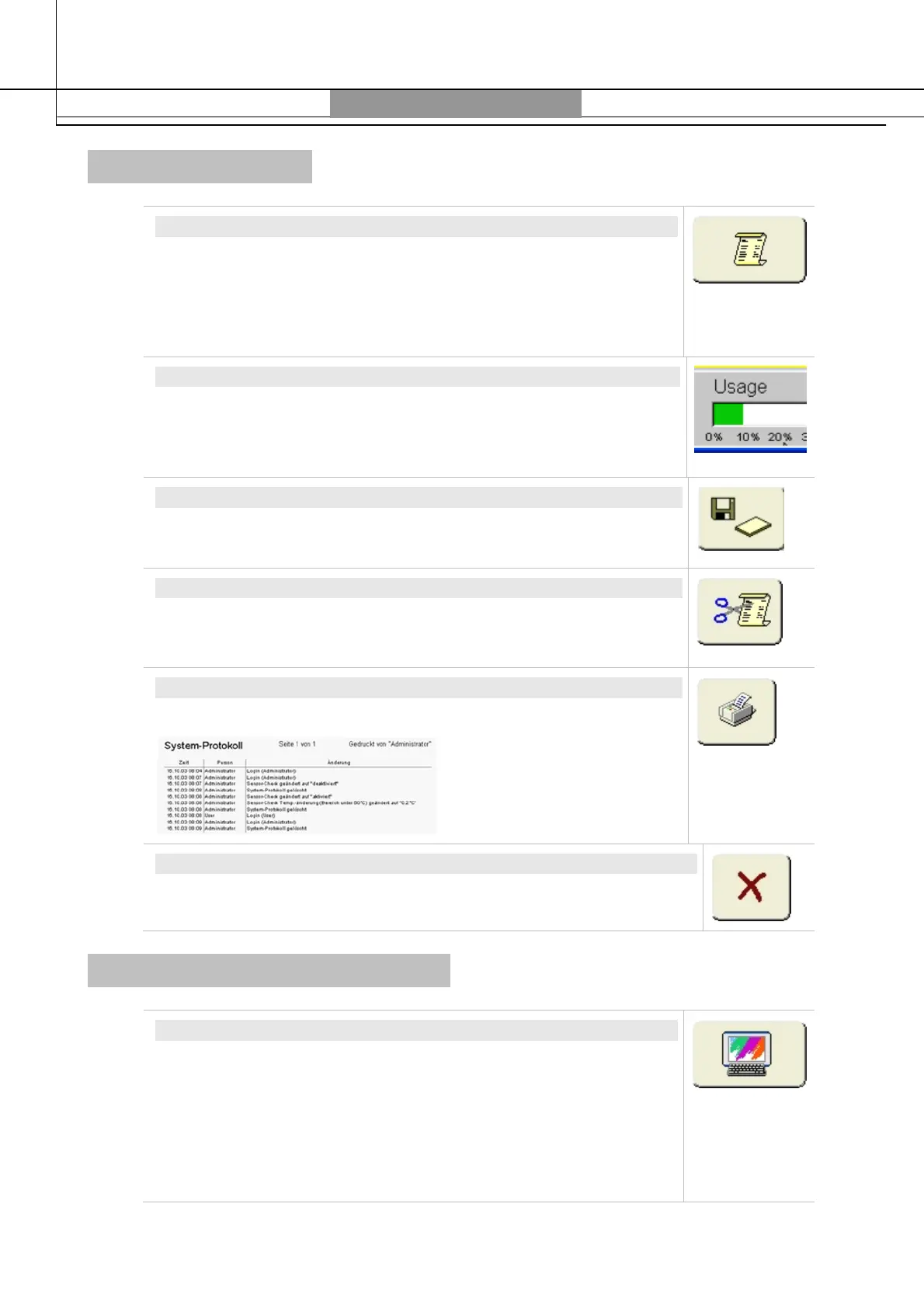
The History Trail is located in the Start page of the menu.
In the History Trail all changes in the system are logged with time,
date and person, and saved in the internal memory (EEPROM).
USAGE
Display of space allocation of the EEPROM. Approx. 3000-5000
records/entries can be saved.
SAVE ON USB PEN DRIVE
The history trail can be saved on a USB pen drive (Listing: A:\ :\
„filename“.trl).
CUT HISTORY TRAIL (ADMINISTRATOR ONLY)
With this icon up to the last 100 entries can be cut (cancelled).
PRINT
With this icon the history trail is printed out.
DELETE HISTORY TRAIL
With this icon all records/entries of the history trail are cancelled.
PANEL ADMINISTRATION
PANEL ADMINISTRATION
From here the basic settings of the software can be looked at or
modified according to level of authorization.
User does not have access to the system administration.
Changes must be saved in the Control Panel. Otherwise the changes
are automatically saved when quitting the System Administration.
This chapter shows in details all screenshots where the



 To Next Page