6 millnorway.com
EN
“Open window” function
The heater has an "open window" function that is activated instantly when it registers a
sudden drop in temperature with more than 5 degrees Celsius in 15 minutes. The heater
will automatically stop heating and FO will be visible in the display of the heater.
While in open window mode, it will maintain 5°C (to avoid frost damage).
The heater will automatically start heating again if temperature increase by at least 3
degrees within 15 minutes.
You can switch the heater back to normal mode by pressing the settings button 1 time.
Open window function can be disabled/enabled by pressing and holding the settings
button until "Fo" is shown on the display. You can also disable/enable open windows
function from the app if configured to WiFi.
The heater will stay in open window mode for maximum 1 hour, it then will go back to
normal heating mode.
Instructions
Control panel
See figure 6 on separate illustration sheet
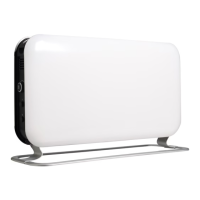
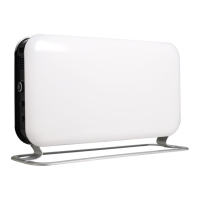
A
B
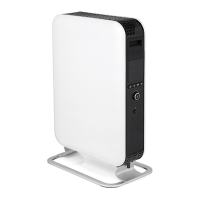
CO1200WIFI3, CO1200WIFI3BLACK
1. Thermostat and WiFi button
2. Settings button
3. ON/OFF button
1. Power indicator — shows whether
the heater is using power or not Wall
bracket
2. ON/OFF indicator
3. WiFi indicator
4. Desired room temperature
5. Thermostat and WiFi button
C
D
CO1500MAXWIFI3
1. Thermostat + WiFi button + set-
tings button
2. ON/OFF button
1. Power indicator — shows whether
the heater is using power or not
Wall bracket
2. ON/OFF indicator
3. WiFi indicator
4. Desired room temperature
5. Thermostat + WiFi button + set-
tings button
6. LED lights indicating how much
power the heater is using
WARNING! BE SURE THE FOOT IS FITTED CORRECTLY AND ACCORDING TO THE
INSTRUCTIONS BEFORE USING THE HEATER!
Usage without WiFi connection
1. Plug the heater into a grounded outlet.
2. Press the ON/OFF button.
3. Turn the thermostat to the desired temperature while looking at the display. As soon as



 To Next Page