EN-20
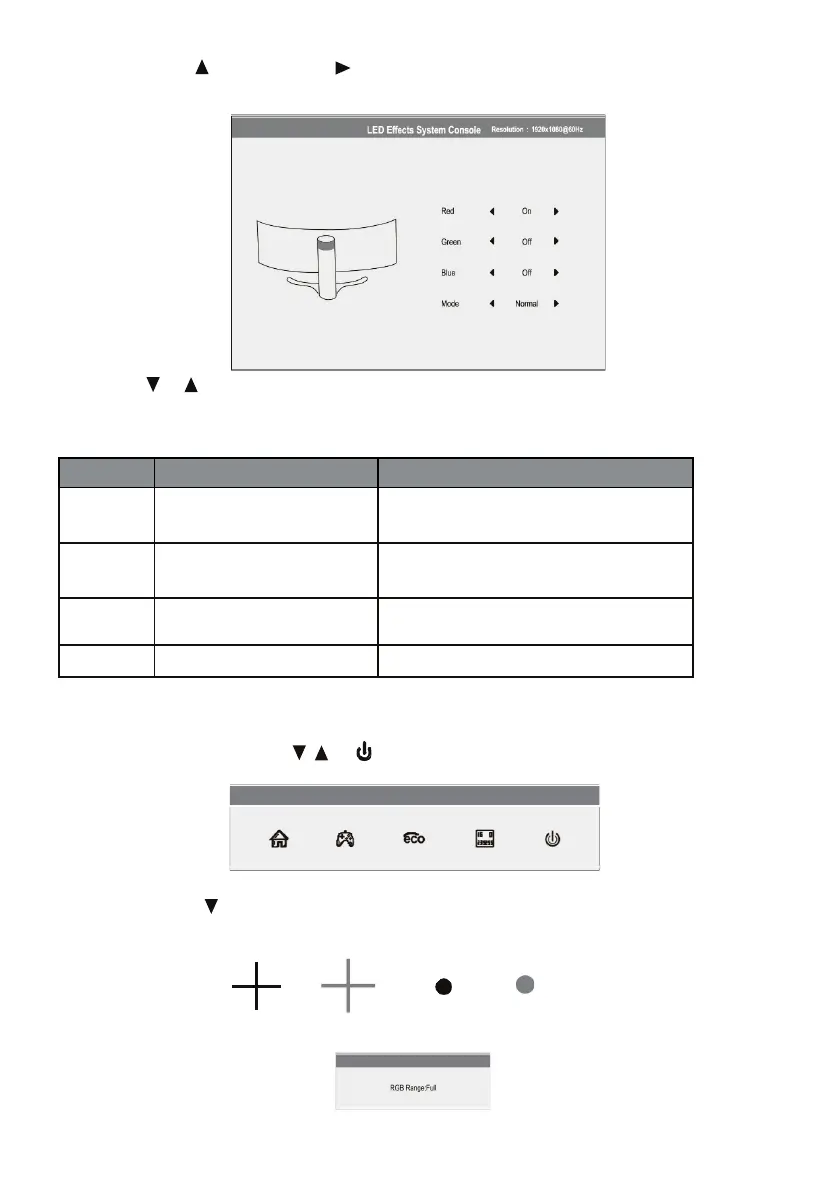
2. Push the button monitor or press on the remote control to access the LED Effects menu.
3. Press on or to select parameters.
Put the desired option and press M to confirm.
4. P
ress E to exit the current settings.
Red On, Off
Turns LED lighting in red on the monitor
stand.
Green On, Off
Turns LED lighting green on the monitor
stand.
Blue On, Off
Enables or disables the LED light blue
color on the monitor stand.
Fashion Normal, Flicker Selects the display mode for LED lighting.
Section 11: RGB ranges and switching Gameplus
1. Press one of the buttons (M, , , E, ) to activate the browser window.
2. Push the button to switch between modes Gameplus. Depending on the needs of your game,
choose the corresponding game icon. These game icons are primarily designed to optimize your
target for shooting games, they can still be used for other scenarios.
Press the E button to toggle between RGB beaches, Limited and Full. Complete the beach is suitable
for most activities.


 To Next Page