Need help?
Do you have a question about the Millenium MD49 and is the answer not in the manual?
Details the function of each button on the monitor for navigation and control.
Identifies and describes the various input and output ports on the monitor.
Instructions on how to remove the protective cover for the monitor's ports.
Guide for routing and organizing cables connected to the monitor.
Steps for connecting the monitor to a power source for operation.
How to connect headphones to the monitor for audio output.
Instructions for connecting the monitor using a DisplayPort cable.
Instructions for connecting the monitor using an HDMI cable.
Explains how to enable and use the AMD FreeSync feature for smoother visuals.
Detailed list of OSD menu options, submenus, and their descriptions.
Covers common display problems like blank screens, blurred images, and color issues.
Information and support for using the Picture-in-Picture display mode.
Information and support for using the Picture-by-Picture display mode.
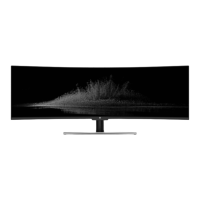
Technical specifications of the monitor, including screen size, resolution, and dimensions.
Minimum system requirements and compatible resolutions for HDMI and DP connections.
 General
| Screen Size | 49 inches |
|---|---|
| Panel Type | VA |
| Aspect Ratio | 32:9 |
| Response Time | 4 ms |
| Curvature | 1800R |
| Contrast Ratio | 3000:1 |
| VESA Mount | 100 x 100 mm |
| Resolution | 5120 x 1440 |
| Connectivity | DisplayPort 1.4, HDMI 2.0, USB 3.0 |
| Viewing Angle | 178° |
| Color Gamut | 90% DCI-P3 |

 To Next Page