2
INSTALLATION
69
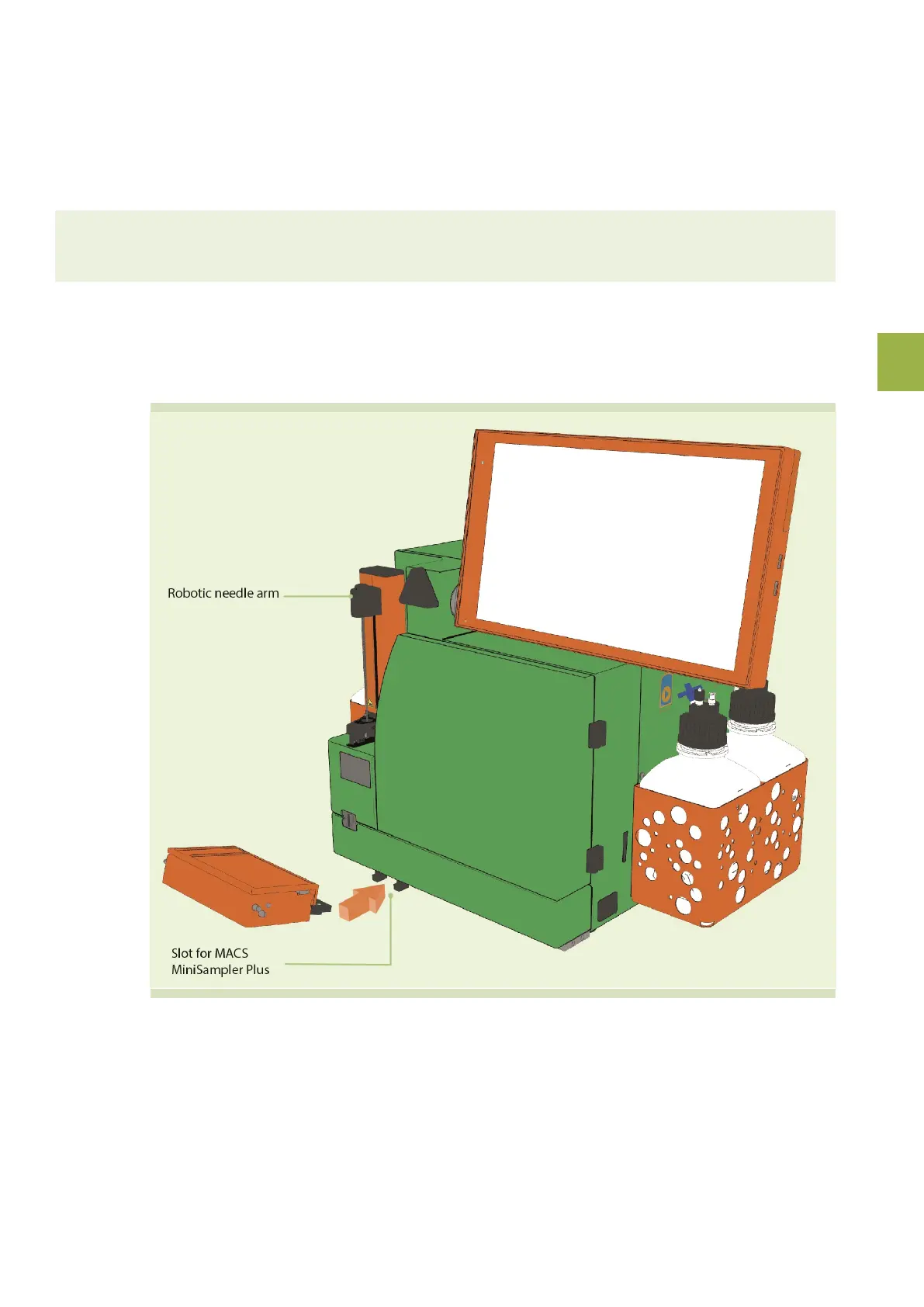
2.5.7 Install the MACS® MiniSampler Plus
If using the instrument with a MACS® MiniSampler Plus, follow the instructions below. The MACS MiniSampler
Plus can be installed to either the autoMACS® Pro or the MACSQuant Instruments (MACS Quant Analyzer 10,
Analyzer 16, VYB).
Note: Use a MiniSampler Plus only with one type of instrument. After a MiniSampler Plus has been used with a
MACSQuant model, it cannot be used with the autoMACS Pro anymore.
1 Switch off the instrument before installing the MACS MiniSampler Plus.
2 Remove the transparent protection foil from the lens of the rack detector. Note the position of the MACS
MiniSampler Plus slot located at the front of the instrument and the MACS MiniSampler Plus guiding.
3 Tilt the MACS MiniSampler Plus.
4 Slide the guiding into the receiving slot. Keep the MACS MiniSampler Plus in a tilted position until resistance
is met.
5 Lower the MACS MiniSampler Plus to a horizontal position in order to lock it.


 To Next Page