5
HARDWARE MONITOR
87
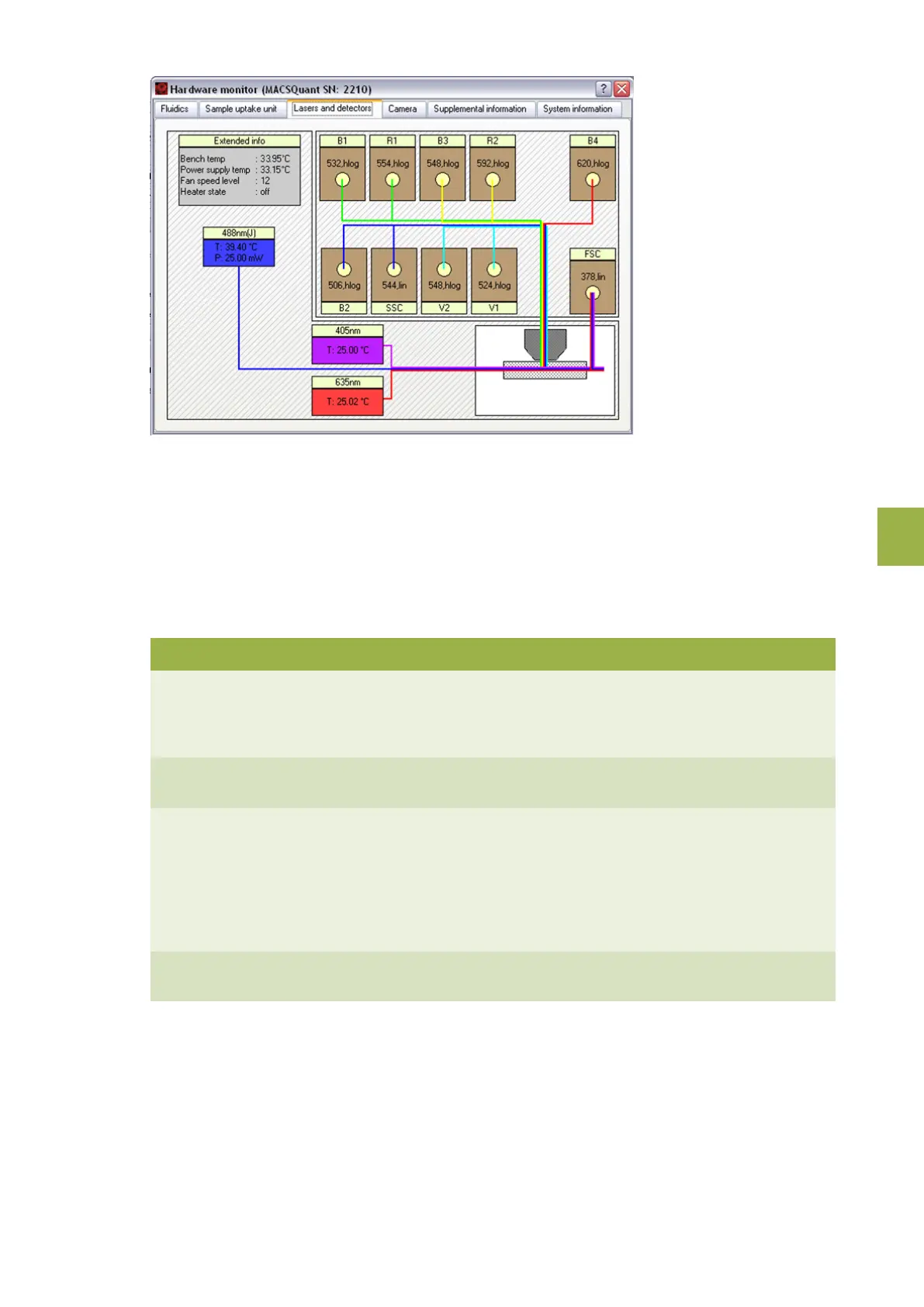
Figure 5.3: BReal-time Hardware monitor of the optical bench. Specifications may vary between instrument models (referto
Technical data and specifications on page95).
5.2 Instrument status LEDs
The MACSQuant® Instrument is equipped with LEDs, illuminating each bottle to indicate the status of the
instrument in Acquisition mode. If the fluid bottles are not illuminated, the MACSQuant Instrument is in data
analysis mode and the lasers are off.
Bottle illumination Description
Green The MACSQuant Instrument is ready to measure, liquid levels are
sufficient, and the instrument is primed. Please note that the lasers
can take up to 30 minutes to warm-up after performing the initial
instrument priming.
Yellow The MACSQuant Instrument reports sensor error. Please ensure that
the sensor is correctly attached to the bottle.
Red Liquid level error or general instrument error. The liquid levels are
too low in a particular bottle or that the waste bottle is full. The
blinking red light will indicate which bottle needs to be tended to.
Additionally, a message on the Instrument status bar will specify the
instrument error. All bottles can be replaced during a measurement.
Blue The MACSQuant Instrument is measuring, liquid levels are
sufficient.
Blue Indicates normal instrument function during sample processing, or
that the instrument is busy.
Table 5.2: Color code of the fluid bottle illumination on the MACSQuant Instrument.


 To Next Page