EasyManua.ls Logo

Milwaukee M12 3632-20 - User Manual

Milwaukee M12 3632-20
20 pages
Print Icon
To Next Page IconTo Next Page
Loading...
Cat. No. / No de cat.
3632-20
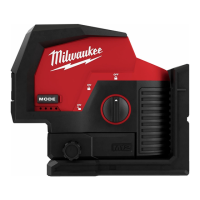
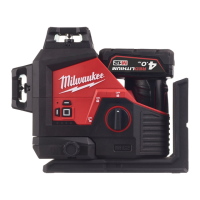
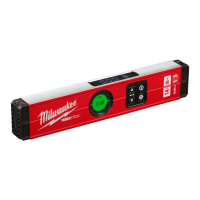
M12™ 360° 3-PLANE LASER
LASER A TROIS PLANS DE 360° M12™
LÁSER DE 3 MODOS 360° M12™
OPERATOR'S MANUAL
MANUEL de L'UTILISATEUR
MANUAL del OPERADOR
WARNING To reduce the risk of injury, user must read and understand operator's manual.
AVERTISSEMENT An de réduire le risque de blessures, l'utilisateur doit lire et bien
comprendre le manuel.
ADVERTENCIA Para reducir el riesgo de lesiones, el usuario debe leer y entender el manual.
WARNING To reduce the risk of injury, user must read and understand operator's manual.
AVERTISSEMENT An de réduire le risque de blessures, l'utilisateur doit lire et bien
comprendre le manuel.
ADVERTENCIA Para reducir el riesgo de lesiones, el usuario debe leer y entender el manual.
Question and Answer IconNeed help?

Do you have a question about the Milwaukee M12 3632-20 and is the answer not in the manual?

Summary

General Power Tool Safety

Read and Understand Instructions

Users must read and understand all instructions to prevent shock, fire, or injury.

Save Operators Manual

Keep the operator's manual for future safety and operating instructions.

Laser Safety Precautions

Visible Laser Beam Warning

Warning about visible laser beams emitted from the tool and potential eye damage.

Laser Light Viewing

Do not stare into the beam or use optical instruments to view it directly.

Work Area and Personal Safety

Work Site Safety

Ensure adequate safeguards at work sites, like surveying near roads or construction.

Hazardous Environment Avoidance

Do not use in rain, snow, damp, wet locations, or explosive atmospheres.

Untrained User Operation

Prevent untrained users from operating the tool due to potential danger.

Maintain Footing and Balance

Maintain proper footing and balance for better control in unexpected situations.

Battery Tool Use and Care Guidelines

Charger Compatibility

Recharge only with the manufacturer-specified charger to avoid fire risk.

Use Designated Battery Packs

Use only specifically designated battery packs to prevent injury and fire.

Battery Storage Precautions

Keep batteries away from metal objects when not in use to prevent shorting.

Damaged Battery Handling

Do not use damaged or modified batteries due to unpredictable behavior and risk.

Temperature Exposure Limits

Avoid exposing batteries to fire or excessive temperatures above 265°F (130°C).

Charging Procedure Compliance

Follow charging instructions and temperature ranges to prevent damage and fire.

Optimal Battery Storage Conditions

Store batteries and tools in a cool, dry place, away from direct sunlight or heat.

Specific Laser Level Safety Rules

Tool Condition and Accuracy

Check for tool defects, drops, misuse, or modifications that affect accuracy.

Proper Disposal of Components

Dispose of tools and batteries separately at approved recycling facilities.

Magnet Mounting Security

Ensure tool magnets are securely mounted to metal surfaces for stability.

Radiation Exposure Caution

Avoid non-specified procedures that may lead to hazardous radiation exposure.

Power Off After Use

Ensure the instrument is powered off after use.

FCC Compliance Information

Unauthorized Modifications Warning

Modifications not approved by the compliance party can void user authority.

Interference Correction Measures

Steps to correct harmful radio or television interference if it occurs.

Specifications and Symbology

Product Specifications

Detailed technical specifications for the laser level, including model, voltage, and range.

Safety and Operation Symbology

Explanation of symbols used on the tool and in the manual for safety and operation.

Assembly and Power Save Mode

Battery Recharging

Instructions for recharging the battery pack using the specified charger.

Battery Installation;Removal

Procedure for safely removing and inserting the battery pack into the tool.

Accessory Usage

Warning to only use accessories specifically recommended for the tool.

Power Save Mode Function

How to activate and indications of power save mode to extend battery life.

Battery Fuel Gauge

How to determine the remaining battery charge using the LED indicators.

Operation and Troubleshooting

Plane Selector Buttons

Function of plane selector buttons to turn individual laser planes on/off.

Laser Level Mounting

Methods for mounting the laser level using magnets, keyhole slots, or tripods.

Micro Adjustment

Using micro adjustment knobs to fine-tune vertical lines.

Laser Operation Safety

Warning against looking directly into the laser when it is on.

Turning the Laser Level On;Off

Procedure for turning the laser on, unlocking the pendulum, and turning it off.

Self-Leveling Functionality

How the tool self-levels and what happens if the surface is too far off level.

Troubleshooting Power Issues

Steps to troubleshoot if the tool does not turn on, related to battery or temperature.

Accuracy Field Checks

Accuracy Check Notice

Perform accuracy check upon unboxing and before critical jobs; contact service if deviation found.

Influences on Accuracy

Factors like ambient temperature and impacts can affect laser accuracy.

Horizontal Height Accuracy Check

Procedure for checking horizontal height accuracy over a measured distance.

Vertical Leveling Accuracy Check

Procedure for checking vertical leveling accuracy across a door opening.

Maintenance and Service

Maintenance Safety Warning

Always remove the battery before performing maintenance and never disassemble the tool.

Laser Level Maintenance

Ensure tools are maintained and repaired if damaged to prevent accidents.

Tool Cleaning

Clean tool handles with mild soap and a damp cloth; avoid solvents.

Lens Cleaning

Blow off particles with compressed air and wipe lenses carefully with a moist swab.

Tool Repairs

Do not open housing; return tool, battery, and charger to an authorized service center for repairs.

Accessory Safety

Use only specifically designated accessories to avoid injury risk.

Service Contact Information

Contact information for service and technical support in the US and Canada.

Warranty Information

Limited Warranty Scope

Warranty covers defects in material and workmanship for a specified period.

Warranty Exclusions

Warranty does not cover damage from unauthorized repairs, misuse, or accidents.

Warranty Service Procedure

Return product to a service center with proof of purchase for warranty claims.

Implied Warranty Limitations

Disclaimer of implied warranties and limitations on their duration.

Summary

General Power Tool Safety

Read and Understand Instructions

Users must read and understand all instructions to prevent shock, fire, or injury.

Save Operators Manual

Keep the operator's manual for future safety and operating instructions.

Laser Safety Precautions

Visible Laser Beam Warning

Warning about visible laser beams emitted from the tool and potential eye damage.

Laser Light Viewing

Do not stare into the beam or use optical instruments to view it directly.

Work Area and Personal Safety

Work Site Safety

Ensure adequate safeguards at work sites, like surveying near roads or construction.

Hazardous Environment Avoidance

Do not use in rain, snow, damp, wet locations, or explosive atmospheres.

Untrained User Operation

Prevent untrained users from operating the tool due to potential danger.

Maintain Footing and Balance

Maintain proper footing and balance for better control in unexpected situations.

Battery Tool Use and Care Guidelines

Charger Compatibility

Recharge only with the manufacturer-specified charger to avoid fire risk.

Use Designated Battery Packs

Use only specifically designated battery packs to prevent injury and fire.

Battery Storage Precautions

Keep batteries away from metal objects when not in use to prevent shorting.

Damaged Battery Handling

Do not use damaged or modified batteries due to unpredictable behavior and risk.

Temperature Exposure Limits

Avoid exposing batteries to fire or excessive temperatures above 265°F (130°C).

Charging Procedure Compliance

Follow charging instructions and temperature ranges to prevent damage and fire.

Optimal Battery Storage Conditions

Store batteries and tools in a cool, dry place, away from direct sunlight or heat.

Specific Laser Level Safety Rules

Tool Condition and Accuracy

Check for tool defects, drops, misuse, or modifications that affect accuracy.

Proper Disposal of Components

Dispose of tools and batteries separately at approved recycling facilities.

Magnet Mounting Security

Ensure tool magnets are securely mounted to metal surfaces for stability.

Radiation Exposure Caution

Avoid non-specified procedures that may lead to hazardous radiation exposure.

Power Off After Use

Ensure the instrument is powered off after use.

FCC Compliance Information

Unauthorized Modifications Warning

Modifications not approved by the compliance party can void user authority.

Interference Correction Measures

Steps to correct harmful radio or television interference if it occurs.

Specifications and Symbology

Product Specifications

Detailed technical specifications for the laser level, including model, voltage, and range.

Safety and Operation Symbology

Explanation of symbols used on the tool and in the manual for safety and operation.

Assembly and Power Save Mode

Battery Recharging

Instructions for recharging the battery pack using the specified charger.

Battery Installation;Removal

Procedure for safely removing and inserting the battery pack into the tool.

Accessory Usage

Warning to only use accessories specifically recommended for the tool.

Power Save Mode Function

How to activate and indications of power save mode to extend battery life.

Battery Fuel Gauge

How to determine the remaining battery charge using the LED indicators.

Operation and Troubleshooting

Plane Selector Buttons

Function of plane selector buttons to turn individual laser planes on/off.

Laser Level Mounting

Methods for mounting the laser level using magnets, keyhole slots, or tripods.

Micro Adjustment

Using micro adjustment knobs to fine-tune vertical lines.

Laser Operation Safety

Warning against looking directly into the laser when it is on.

Turning the Laser Level On;Off

Procedure for turning the laser on, unlocking the pendulum, and turning it off.

Self-Leveling Functionality

How the tool self-levels and what happens if the surface is too far off level.

Troubleshooting Power Issues

Steps to troubleshoot if the tool does not turn on, related to battery or temperature.

Accuracy Field Checks

Accuracy Check Notice

Perform accuracy check upon unboxing and before critical jobs; contact service if deviation found.

Influences on Accuracy

Factors like ambient temperature and impacts can affect laser accuracy.

Horizontal Height Accuracy Check

Procedure for checking horizontal height accuracy over a measured distance.

Vertical Leveling Accuracy Check

Procedure for checking vertical leveling accuracy across a door opening.

Maintenance and Service

Maintenance Safety Warning

Always remove the battery before performing maintenance and never disassemble the tool.

Laser Level Maintenance

Ensure tools are maintained and repaired if damaged to prevent accidents.

Tool Cleaning

Clean tool handles with mild soap and a damp cloth; avoid solvents.

Lens Cleaning

Blow off particles with compressed air and wipe lenses carefully with a moist swab.

Tool Repairs

Do not open housing; return tool, battery, and charger to an authorized service center for repairs.

Accessory Safety

Use only specifically designated accessories to avoid injury risk.

Service Contact Information

Contact information for service and technical support in the US and Canada.

Warranty Information

Limited Warranty Scope

Warranty covers defects in material and workmanship for a specified period.

Warranty Exclusions

Warranty does not cover damage from unauthorized repairs, misuse, or accidents.

Warranty Service Procedure

Return product to a service center with proof of purchase for warranty claims.

Implied Warranty Limitations

Disclaimer of implied warranties and limitations on their duration.

Milwaukee M12 3632-20 Specifications

General IconGeneral
TypeLaser Distance Measurer
BatteryM12 REDLITHIUM Battery
DisplayBacklit LCD
IP RatingIP54
Power SourceBattery
Voltage12V
Battery TypeLithium-ion
Display TypeLCD
Accuracy+/- 1/16 in.
Featurescontinuous measurement
Laser ClassClass 2
Measurement Range0.16 to 100 ft

Related product manuals