PAGE 13 OF 21
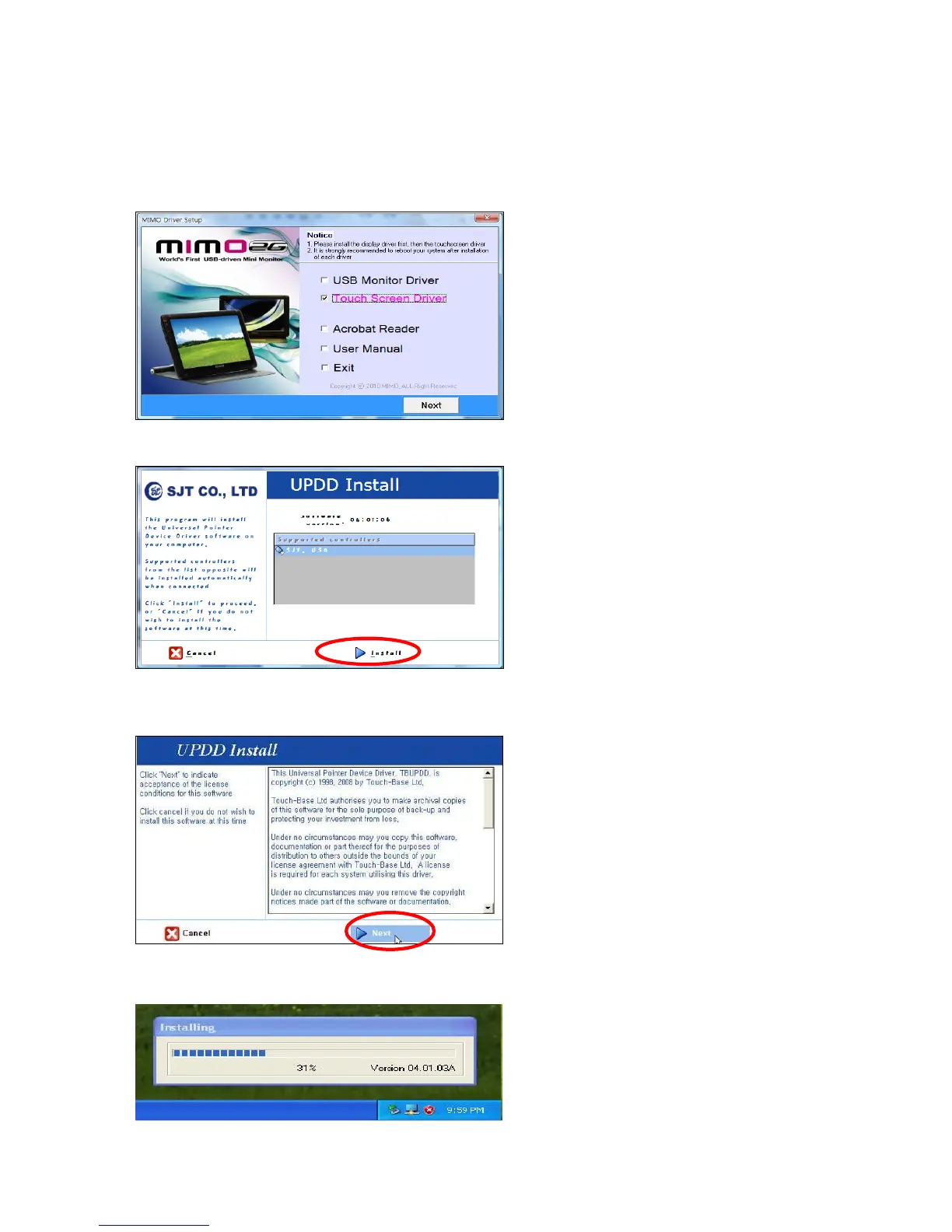
▣ Installing Touch Screen Controller (For UM-720S, UM-720F)
1. Selecting Touch Screen Driver
Select the USB Monitor Driver Driver you wish to install and click “Next”
If you see following message window, click “Install”.
2. Installing the Controller
Click “Next” and follow on screen direction.
Program will display the progress as below.


 To Next Page