PAGE 8 OF 21
▣ Installing Monitor Driver (AutoRun)
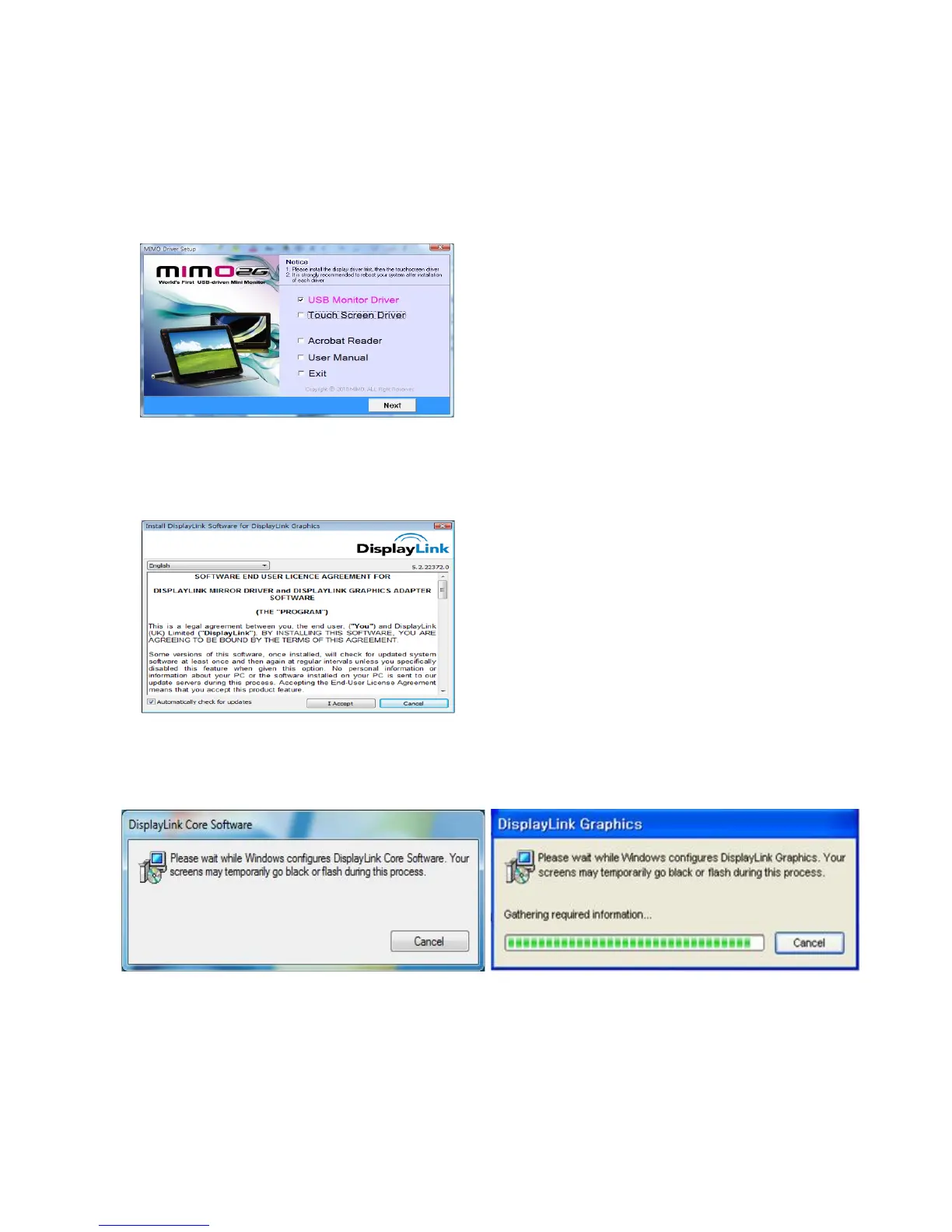
1. Insert the CD into the CD-ROM drive
If the CD is not running automatically please double-click the “AutoRun.exe”
Select the USB Monitor Driver Driver you wish to install and click “Next”
2. Starting to install the USB Monitor Driver
If you see following message window, select "I agree” to accept the terms of use
3. DisplayLink Core Software window opens
The program will show the progress of installing the DisplayLin Core software and DisplayLink Graphics.


 To Next Page