PAGE 10 OF 21
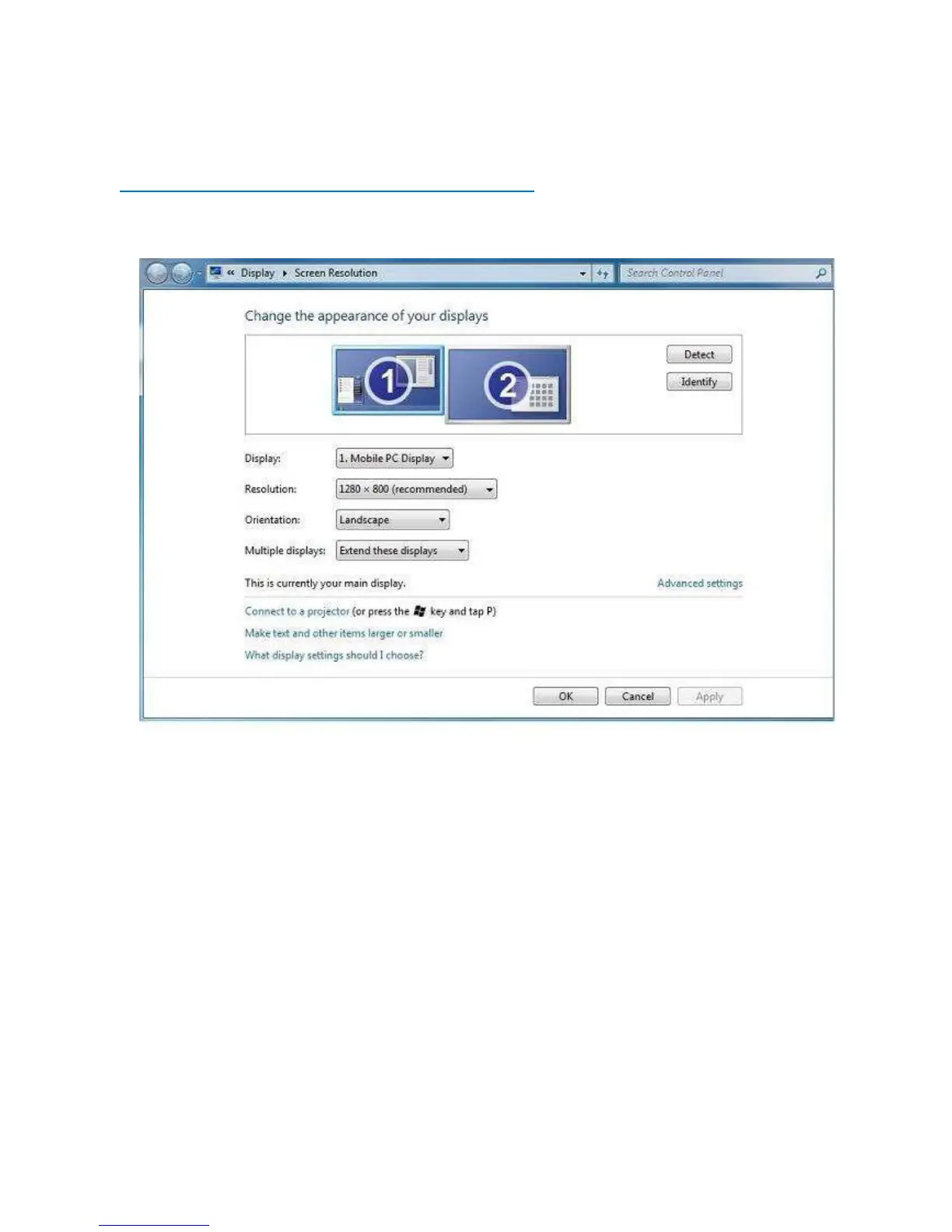
▣ MIMO Display Setting
[ In case of Windows 7 – Controlling the MIMO Display ]
1. MIMO Display Properties Setting
You can configure MIMO device through the use of Windows Display Properties (WDP), which provides
a simple method to attach, rotate, duplicate or extend screens as well as modify screen resolution.
1. Open Windows Display Properties (WDP)
2. Set the display options, Refer to the table below for details on each option
*. How to open Windows Display Propertied (WDP)
1. Right-click on the desktop
2. Select Screen Resolution from menu
OR
1. Right Click on the MIMO icon on the taskbar
2. Click „Advanced‟


 To Next Page