13
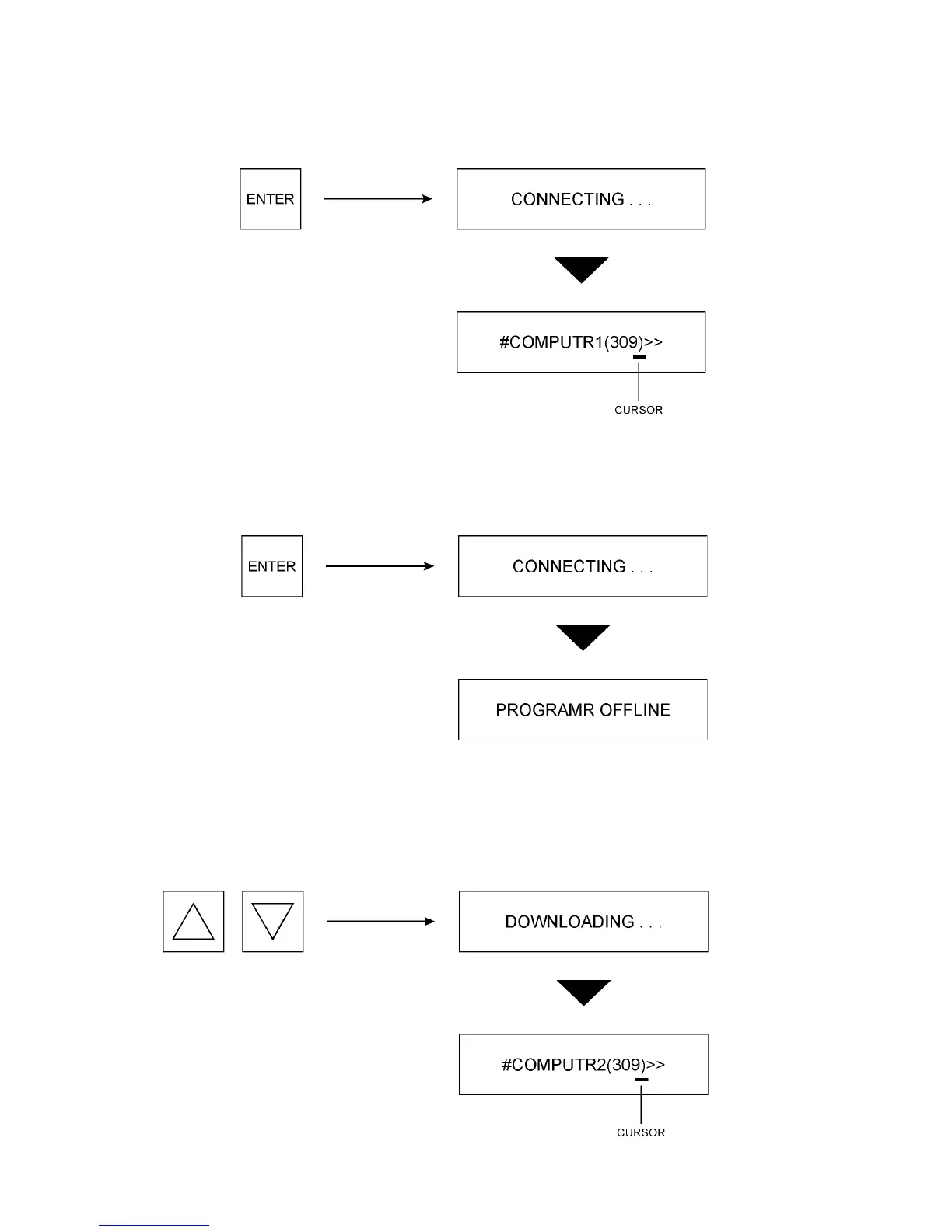
3. Press ENTER again. Depending on the speed of the computer, the display may not read
CONNECTING as the EPM Programmer establishes a connection with the computer. Once
a connection is established, a blinking cursor will appear on the left side of the display.
If a connection cannot be established, the display will read PROGRAMR OFFLINE. Check
the configuration of the computer and verify proper connections between the EPM
Programmer and the computer.
4. Use the V and W keys to view the names of the available data files stored in the TechLink
folder on the computer. Depending on the speed of the computer, the display may not read
DOWNLOADING between file names.


 To Next Page
 Loading...