Note: 1. More details refer to User Manual. 2. For better readability, please print this document with laser printer. 3. Version: CR40(BT)_QG_EN_V1.1.
Common Setting
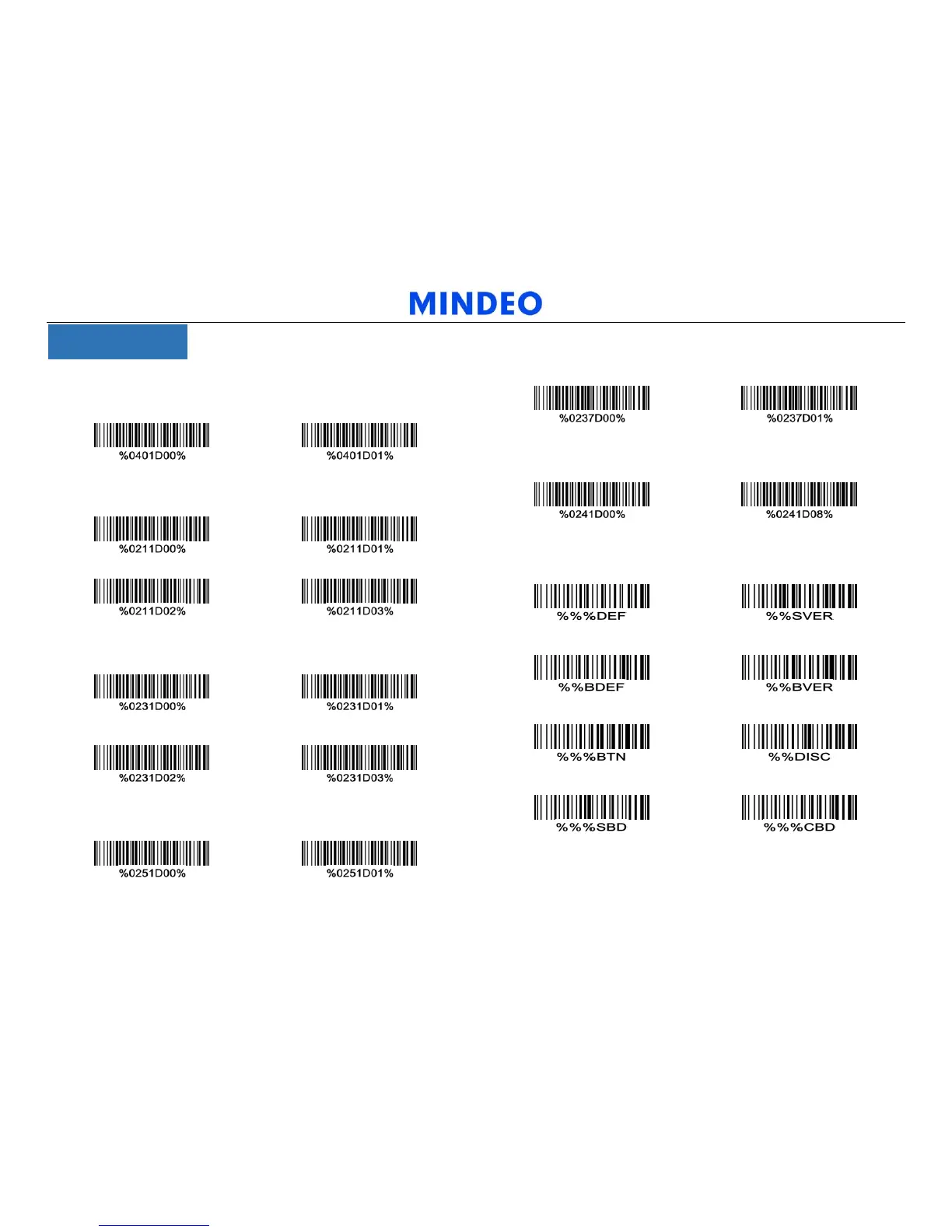
1. Scan mode
Good-read off Momentary
2.Data transfer mode
Bluetooth USB-HID
keyboard
USB virtual COM
Standard batch
3. Bluetooth mode
HID mode SPP mode
BLE slave BA2110
4. Standard batch data output mode
Bluetooth USB-HID
keyboard
5. Out-of-range batch
OFF ON
6.HID keyboard layout
USA Japanese
8.Common function barcodes
Scanner restore factory defaults Scanner firmware version
Bluetooth restore factory defaults Bluetooth firmware version
Bluetooth name Disconnect Bluetooth
Send batch data Delete batch data



 To Previous Page