EasyManua.ls Logo

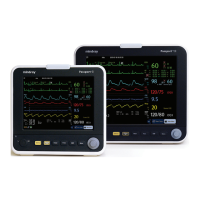
Mindray Passport 8 - Service Manual

Mindray Passport 8
106 pages
Print Icon
To Next Page IconTo Next Page
Loading...
Passport 12/Passport 8
Patient Monitor
Service Manual

Table of Contents

Other manuals for Mindray Passport 8

Questions and Answers

  • B
    Brenda AliSep 22, 2025
    What causes baseline wander on Mindray Passport 8 Medical Equipment and how to fix it?
    • M
      megan80Sep 22, 2025
      If you observe baseline wander on your Mindray Medical Equipment, it could be due to several reasons. First, if the patient is moving excessively, try to secure the lead wires and cable to the patient. Second, check if the electrodes are dry or loose; if so, repeat skin preparation and apply fresh and moist electrodes. Lastly, ensure that the ECG filter is set to 'Monitor' mode, as setting it to 'ST' or 'Diagnostic' mode can also cause baseline wander.
  • L
    Lydia KleinAug 25, 2025
    What to do if the touchscreen on my Mindray Medical Equipment monitor does not respond?
    • M
      Michael ChapmanAug 25, 2025
      If the touchscreen on your Mindray Medical Equipment does not respond, first check if the touchscreen is disabled. Look for a symbol above the [Main Menu] quickkey; if present, press and hold the [Main Menu] quickkey for more than 3 seconds to enable it. If that doesn't work, check the cables between the touchscreen and touchscreen control board, and between the touchscreen control board and main board to ensure they are correctly connected. If the problem continues, the touchscreen control board, the touchscreen itself, or the main board might be defective and require replacement.
  • B
    Bryan EricksonAug 25, 2025
    Why is the display blank on my Mindray Medical Equipment monitor?
    • B
      banksandrewAug 26, 2025
      If your Mindray Medical Equipment display is blank or black, the issue might stem from a defective cable, main board, or the display itself. Start by checking if the cable between the display and main board, including the backlight cable, are correctly connected and undamaged. If the connections are secure, the main board or the display could be defective and might need replacement.
  • H
    Hailey HendricksAug 26, 2025
    How to troubleshoot no alarm sound on Mindray Medical Equipment?
    • M
      Mark RiosAug 27, 2025
      If you are experiencing no alarm sound or abnormal alarm sounds on your Mindray Medical Equipment, it could be due to the alarm sound being set to zero. To resolve this, select [Main Menu]?[Maintenance >>]?[User Maintenance >>]?enter the required password ?[Alarm Setup >>] and set the [Minimum Alarm Volume] to an appropriate level. You can also adjust the alarm volume by selecting [Alarm Setup] on the main menu. Also, check that the cable between the speaker and interface board is properly connected. If the problem persists, the speaker, main board, or power management board may be defective and require replacement.
  • G
    Gabriel RussellSep 23, 2025
    Why is there no ECG waveform on my Mindray Passport 8?
    • K
      Kimberly BarrySep 23, 2025
      If there is no ECG waveform on your Mindray Medical Equipment, first ensure that the gain is appropriately set. If the gain is too low, you won't see a waveform. Next, check that the lead wires and patient cable are fully and properly inserted. Finally, inspect the cables and lead wires for any damage, and replace them if necessary.
  • R
    Robert JacksonDec 1, 2025
    Why can't my Mindray Passport 8 connect to Wi-Fi?
    • J
      Jonathan ObrienDec 1, 2025
      If your Mindray Medical Equipment is unable to connect to the Wi-Fi network, it may be due to an unstable Wi-Fi signal. Verify that the network is available and that the network type is correctly set (e.g., LAN or WLAN). Also, check that the SSID and password of the monitor match those of the wireless AP. Ensure there are no IP address conflicts and that the IP addresses are correctly set. It is also recommended to use a Mindray recommended wireless AP, ensuring it meets the throughput requirements. Verify the AP channel bandwidth is 20 MHz, and that the wireless AP signal strength is no less than -65 dBm where the monitor is located. Check that the signal strength of other Wi-Fi devices at the same channel is no greater than -85 dBm, and that the signal strength of other Wi-Fi devices of ...
  • C
    christopher98Sep 12, 2025
    Why can't I connect external modules to my Mindray Medical Equipment?
    • J
      jacobkeySep 12, 2025
      If you are experiencing issues with connecting external parameter modules to your Mindray Medical Equipment, it could be due to a module defect or a main unit defect. Check that the cable between the external converter board inside the module and the converter board is correctly connected, and consider replacing the converter board. Also, verify that the cable between the main board and power management board is correctly connected, and consider replacing the power management board or the main board.
  • D
    Donna EverettSep 12, 2025
    What to do if Mindray Passport 8 Medical Equipment fails to review data?
    • J
      Joshua HenrySep 12, 2025
      If your Mindray Medical Equipment fails to review archived patient data, it might be due to abnormal patient admitting. Ensure the patient is admitted properly. It could also be due to the SD card being full. Delete unnecessary patient data and remove related alarms, then readmit the patient. If the issue persists, the main board might be defective and need replacement.
  • L
    Lindsay SimpsonSep 4, 2025
    Why is the secondary display not working on my Mindray Medical Equipment?
    • J
      jennifer55Sep 4, 2025
      If the secondary display on your Mindray Medical Equipment does not function or displays snow or flashing specks, it could be caused by a defective cable or the connector board. Check that the cable between the secondary display and the monitor, the cable between the main board and power management board, and the cable between the power management board and interface board are correctly connected. If the connections are correct, the connector board might be defective and need replacement.
  • C
    christinasandovalSep 2, 2025
    How to resolve poor print quality on Mindray Passport 8?
    • M
      Melissa TuckerSep 2, 2025
      If you are experiencing poor print quality or paper not feeding properly on your Mindray Medical Equipment, it might be due to the paper roll not being properly installed. Stop the recorder and re-install the paper roll. Also, check the thermal print head and the paper roller for any foreign matter and clean the thermal print head with an appropriate clean solution. If the issue persists, the recorder itself may be defective and need replacement.

Summary

Safety

Safety Information

Defines warning, caution, and note symbols.

Theory of Operation

The Basics

Describes monitor functions and parameters.

Unpacking and Installation

Hardware and Software Upgrade

Hardware Upgrade

Lists supported hardware upgrades and packages.

Software Upgrade

Details software upgrade procedures.

Testing and Maintenance

Preventative Maintenance

Actions to prevent inaccurate results.

Performance Tests

Ensures accurate measurement results.

Electrical Safety and Other Tests

Safety checks and other tests.

Troubleshooting

Troubleshooting Guide

Tables for common problems and solutions.

Disassembly and Repair

Disassembling the Main Unit

Procedures for taking apart the main unit.

Parts

Passport 8 Parts

Lists all parts and subassemblies for the Passport 8 model.

Passport 12 Parts

Lists all parts and subassemblies for the Passport 12 model.

Electrical Safety Inspection

Mindray Passport 8 Specifications

General IconGeneral
BrandMindray
ModelPassport 8
CategoryMedical Equipment
LanguageEnglish

Related product manuals