EasyManua.ls Logo

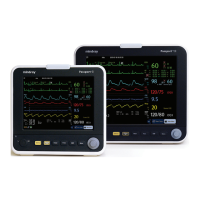
Mindray Passport 8 - Service Manual

Mindray Passport 8
106 pages
Print Icon
To Next Page IconTo Next Page
Loading...
Passport 12/Passport 8
Patient Monitor
Service Manual

Table of Contents

Other manuals for Mindray Passport 8

Questions and Answers

  • C
    christinasandovalSep 2, 2025
    How to resolve poor print quality on Mindray Passport 8?
    • M
      Melissa TuckerSep 2, 2025
      If you are experiencing poor print quality or paper not feeding properly on your Mindray Medical Equipment, it might be due to the paper roll not being properly installed. Stop the recorder and re-install the paper roll. Also, check the thermal print head and the paper roller for any foreign matter and clean the thermal print head with an appropriate clean solution. If the issue persists, the recorder itself may be defective and need replacement.
  • T
    traceybyrdSep 1, 2025
    What causes the alarm lamp to malfunction on Mindray Passport 8?
    • D
      Donna SmithSep 1, 2025
      If the alarm lamp on your Mindray Medical Equipment is not lighting up, is extinguished, or illuminates abnormally, it could be due to a defective cable, a defective alarm lamp board, or a failure of the main board. First, check that the cable between the alarm lamp board and main board is correctly connected and that the cables and connectors are not damaged. If the connections are secure, the alarm lamp board or the main board might be defective and require replacement.
  • J
    Jeremy BrownAug 31, 2025
    Why is my Mindray Passport 8 Medical Equipment battery not charging?
    • D
      Daniel BakerAug 31, 2025
      If the battery on your Mindray Medical Equipment cannot be charged, it could be due to a defective battery, a faulty cable, or a defective power management or battery interface board. First, consider replacing the battery. If the issue persists, check that the cable between the battery interface board and power management board is correctly connected. If the cable is fine, the power management board or the battery interface board might be defective and need replacement.
  • D
    denisesalazarAug 30, 2025
    What to do if my Mindray Passport 8 has no printout?
    • A
      Angela BoltonAug 30, 2025
      If your Mindray Medical Equipment is not printing, ensure the recorder module is enabled by checking if the recorder status indicator lights up. If it does, enable the module in the [Factory Maintenance] menu. Also, check if the paper is reversed and re-install the paper roll if necessary. Verify that the cable between the recorder and main board is correctly connected. If problems persist, the recorder itself may be defective and need replacement.
  • J
    James PerkinsAug 28, 2025
    Why is there no sound from the hardkey or knob on my Mindray Passport 8?
    • T
      Tanya GonzalezAug 28, 2025
      If there is no hardkey or knob sound, or the sound is abnormal on your Mindray Medical Equipment, it might be because the key volume is set to zero. You can adjust this by selecting [Main Menu] ? [Screen Setup >>] ? [Key Volume >>] and setting the key volume to an appropriate level. Also, check that the cable between the speaker and interface board is properly connected. If the issue persists, the speaker, main board, or power management board could be defective and may need to be replaced.
  • M
    melissasheaAug 27, 2025
    What causes USB drive data transfer failure on Mindray Passport 8 Medical Equipment?
    • P
      pduncanAug 27, 2025
      If you're experiencing issues with USB device data transfer on your Mindray Medical Equipment, the problem could be due to a defective cable, connector board, power management board, main board, or improper setup. First, check the cables between the power management board and main board, and between the power management board and interface board to ensure they are correctly connected. If the connections are fine, the connector board, power management board, or the main board might be defective and need replacement. Also, ensure that the [Data Transfer Method] is set to [USB Device] by navigating to [Main Menu]?[Maintenance >>]?[User Maintenance >>]?enter the required password? [Others >>].
  • H
    Hailey HendricksAug 26, 2025
    How to troubleshoot no alarm sound on Mindray Medical Equipment?
    • M
      Mark RiosAug 27, 2025
      If you are experiencing no alarm sound or abnormal alarm sounds on your Mindray Medical Equipment, it could be due to the alarm sound being set to zero. To resolve this, select [Main Menu]?[Maintenance >>]?[User Maintenance >>]?enter the required password ?[Alarm Setup >>] and set the [Minimum Alarm Volume] to an appropriate level. You can also adjust the alarm volume by selecting [Alarm Setup] on the main menu. Also, check that the cable between the speaker and interface board is properly connected. If the problem persists, the speaker, main board, or power management board may be defective and require replacement.
  • B
    Bryan EricksonAug 25, 2025
    Why is the display blank on my Mindray Medical Equipment monitor?
    • B
      banksandrewAug 26, 2025
      If your Mindray Medical Equipment display is blank or black, the issue might stem from a defective cable, main board, or the display itself. Start by checking if the cable between the display and main board, including the backlight cable, are correctly connected and undamaged. If the connections are secure, the main board or the display could be defective and might need replacement.
  • L
    Lydia KleinAug 25, 2025
    What to do if the touchscreen on my Mindray Medical Equipment monitor does not respond?
    • M
      Michael ChapmanAug 25, 2025
      If the touchscreen on your Mindray Medical Equipment does not respond, first check if the touchscreen is disabled. Look for a symbol above the [Main Menu] quickkey; if present, press and hold the [Main Menu] quickkey for more than 3 seconds to enable it. If that doesn't work, check the cables between the touchscreen and touchscreen control board, and between the touchscreen control board and main board to ensure they are correctly connected. If the problem continues, the touchscreen control board, the touchscreen itself, or the main board might be defective and require replacement.

Summary

Safety

Safety Information

Defines warning, caution, and note symbols.

Theory of Operation

The Basics

Describes monitor functions and parameters.

Unpacking and Installation

Hardware and Software Upgrade

Hardware Upgrade

Lists supported hardware upgrades and packages.

Software Upgrade

Details software upgrade procedures.

Testing and Maintenance

Preventative Maintenance

Actions to prevent inaccurate results.

Performance Tests

Ensures accurate measurement results.

Electrical Safety and Other Tests

Safety checks and other tests.

Troubleshooting

Troubleshooting Guide

Tables for common problems and solutions.

Disassembly and Repair

Disassembling the Main Unit

Procedures for taking apart the main unit.

Parts

Passport 8 Parts

Lists all parts and subassemblies for the Passport 8 model.

Passport 12 Parts

Lists all parts and subassemblies for the Passport 12 model.

Electrical Safety Inspection

Mindray Passport 8 Specifications

General IconGeneral
BrandMindray
ModelPassport 8
CategoryMedical Equipment
LanguageEnglish

Related product manuals