105
12-4. Confirmation of options
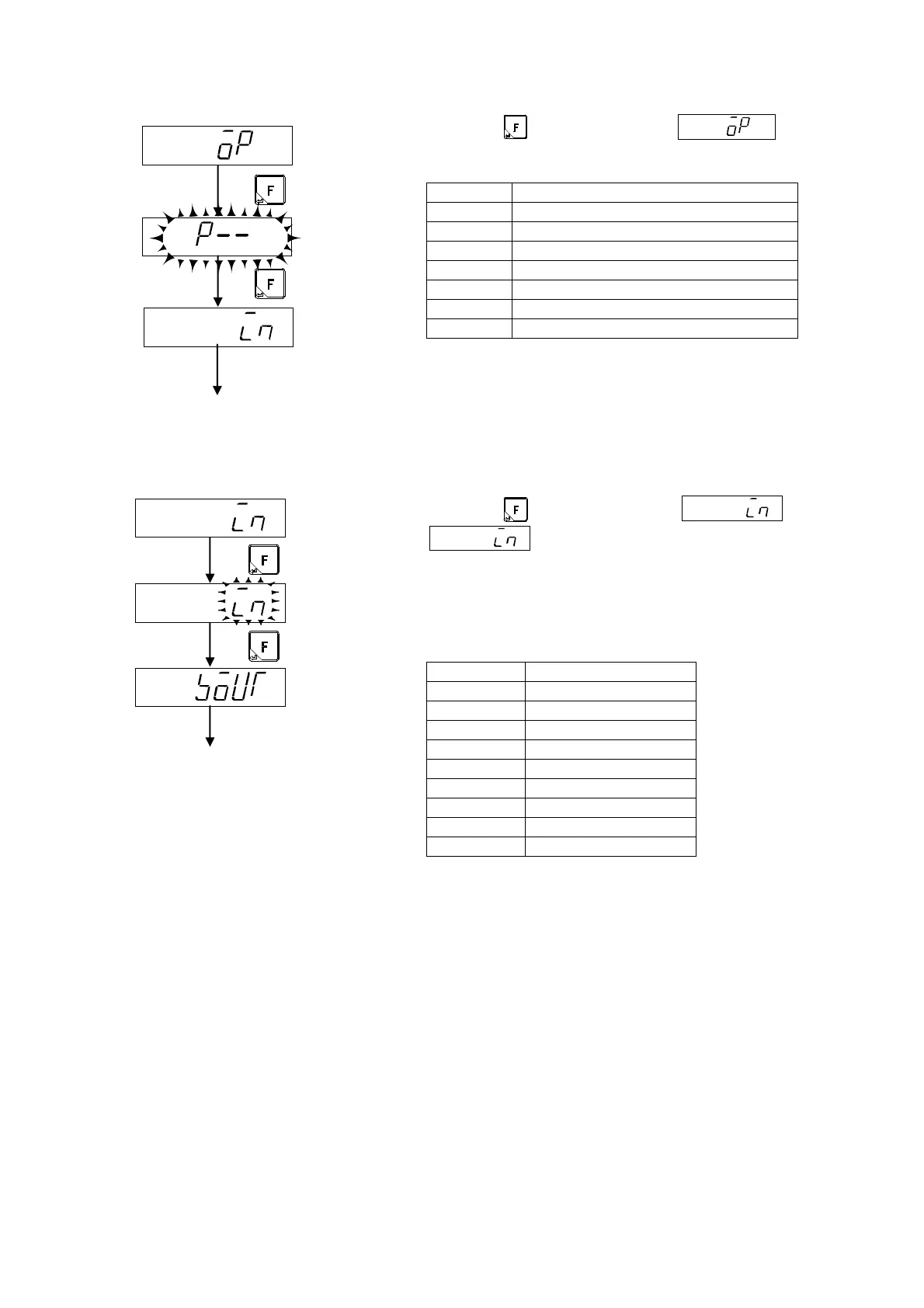
When the key is pressed from display,
equipped option is blinking displayed.
display Combination of optional products
P-- Not output
P07 Current output
P25 Voltage output
P15 BCD output
P73 CC-LINK interface
P74 RS-232C interface
P76 RS-422/485 interface
12-5. Confirmation of external control input
When the key is pressed from display,
display becomes blinking.
At this time, the status of ON/OFF of the external control input
signal can be confirmed by the status display section.
The status display lights when each input of the external control
input connector is turned on.
Pin No. Condition
INPUT1 STABLE
INPUT2 PRESET TARE
INPUT3 TARE
INPUT4 GROSS
INPUT5 NET
INPUT6 ZERO
INPUT7 HOLD
INPUT8 ERROR
INPUT9 Z-BAND
Move to the Confirmation of
external control input
Confirms by external
input ON/OFF.
move to the confirmation
of contact output.



 To Next Page