25
4-4-2. Fine adjustment of zero and span
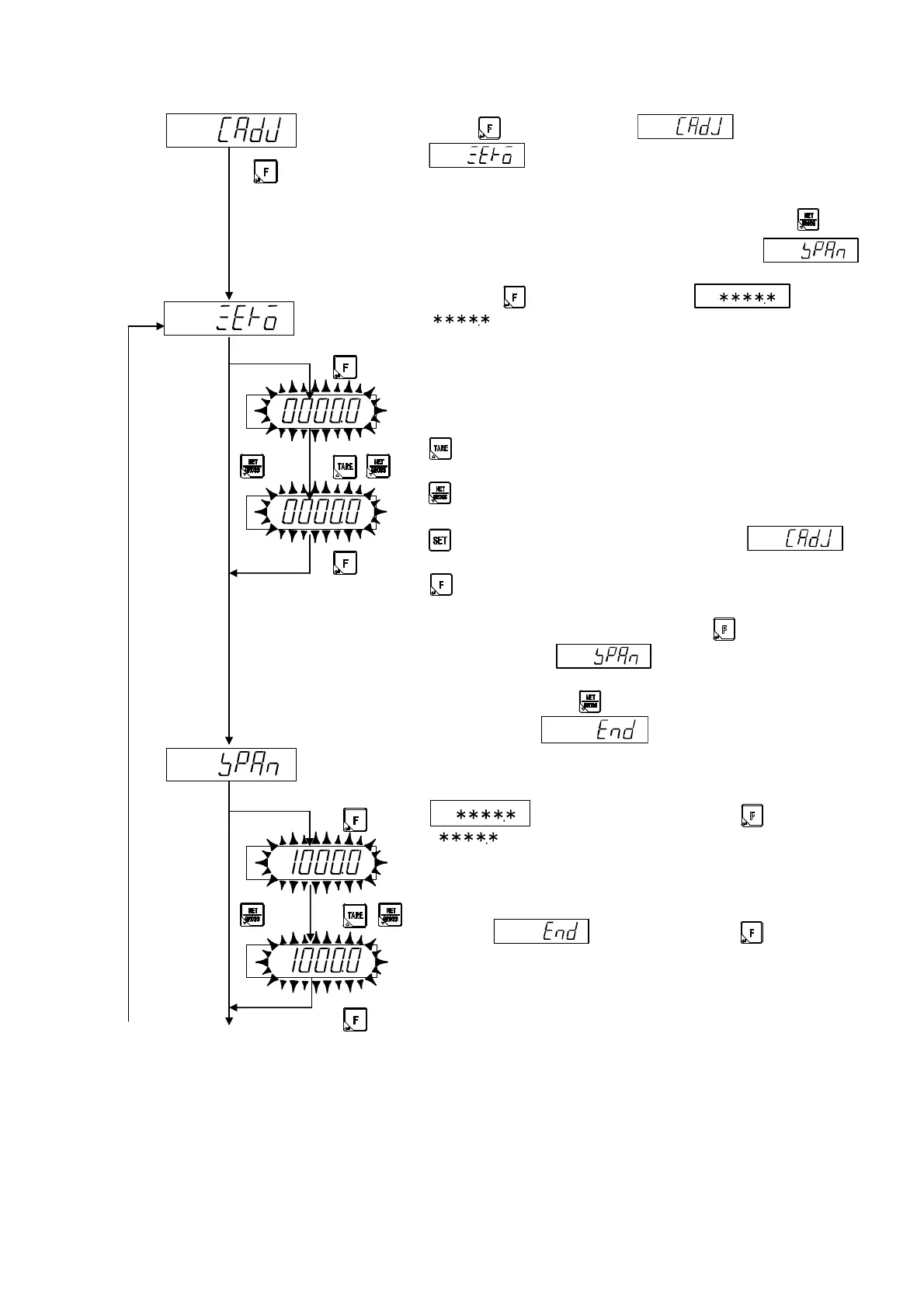
When key pressed from display,
is displayed.
In executing the zero fine adjustment, proceeds the operation of
a).
In case of executing the span adjustment only, press key,
and proceed the operation of b) after displaying .
a) Fine adjustment of Zero
Press the key. Display becomes .
[ ] is the present measuring value, and it can be displayed
up to 1/10 digit.
Ex. Without a decimal point 0 ~ 6000 -> 0.0 ~ 6000.0
With a decimal point 0.0 ~ 600.0 -> 0.00 ~ 600.00
Please set the display to [zero] after the condition which nothing is
put on the measuring point.
: Increase the measuring value.
Increase continuously by keeping the key pressed.
: Decrease the measuring value.
Decrease continuously by keeping the key pressed.
: Interrupts the setting, and returns to
display.
: Memorizes the display value, and proceed to the next
step.
After the zero fine adjustment, press the key.
Display becomes . in case of executing the fine
adjustment of span, precedes the operation of b).
Otherwise, press the key, and proceed the operation of c)
after displaying .
b) Fine adjustment of span
Put the weight which can be put on the measuring section under
the weighing capacity.
is displayed by pressing the key.
[ ] is the present measuring value, and it can be
displayed up to 1/10 digit.
Please set the display to become the same value with the weight
put on the measuring section.
After the fine adjustment of span, proceeds the operation of c)
after the display by pressing key.
[A]
[B]


 To Next Page
 Loading...


