EasyManua.ls Logo

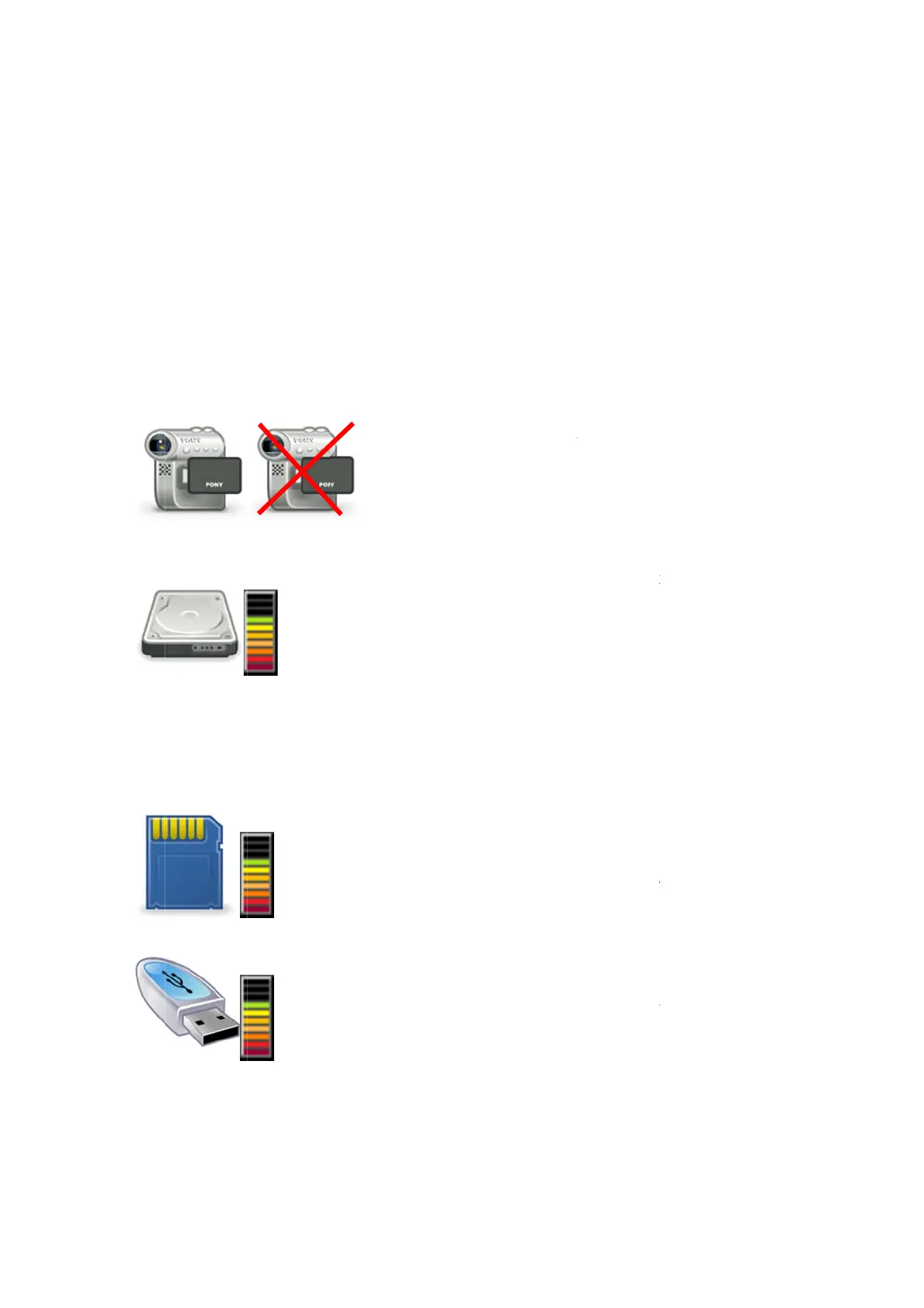
MINICAM SoloPro - Status Icons

MINICAM SoloPro
32 pages
Print Icon
To Next Page IconTo Next Page
To Previous Page IconTo Previous Page
Loading...
The
vid
e
If p
o
red
u
its
n
2.3
.
The
re is an ar
e
e
o file is dis
o
wer savin
g
u
ce to a lo
w
n
ormal inte
.
Status Ico
status Ico
n
e
a below t
h
pla
y
ed. Thi
g
mode is
e
w
level if t
h
nsit
y
when
ns
n
s are sho
w
R
h
e picture
w
i
s is not re
c
e
nabled, th
h
e ke
y
pad i
s
an
y
ke
y
is
w
n in Fi
g
1.
Ca
a
v
If t
cr
o
Int
e
ico
m
e
‘us
as
t
an
d
ba
r
SD
/
of
t
(se
c
ca
r
a f
r
Ex
t
thi
s
‘sti
of
t
R
ev G - 07/2
0
Page: 13
w
here the f
c
orded wit
h
e screen b
a
s
not used
pressed.
1 and desc
mera statu
s
v
ideo si
g
nal
he camera
o
ss appears
e
rnal mem
o
n shows t
h
e
mor
y
as a
f
ed’ propor
t
t
he un-col
o
d
the avail
a
r
s at the b
o
/
MMC car
d
t
his icon s
h
c
ure di
g
ita
l
r
d in the fr
o
r
action of
t
t
ernal USB
m
s
icon sho
w
ck’ in the f
t
he total
m
0
13
ilename of
h
the pictu
r
a
ckli
g
ht int
e
for a pre-s
e
ribed belo
w
s
This sh
o
available f
is not con
n
over the i
c
o
r
y
The ‘
g
h
e available
f
raction of
t
ion of the
o
ured bars
a
ble portio
n
o
ttom of th
d
memor
y
-
h
ows the a
v
l
) or MMC
o
nt panel
m
t
he total m
e
m
emor
y
-
T
w
s the avail
ront panel
m
emor
y
stic
k
a recorde
d
r
e.
e
nsit
y
will
a
e
t time per
w
:-
o
ws wheth
e
f
rom the p
u
n
ected or f
a
c
on.
g
au
g
e’ to
t
capacit
y
o
the total c
a
internal m
at the top
n
is shown
e
g
au
g
e.
-
The ‘
g
au
g
v
ailable ca
p
(Multimedi
m
emor
y
ca
r
e
mor
y
car
d
T
he ‘
g
au
g
e
able capac
USB socke
t
k
capacit
y
.
d
or pla
y
ed
a
utomatica
iod returni
n
e
r or not t
h
u
sh-rod ca
m
a
ult
y
, then
t
he ri
g
ht of
f the inter
n
a
pacit
y
. Th
emor
y
is s
h
of the
g
au
g
as the col
o
g
e’ to the ri
p
acit
y
of a
n
i
a Card) m
e
r
d receptac
d
capacit
y
.
’ to the ri
g
it
y
of a me
t
, as a frac
t
back
ll
y
ng
to
h
ere is
m
era.
a red
this
n
al
e
h
own
g
e
o
ured
g
ht
n
SD
e
mor
y
le, as
ht of
mor
y
t
ion

Related product manuals