Rev G - 07/2013
Page: 20
Camera and LCD Dimming – The camera illumination and LCD backlight will dim
after a period of inactivity.
The options are: Never / 5 / 15 / 30 minutes.
Automatic Shutdown – When the SOLO Pro is powered only by internal batteries
this feature will power down the SOLO Pro after a period of inactivity.
The options are: Never / 15 / 30 / 60 minutes.
4.10. Sonde
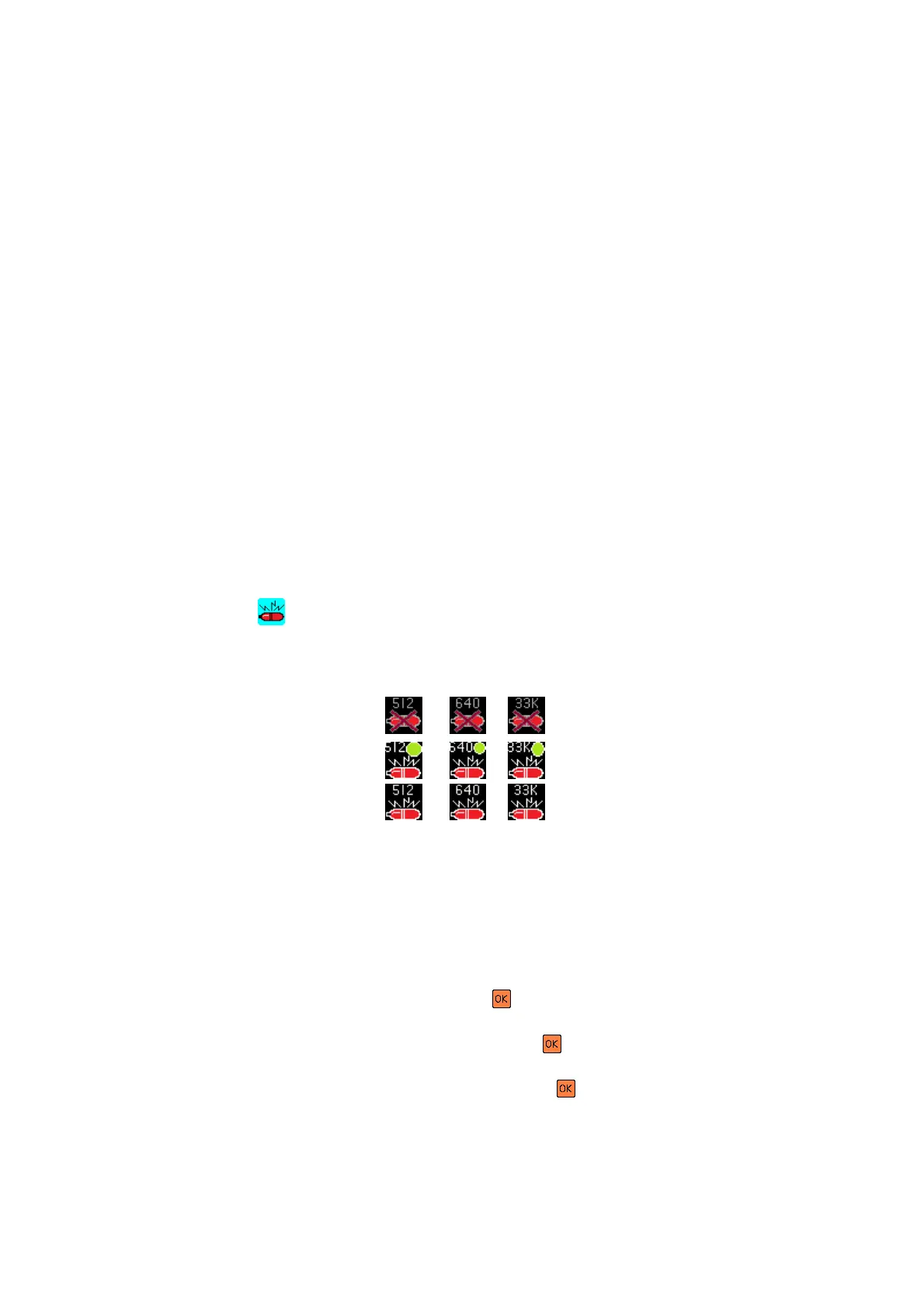
This feature allows the user to set the frequency of the Sonde transmitter,
depending on the option installed in the system.
There are two Sonde hardware options available:
1) Single Frequency 33kHz
2) Multi-Frequency 512Hz, 640Hz & 33kHz (Cost option)
By pressing the key during operation the Sonde can be cycled through three
states. A symbol is displayed on the right hand side of the screen indicating the
current status and frequency of the Sonde:
1) OFF
2) PULSE ON/OFF
3) ON
4.11. Software Update
This feature allows the user to update the SOLO Pro software, when available, in
the field using removable media such as a USB memory stick or SD card.
Selecting “Software Update” will bring up the “Software Updates Browser”. Select
the removable media you are using and press .
Now select the update you want to install and press .
You will now be prompted to type “install” and press to confirm the update.
The SOLO Pro will now restart. Onscreen text will show the status of the update.



 To Next Page