Rev G - 07/2013
Page: 15
3. Keyboard
3.1. What you'll find in this chapter
This chapter describes how functions are selected from the keyboard
3.2. Keyboard description.
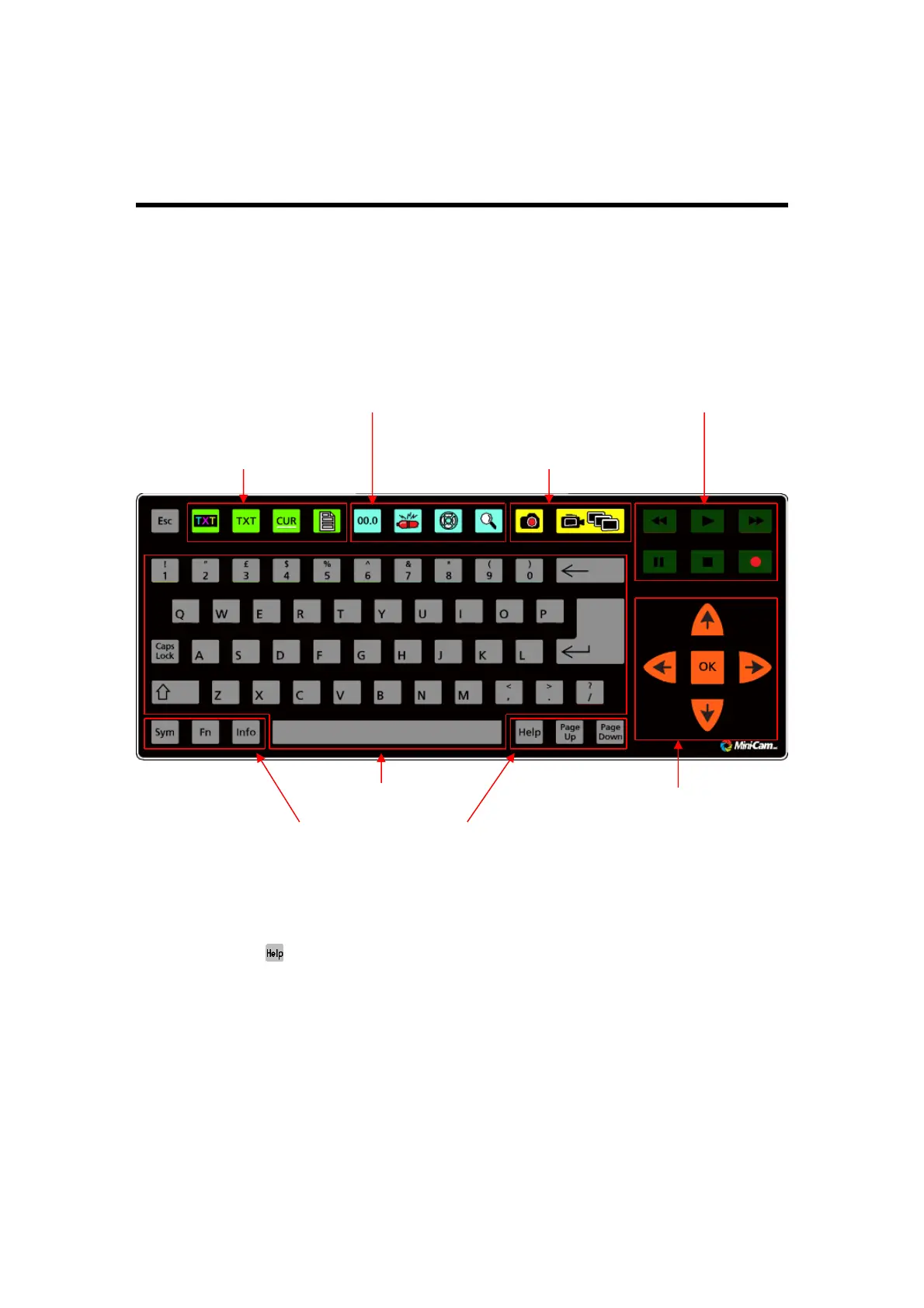
The keyboard may be divided into seven sections as shown in Fig 4.1 (below).
Fig 3.1 Keyboard layout
At any time, the key can be used to display a screen on which all the key symbols
are identified.
3.3. Text Control Keys
These four keys create a report pro-forma which appears on the screen. This is
recorded on top of survey video and is used to identify the recorded survey on
playback. Additionally they can control the free text which may be typed onto the
screen to identify a recording in the same fashion.
Text Control Keys
System Control Keys
Video Command Keys
Recorder Control Keys
Text Entr
Ke
s
Special Function Ke
s
Entry Keys
Cursor Control Keys



 To Next Page