EasyManua.ls Logo

miniDSP 2X4 HD - User Manual

miniDSP 2X4 HD
48 pages
Print Icon
To Next Page IconTo Next Page
Loading...
miniDSP Ltd, Hong Kong / www.minidsp.com / Features and specifications subject to change without prior notice 1
2X4 HD
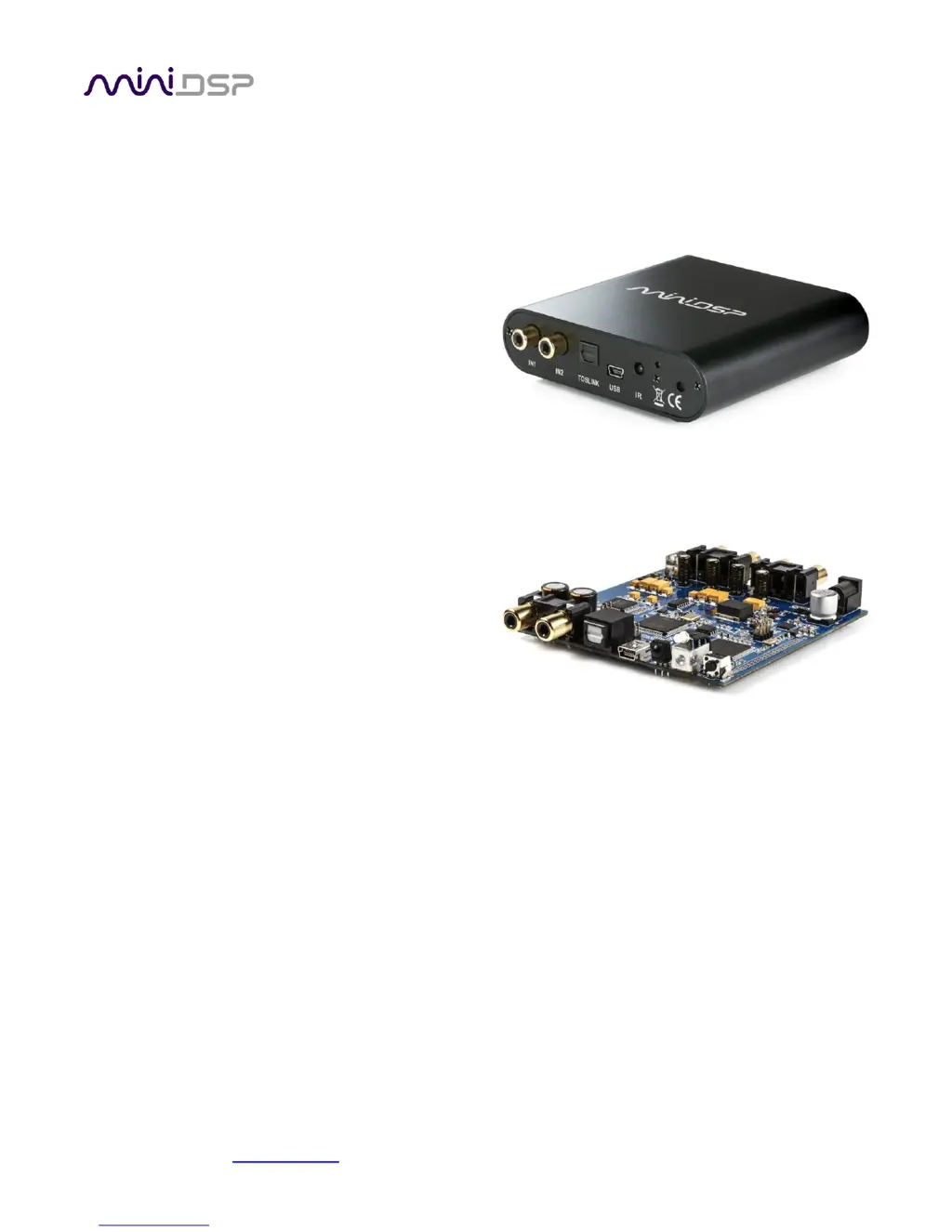
COMPACT 2-IN 4-OUT
HIGH-RESOLUTION AUDIO
PROCESSOR
2X4 HD KIT
2-IN 4-OUT HIGH-
RESOLUTION AUDIO
PROCESSOR CIRCUIT BOARD
User Manual

Questions and Answers

  • T
    Theresa OwenJul 27, 2025
    What to do if there is no audio or low audio on outputs of my miniDSP Processor?
    • A
      Amanda ButlerJul 27, 2025
      If you experience no audio or low audio on the outputs of your miniDSP Processor, check the cabling from the processor to your amplifiers. Ensure your amplifiers are turned on and the volume controls are up. Verify that the input and output meters are showing adequate signal. Make sure master mute is not enabled, and that mute buttons in the output channel strips are not enabled. Check that FIR filters have valid coefficients (and are bypassed if they do not). Ensure your crossover frequencies are correctly set and that the matrix mixer is sending the correct inputs to the correct outputs.
  • N
    noahshawJul 31, 2025
    What to do if I cannot connect to the board by USB on my miniDSP Processor?
    • B
      Brandy BallardJul 31, 2025
      To resolve issues connecting to the board by USB on your miniDSP Processor, reset the processor by power-cycling the unit. Also, make sure the processor is seen in the device manager as a HID device.
  • D
    Dylan WilliamsAug 6, 2025
    What to do if there is no signal showing on input meters of my miniDSP Processor?
    • R
      Ryan RobertsAug 6, 2025
      If no signal is showing on the input meters of your miniDSP Processor, first check the cabling from your source. Then, ensure that your source is playing audio, is not muted, and the volume control is not turned down. Finally, verify that the plugin is synchronized with the hardware unit.
  • J
    jasonwrightAug 11, 2025
    Why does the audio sound distorted on my miniDSP Processor?
    • T
      Tyler SmithAug 11, 2025
      If the audio sounds distorted when using your miniDSP Processor, check the output meter to ensure you are not overloading the outputs. If necessary, reduce the output gain and/or the amount of boost in the EQ blocks.
  • P
    Peter MasonAug 16, 2025
    Why is audio coming through the wrong outputs on my miniDSP Processor?
    • J
      Jordan HudsonAug 16, 2025
      If the audio is coming through the wrong outputs on your miniDSP Processor, check the cabling from the processor to your amplifiers. Also, check that you have correctly set up the matrix mixer to send the correct inputs to the correct outputs.
  • D
    Devin GreenAug 21, 2025
    What to do if miniDSP Processor software is running in background but not showing?
    • J
      jason36Aug 21, 2025
      If the software for your miniDSP Processor is running in the background but not showing, it may be because the Adobe Air environment needs a network connection the first time you run a plugin. Close the plugin program, ensure that your computer has a network connection, and restart the plugin. Alternatively, the Adobe Air environment may require a version update. Download the latest version from http://get.adobe.com/air/.

Summary

Important Information

Software Installation

Windows Installation

Steps and potential issues for installing software on Windows.

Mac Installation

Steps and potential issues for installing software on Mac OS X.

Configuring the 2 x4 HD

Synchronizing with the Processor

Establishing communication between the computer and the 2x4 HD.

Inputs & Routing Tab

Understanding input selection and the routing matrix for signal flow.

Output Tab

Details on output channel strips, level meters, gain, EQ, crossover, etc.

Working with Configurations

Saving, loading, and managing processor configurations.

USB Audio

Additional Information

Troubleshooting

Common issues and recommended solutions for the 2x4 HD.

miniDSP 2X4 HD Specifications

General IconGeneral
DSP Resolution32-bit floating point
Power Supply5V DC
Product CategoryAudio Processor
Input Channels2
Output Channels4
DAC Resolution24-bit
ADC Resolution24-bit
USB AudioYes
Bit Depth24-bit
DSP ProcessingYes
Weight0.5 kg
InputToslink
OutputAnalog
Sample Rate48kHz, 96kHz
Input Connectors2 x RCA
Output Connectors4 x RCA
Digital InputsToslink
Analog Inputs2 x RCA
Analog Outputs4 x RCA
Sampling Frequency48 kHz, 96 kHz
Signal-to-Noise Ratio114dB (A-weighted)
USB Audio ClassUSB Audio Class 2