miniDSP Ltd, Hong Kong / www.minidsp.com / Features and specifications subject to change without prior notice 17
6 CONFIGURING THE 2X4 HD
The 2x4 HD processor is configured with the miniDSP-2x4-HD plugin / user interface program. Once fully
configured, the computer is no longer required, as source and preset selection can be done with a remote
control—see Infrared Remote Control on page 38. If desired, however, the plugin can remain connected during
use for real-time (“live”) control of all audio processing.
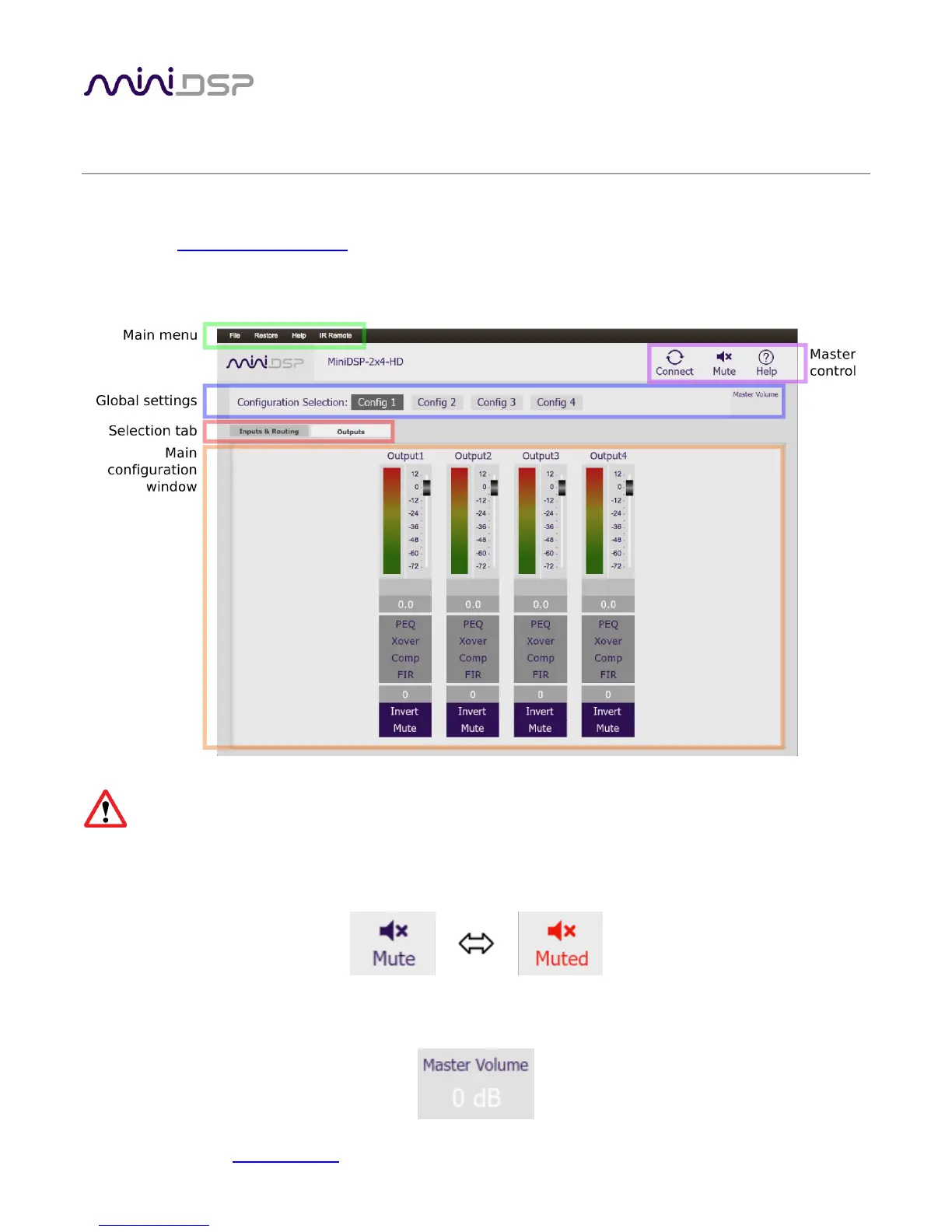
This screenshot shows the miniDSP-2x4-HD plugin with the key areas highlighted:
During initial configuration of the processor, it is strongly recommended that any connected
amplification be powered off.
The Mute button disables all audio output:
The Master Volume display shows the current volume setting:


 To Next Page