E11
Set Up
E10
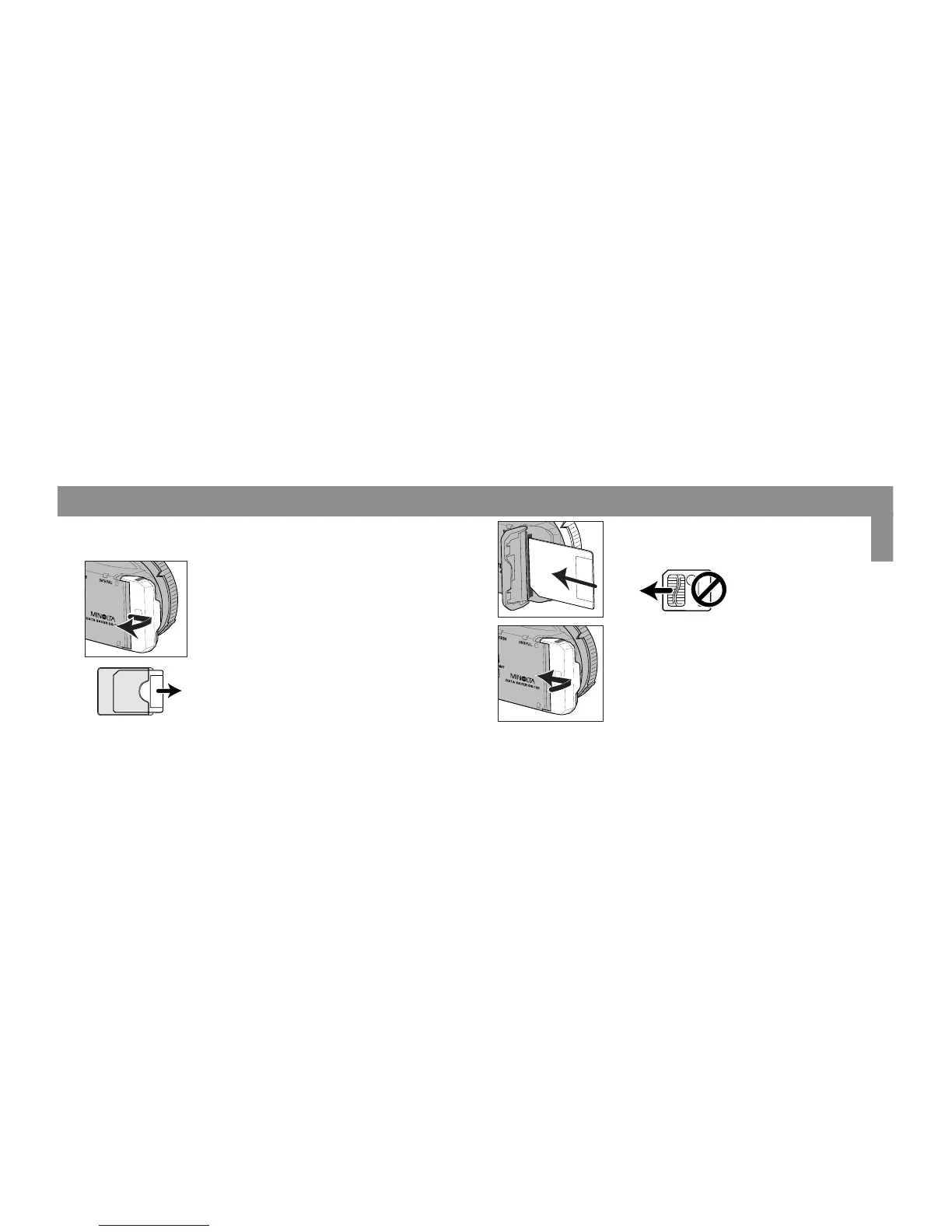
Inserting the SmartMedia Card
2. Remove the card from its anti-static case.
• Don’t touch the card’s contacts.
• Save the anti-static case for future storage of the
SmartMedia card.
1. Open the card-slot door.
3. Insert the card into the card slot, contact-
side down.
4. Close the card-slot door.
The 4MB 3.3V SmartMedia card provided has already been properly formatted for use
with the DS-100. See page 14 to format cards not included with this unit.



 To Next Page