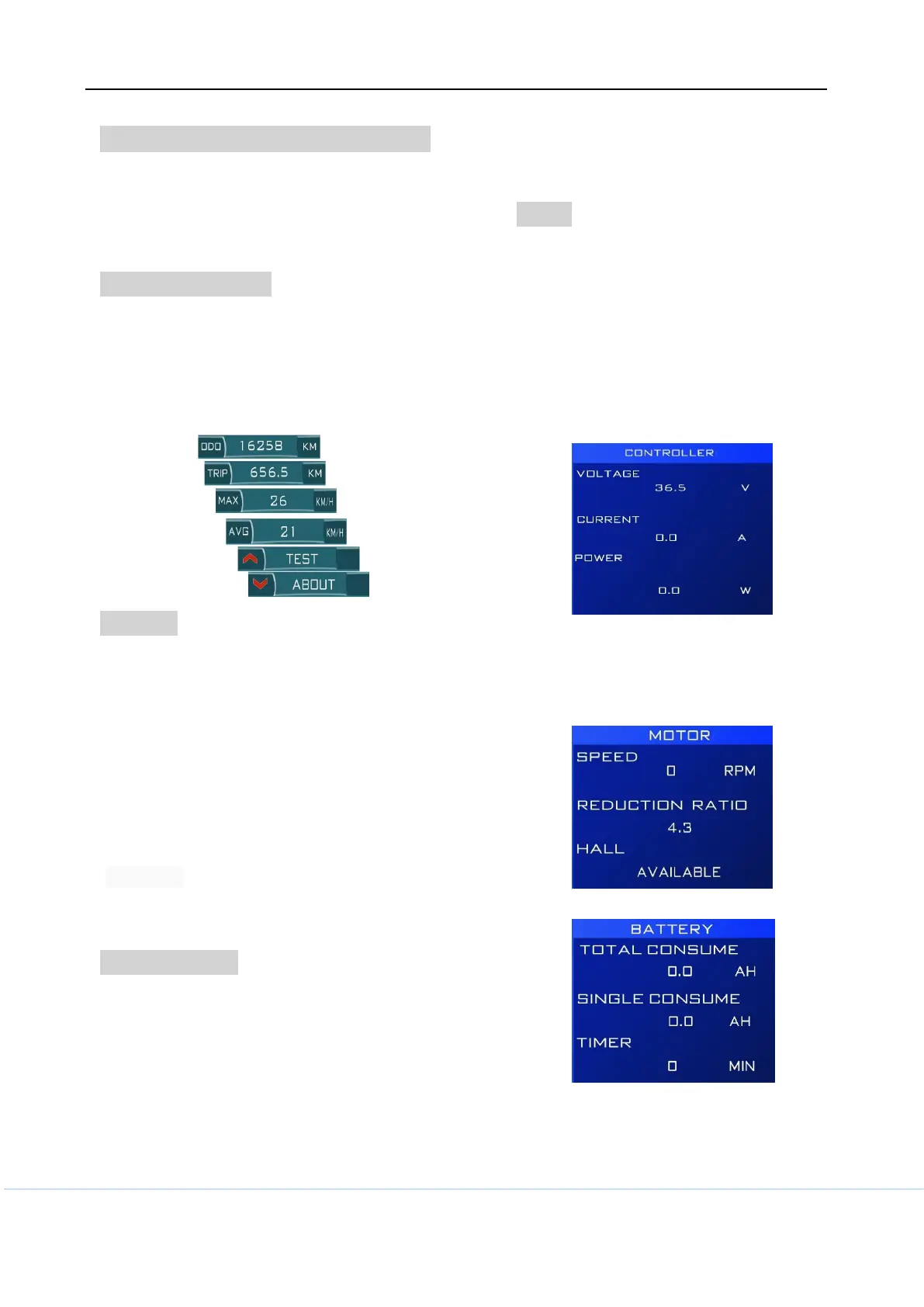
TRIP , ODO ,MAX SPEED , AVG SPEED
--These information was shown at bottom of
screen ,TRIP and MAX SPEED , AVG SPEED
can be cleared by long pressing POWER and
DOWN with 3 seconds;
Bike information
--Short press POWER button can switch the
bike info show at bottom of screen , bike info
include TRIP , TRIP TIME , ODO ,MAX
SPEED , AVG SPEED ,TEST SCREEN ,
ABOUT,(Clock set for T24)
ABOUT
-- Press DOWN bottom when the ABOUT
show on information indicator and short press
POWER button can show different interface
below
--Product information
Show Version number, model of the
product , service distance and Password
--Presentation mode
Once enter this interface ,it can help you
fully know how it works and different skins
and different font color will repeatedly show
on screen.
Setting menu
--Both long pressing UP and POWR button
after system power on within 3 seconds
--Password need be imputed if menu
password protection option was activated.
--incorrect setting may cause bicycle can’t
work or make components failure.
--Maybe you can’t modify settings because
you don’t have modify permissions;
--Some menu item may will be invisible
TEST
-- At this interface , you can check the status
of all the components with details. which was
connected with system .
--Pressing UP bottom when the TEST show
on information indicator,
-- short pressing POWER button can
repeatedly switch such interface below
--Realtime Voltage and current and power
-- Motor information
Notice: you also can get correct motor
reduction ratio when an unknow motor come
to you.
-- Battery information



 To Next Page