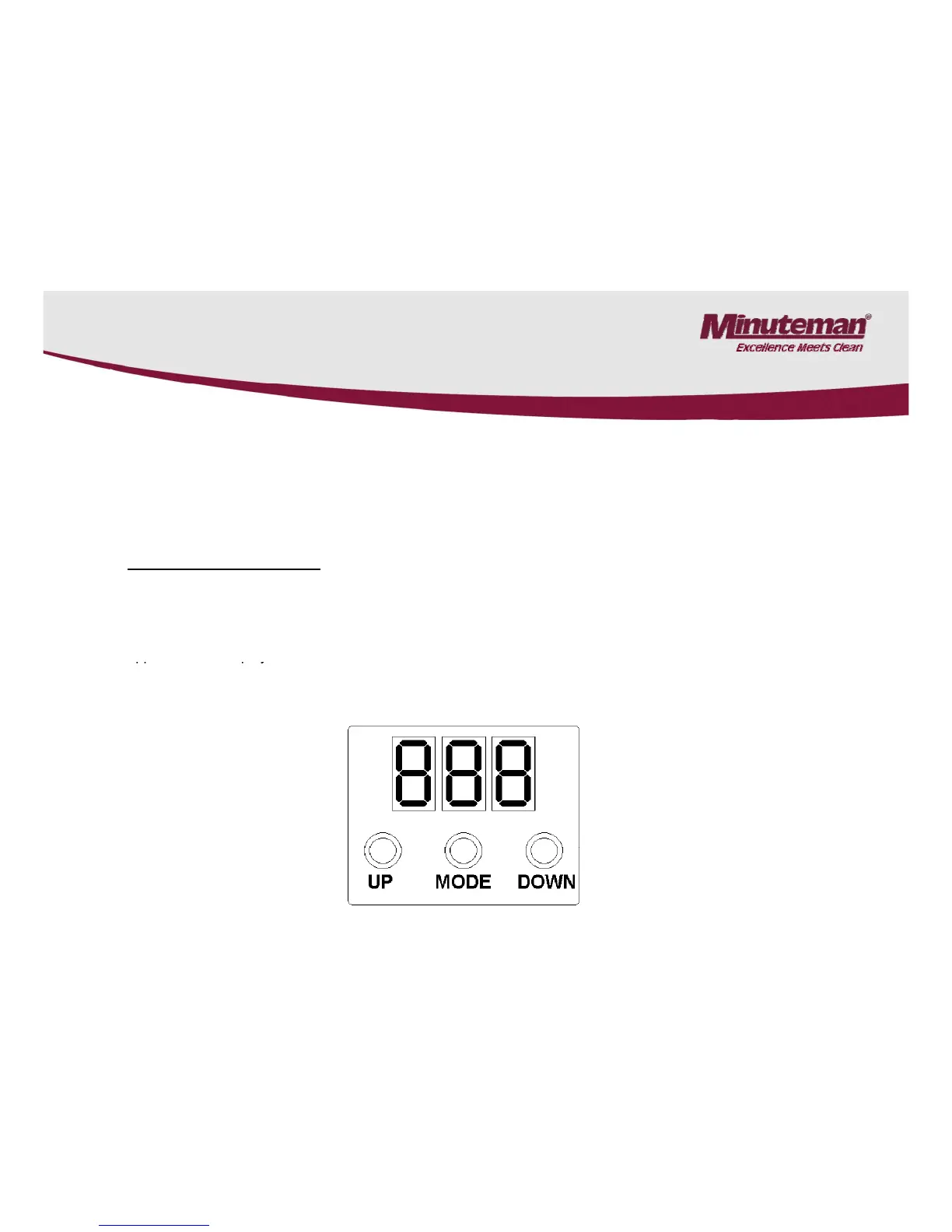
6.2 Programming The Drive Controller
• Note: When replacing the controller: May require re-calibrating the potentiometer.
• Note: Only trained and authorized Minuteman service technicians are admitted to adjust the
programming the controller.
• Incorrect setting may cause defects of the controller and important malfunctions leading to
uncontrollable riding behaviour of the machine.
• General Descri
• Three keys are located below the 7-segment LED display. Start programming by pressing the “MODE” key and the
first parameter “F0” appears. Use the “UP” key to step forward to the next parameter (F1, F2 ...) and the “Down”
key to step back. After having attained the desired parameter, select it by pressing the “Mode” key. The parameter
a
• If the programming mode has not yet been invoked before pressing the “UP” or “Down” key, display directly
changes to the password level and shows “F00” or “100” while the left cipher flashes.
19



 To Next Page