15
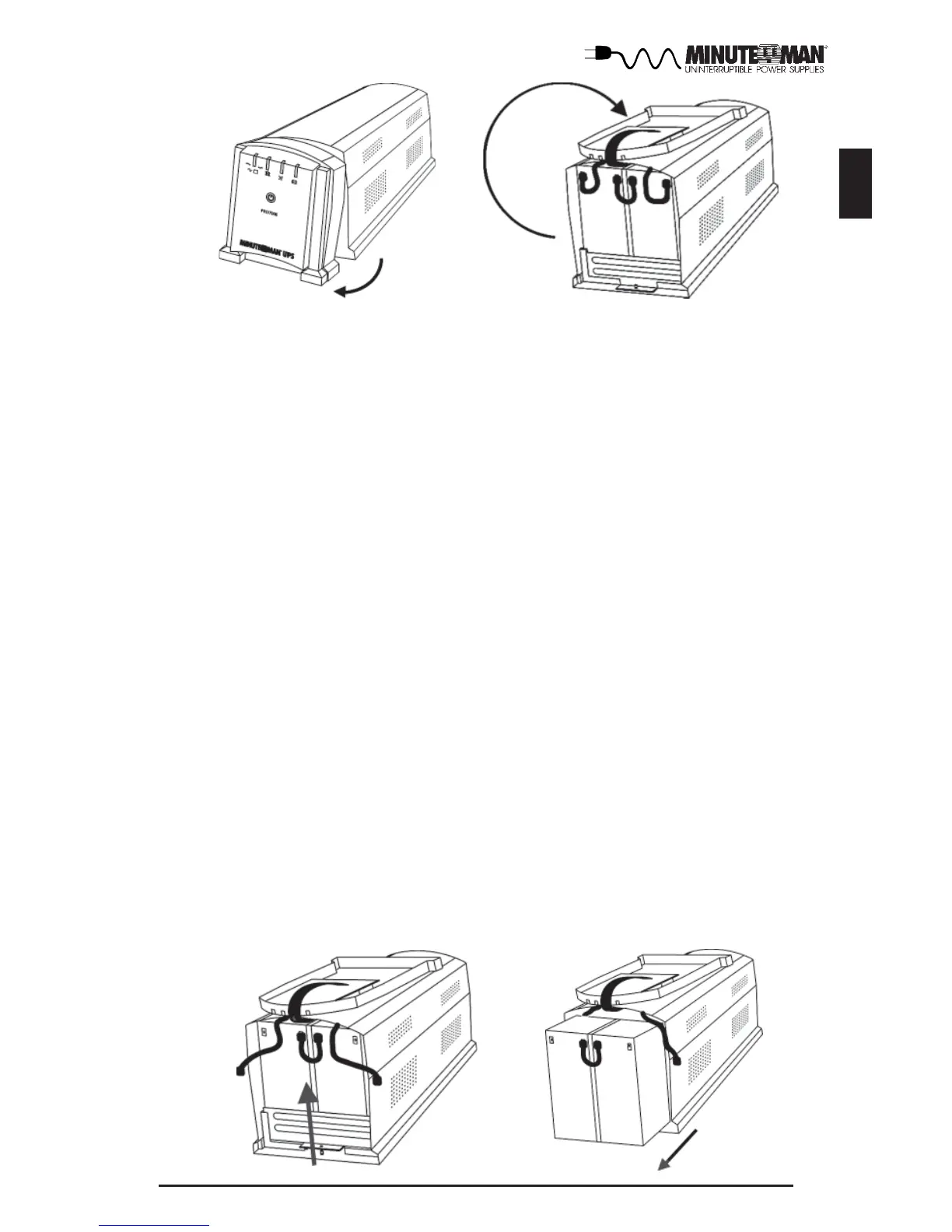
9. Disconnect the positive (red) wire from the battery positve terminal.
10. Disconnect the battery negative (black) wire from the battery negative
terminal.
NOTE: Use CAUTION, do not touch the battery positive wire to the battery
negative wire.
11. Remove the battery bracket retaining screw and slide the battery bracket
upwards.
12. Using the pull tab, pull the batteries out completely. DO NOT pull the
batteries out by pulling the battery jumper wires.
13. Remove the battery jumper wires.
14. Verify proper polarity. Re-install the battery jumper wires on the new
batteries.
15. Slide the new batteries into the battery compartment.
16. Re-install the battery bracket and the battery bracket retaining screw.
17. Verify proper polarity. Reconnect the battery negative (black) wire to the
battery negative terminal.
18. Verify proper polarity. Reconnect the battery positive (red) wire to the
battery positive terminal. Some sparking may occur, this is normal.
19. Re-install the front panel of the UPS.
20. Re-install the retaining screws for the front panel of the UPS.
21. Dispose of the old batteries properly at an appropriate recycling facility or
return them to the supplier in the packing material for the new batteries.
22. The UPS is now ready for the normal start-up operation.
NOTE: If the UPS has a Weak/Bad Battery Alarm after replacing the batteries,
the user must initiate a self test to clear the Weak/Bad Battery Alarm. To
initiate a self test see section 4 "SELF TEST".
English




 To Next Page