EasyManua.ls Logo

Minuteman SCV2832E - 3 Service Mode

Minuteman SCV2832E
39 pages
Print Icon
To Next Page IconTo Next Page
To Previous Page IconTo Previous Page
Loading...
3. Service Mode
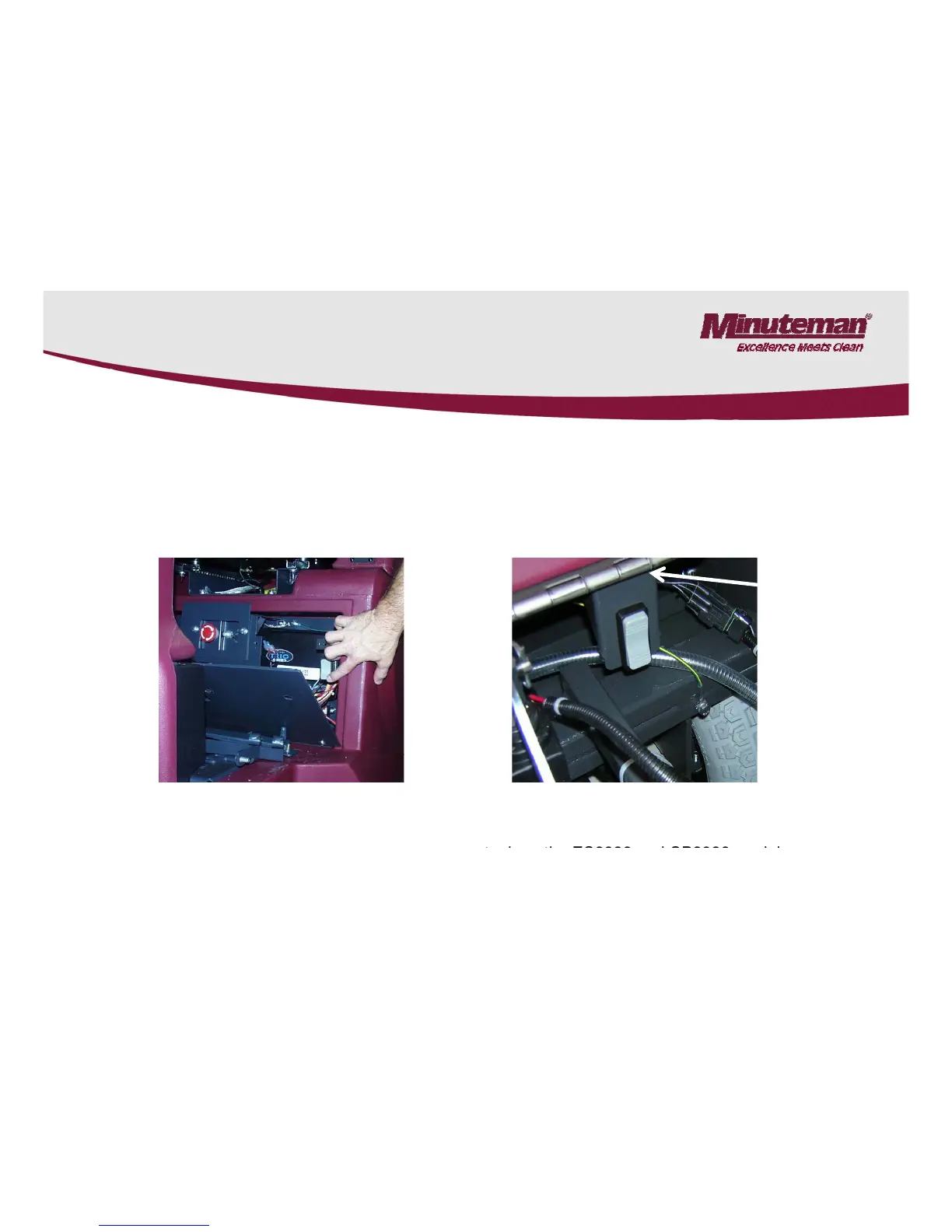
The Service mode switch can be used to lower the brush deck.
Press and hold the switch in the down position and the deck will lower. Once
it is in service mode the deck can raised and lowered by pressing the top or
it
is
in
service
mode
,
the
deck
can
raised
and
lowered
by
pressing
the
top
or
lower part of the rocker switch. To return the machine back to normal
operation: Turn the key switch off and back on. The machine will reset.
The switch located below the seat
behind the panel on the SCVs (Not
The switch is located below the recovery
t k th ES2832 d CP2832 d l
behind
the
panel
on
the
SCVs
.
(Not
equipped on the SC280000 models)
t
an
k
on
th
e
ES2832
an
d
CP2832
mo
d
e
l
s.
Page 10

Related product manuals