1 Getting Started
This chapter tell
devic
s you how to install the batteries and introduces the components
of your e.
1.1 Installing the Batteries
NOTE: For using the device in car, you can also connect the device to the in-car power
cable. (See section 1.3 for more information.)
1. Prepare four “AA” batteries of the same type and manufacturer.
n
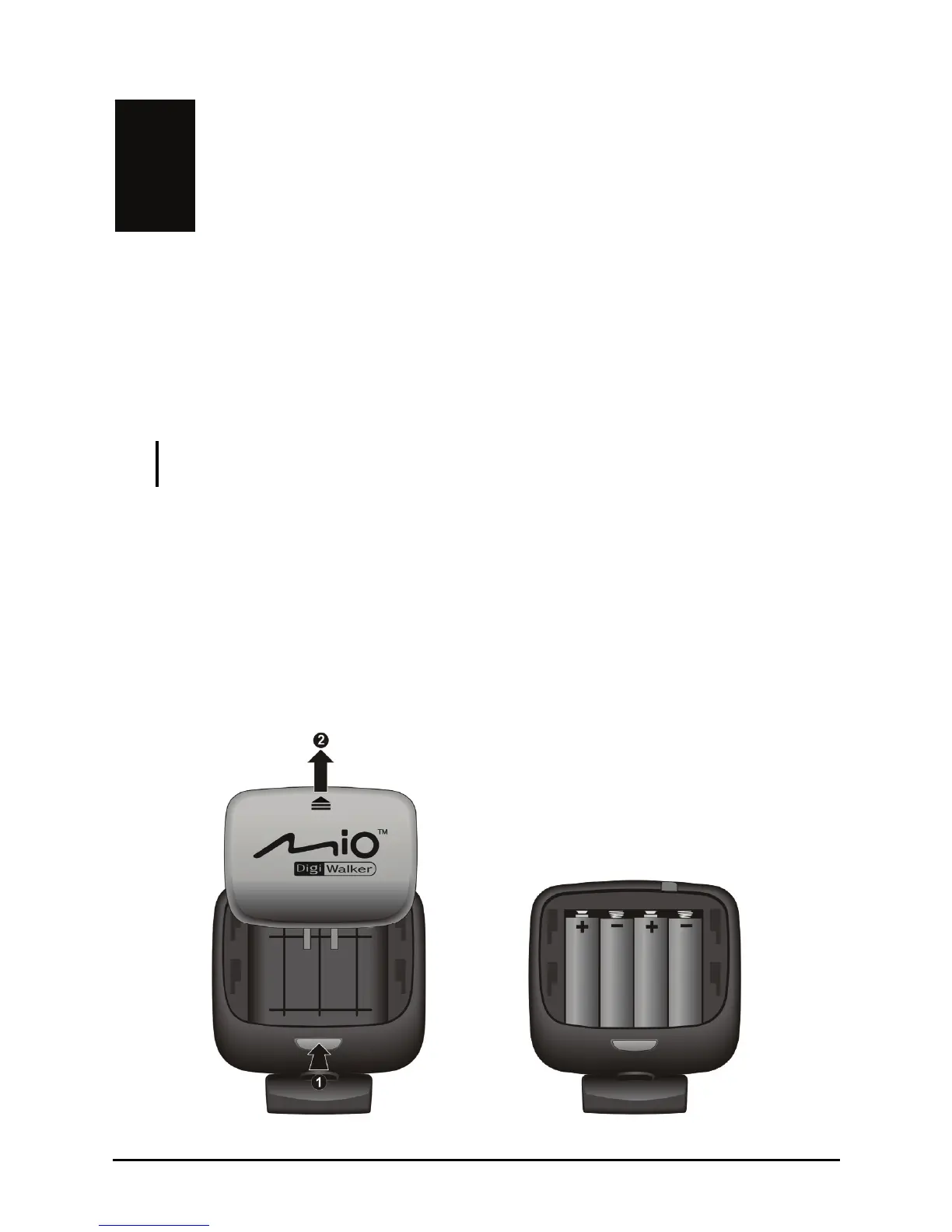
2. Press the back cover release button on the rear of the device ( ).
3. Remove the back cover by sliding it upward (
o).
4. Install four “AA” batteries into the battery compartment. Place the batteries
with their terminals corresponding to the (+) and (-) indications.
5. Slide the back cover into place and make sure it clicks into position.
7



 To Next Page