5
English
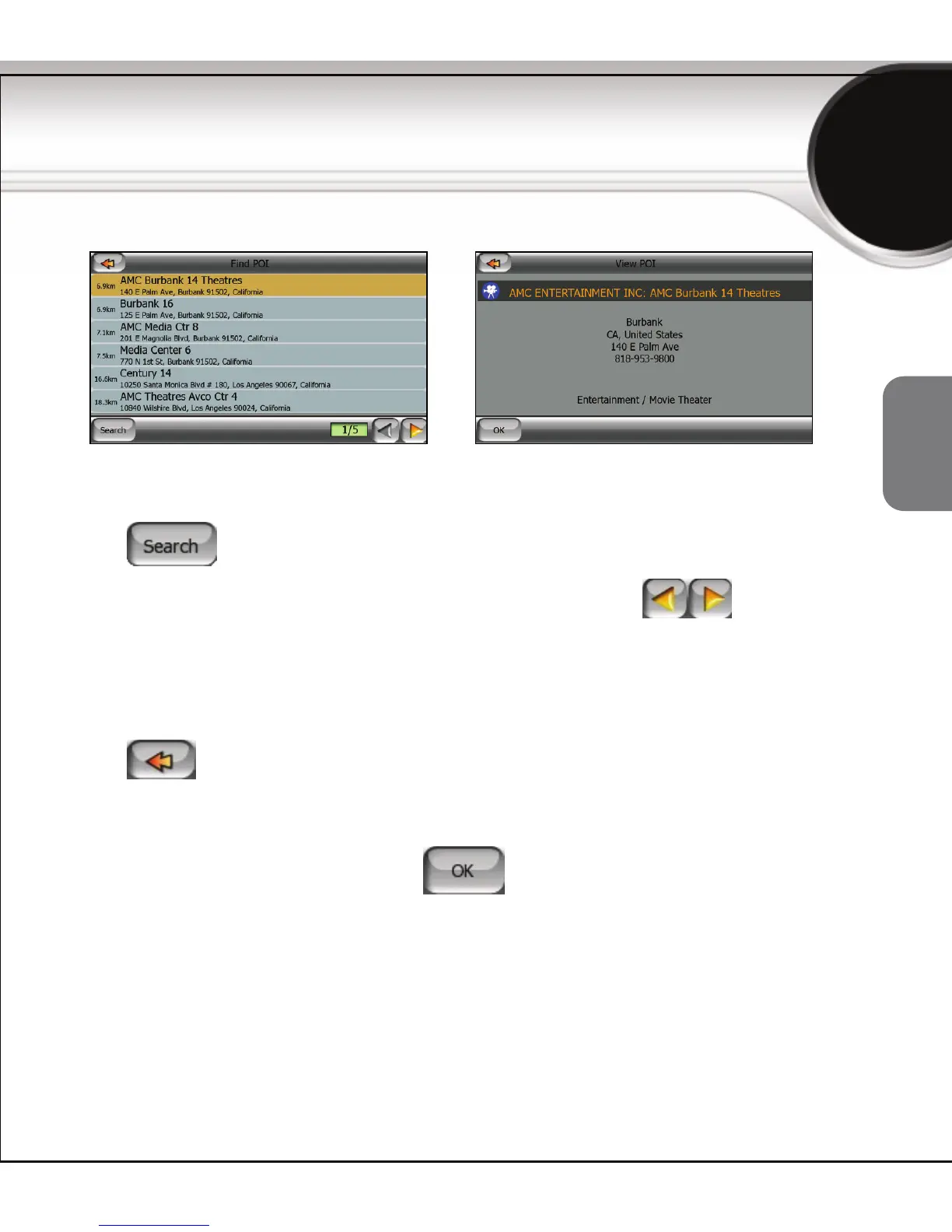
After you get a list of POIs:
z Tap to narrow the list by entering a part of the POI name.
z To see the name and address of additional POIs, tap .
z When you select a POI from the list, a new View POI window opens with
the details of the selected POI.
From the View POI window you can:
z Tap in the top left corner to return to the list and select another
POI, or
z To complete your search and return to the Map screen with the selected
POI highlighted on the map, tap
.
To find a POI



 To Next Page