9
Inserting a memory card
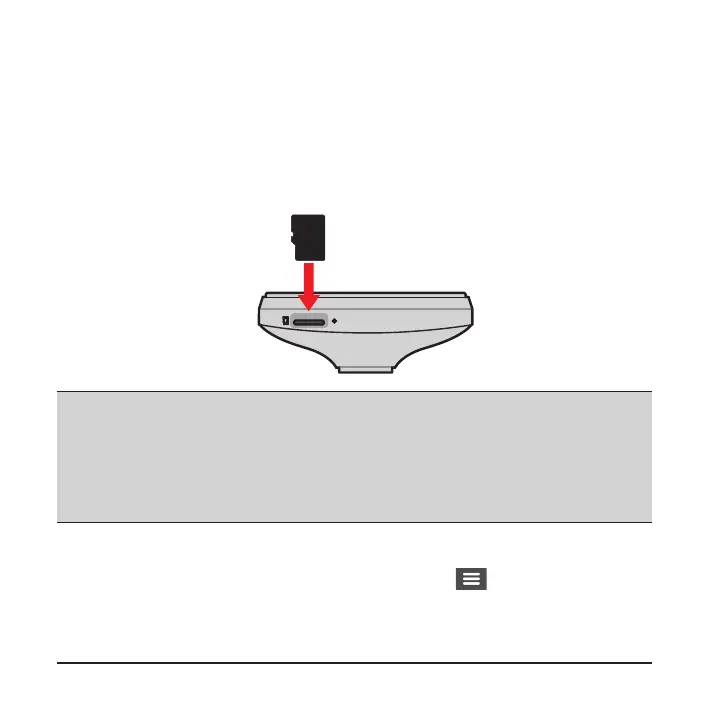
You must insert a memory card (not supplied) before you can start recording. The
dash cam supports the Class 10 memory cards with 8 GB – 128 GB capacity.
Hold the card by the edges and gently insert it into the slot as shown in the
illustration. To remove a card, gently push the top edge of the card inwards to
release it and pull it out of the slot.
Note:
l
DO NOT apply pressure to the centre of the memory card.
l
MiTAC does not guarantee the product’s compatibility with memory cards from all manufacturers.
l
Before you start recording, please format the memory card to avoid malfunction caused by les
not created by the dash cam.
l
You are recommended to turn the device off before removing the memory card.
Formatting a card
To format a memory card (all data will be erased), press and select Format.










 To Next Page