6
Using your dash cam in a vehicle
Note:
l
To ensure the highest quality recordings, you are advised to place the dash cam near the rear
view mirror.
l
Select an appropriate location for mounting the device in a vehicle. Never place the device where
the driver’s eld of vision is blocked.
l
If the car’s windscreen is tinted with a reective coating, it may be athermic and impact the GPS
reception. In this instance, please mount your device where there is a “clear area.”
l
The system will automatically calibrate the G sensor of the device during start-up. To avoid G
sensor malfunction, always turn the device on AFTER you mount it in the vehicle properly.
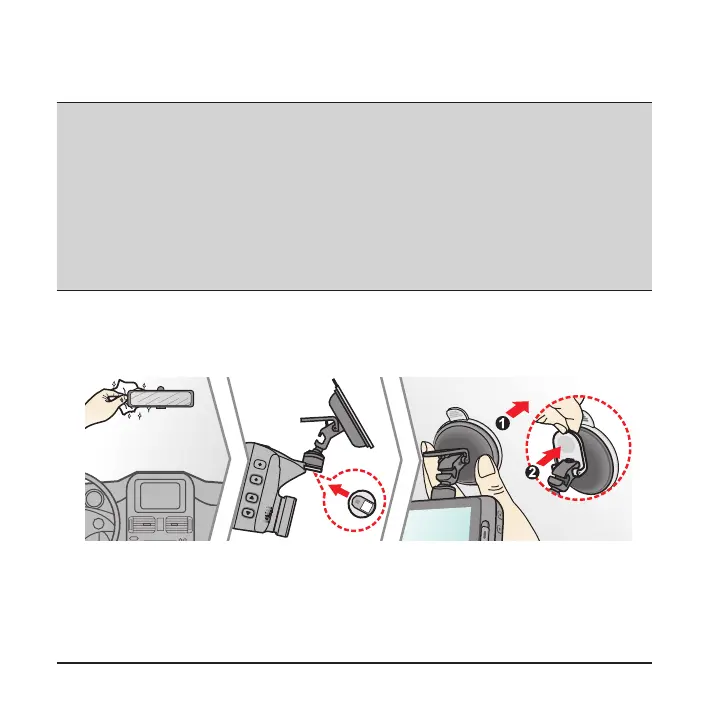
Make sure that your car is parked on level ground. Follow the instructions to mount
your dash cam in a vehicle securely.
1. Mount the dash cam.










 To Next Page