12
Function keys
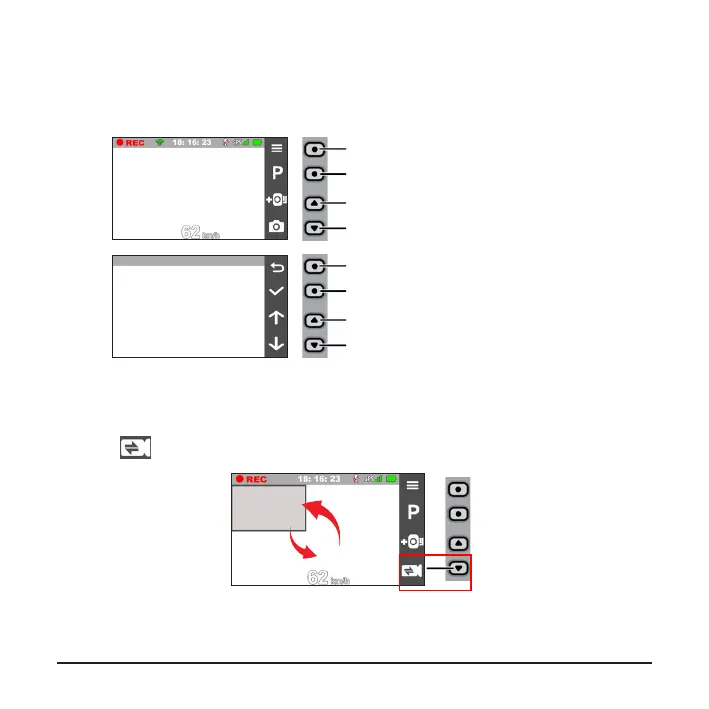
The device provides four function keys to control the corresponding icons displayed
on the LCD screen. The keys' functions may vary on different screens.
Takes a photo
Enters Parking mode
Adds a custom safety (speed) camera
Opens the Menu screen
(Recording screen)
Moves to the next option
Acts as the ENTER button
Moves to the previous option
Acts as the BACK button
(Menu screen)
Switching screens
Once you connect the rear camera and start recording, the screen displays the
PIP (picture-in-picture) mode. You can switch the front and rear camera images by
pressing
.











 To Next Page