5. Usage
MiR Charge 24V Operating Guide (en) 06/2020 - v.3.1 ©Copyright 2017-2020: Mobile Industrial Robots A/S. 24
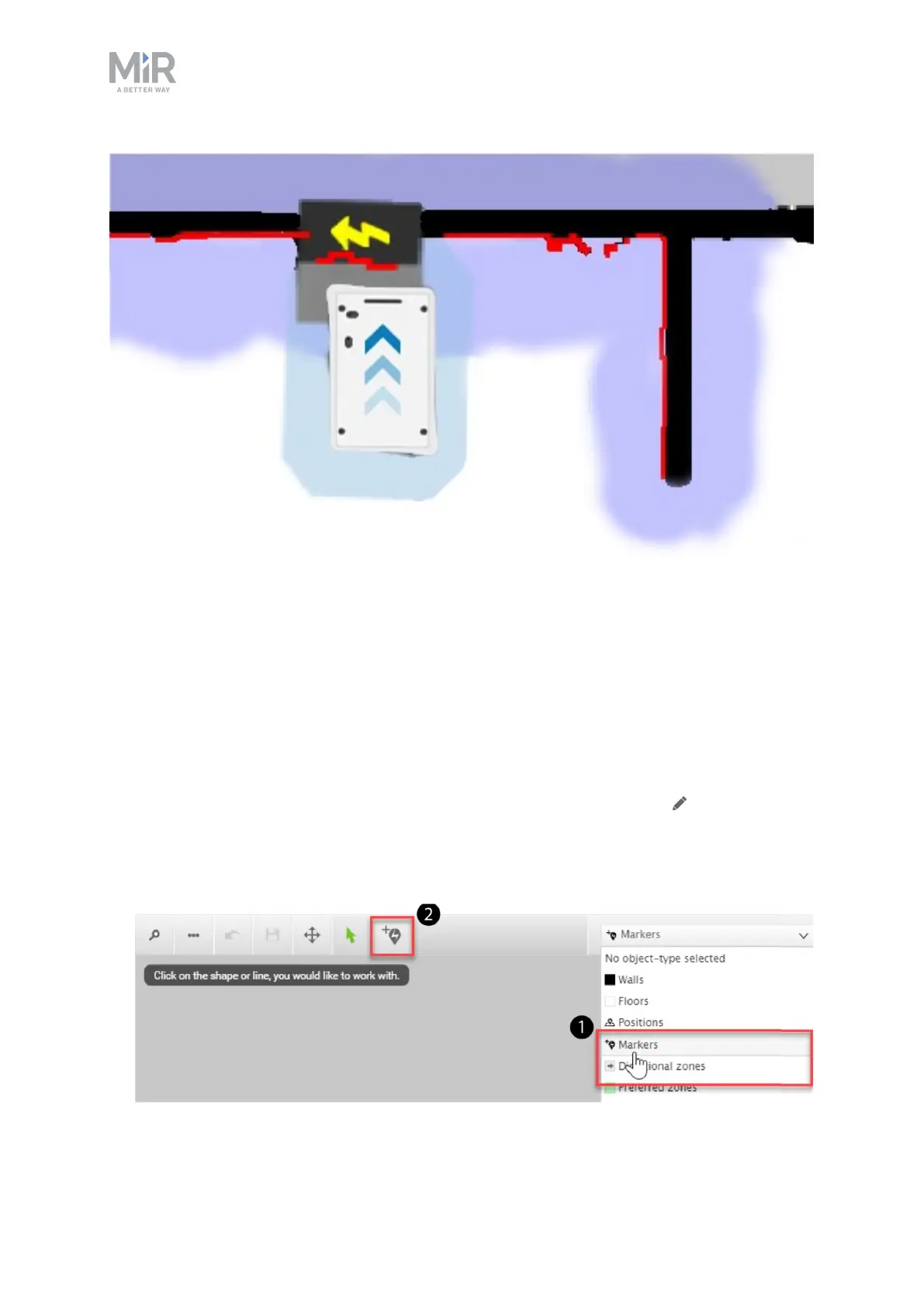
Figure 5.1. The red lines represent what the laser scanners detect. The robot is correctly localized when they
align with the black lines that represent walls.
Once the robot is localized, it is possible to insert a charging station marker correctly on the
map using the following steps:
1. Manually drive the robot so its front is facing the MiR Charge 24V and is within one
meter from it.
2. In the robot interface, enter the map editor of the map where you want to create a
marker. This is done by navigating to Setup > Maps and selecting Edit next to the map
you would like to work on.
3. In the Object-type drop-down menu, select Markers (1), and then select the icon Draw a
new marker (2).


 To Next Page