5. Usage
MiR Charge 24V Operating Guide (en) 06/2020 - v.3.1 ©Copyright 2017-2020: Mobile Industrial Robots A/S. 28
5.2 Creating the Charge at station mission
This section describes how you create the example mission Charge at station. The mission
demonstrates how you use docking and charging actions in your mission. To make the
example yourself, it is assumed that you completed the following:
• Create a MiR Charge 24V marker titled Charger, as described in Setting charging station
markers on the map on page23.
The goal of the mission is to make the robot dock to MiR Charge 24V and recharge its
battery up to 40%.
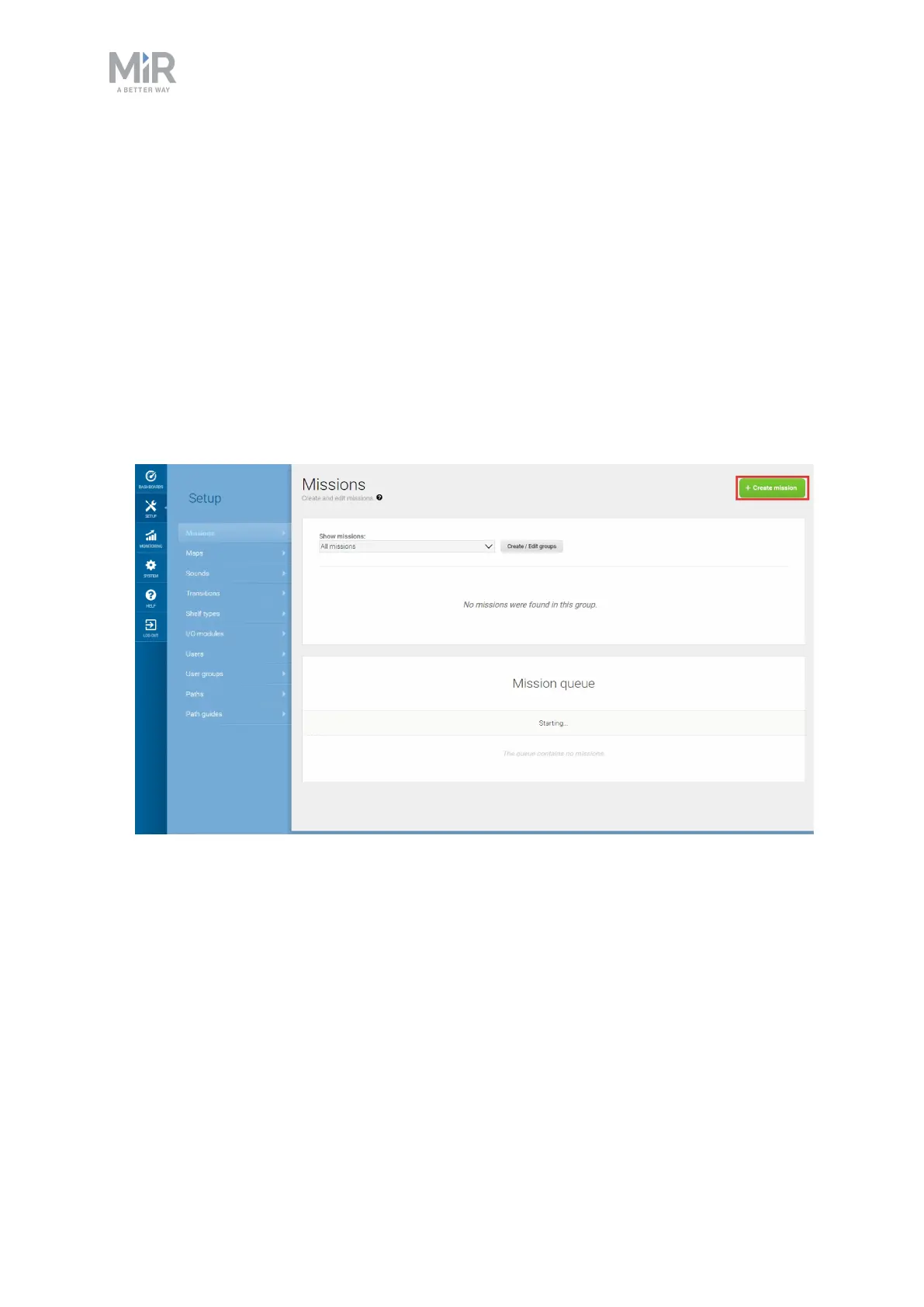
1. To create a new mission, go to Setup > Missions and select Create mission.
2. Name the mission Charge at station, and select a mission group and site. Select Create
mission when you are done.


 To Next Page