23
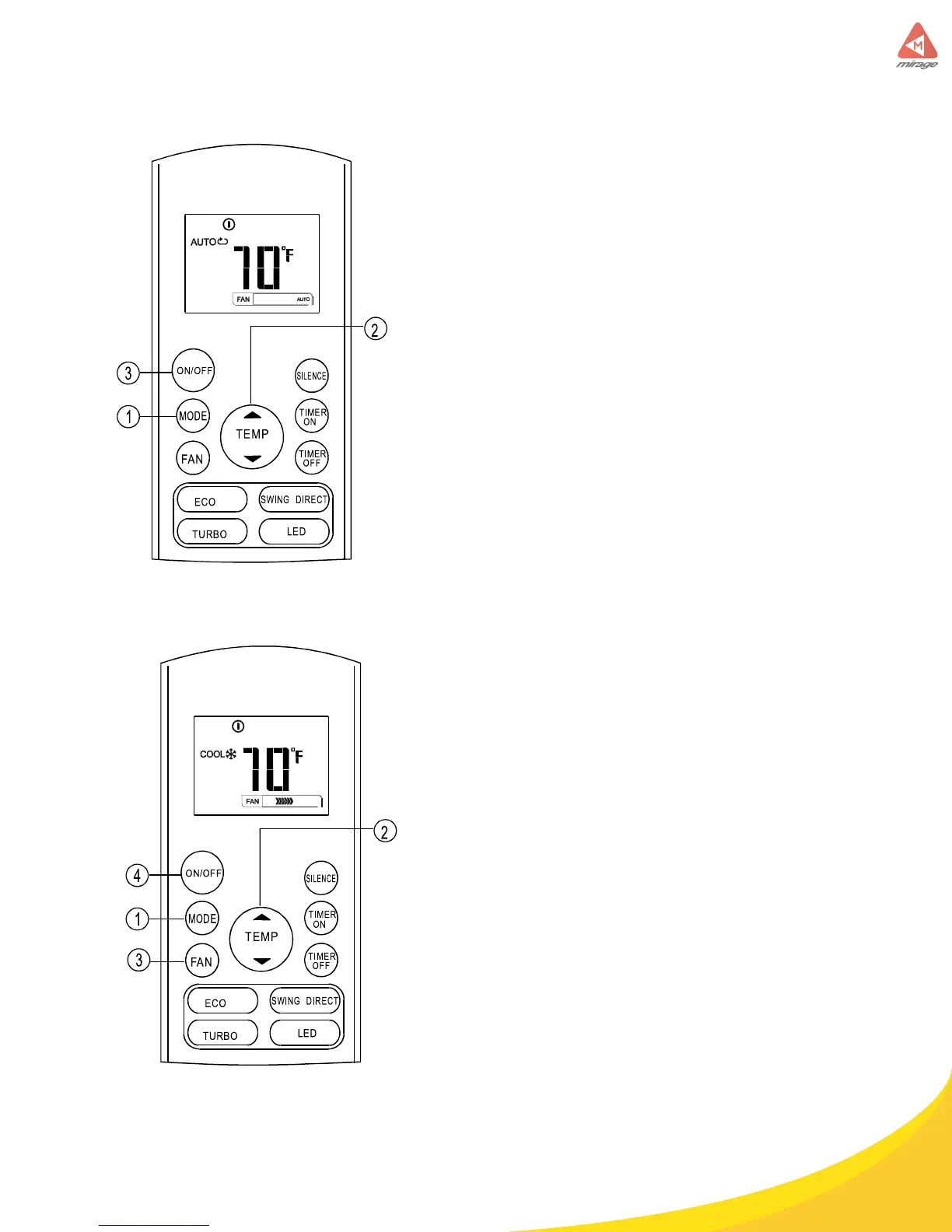
Auto operation
Ensure the unit is plugged in and power is
available. The OPERATION indicator on the
display panel of the indoor unit starts ashing.
1. Press the MODE button to select Auto.
2. Press the UP/DOWN button to set the
desired temperature. The temperature
can be set within a range of 62 °F~ 86°F
in 1°F increments.
3. Press the ON/OFF button to start the air
conditioner.
NOTE
1. In the Auto mode, the air conditioner can logically choose
the mode of Cooling, Fan, and Heating by sensing the dif-
ference between the actual ambient room temperature and
the setting temperature on the remote controller.
2. In the Automode, you cannot switch the fanspeed. It has
already been automatically controlled.
3. If the Auto mode is not comfortable for you, the desired
mode can be selected manually.
Cooling /Heating/Fan operation
Ensure the unit is plugged in and power is
available.
1. Press the MODE button to select
COOL, HEAT(cooling & heating models
only) or FAN mode.
2. Press the UP/DOWN buttons to set the
desired temperature. The temperature
can be set within a range of 62°F~ 86°F
in 1°F increments.
3. Press the FAN button to select the fan
speed in four steps- Auto, Low, Med, or
High.
4. Press the ON/OFF button to start the air
conditioner.
NOTE
In the FAN mode, the setting temperature is not displayed
in the remote controller and you are not able to control the
room temperature either. In this case, only step 1, 3 and 4
may be performed.
How to use the buttons



 To Next Page