16
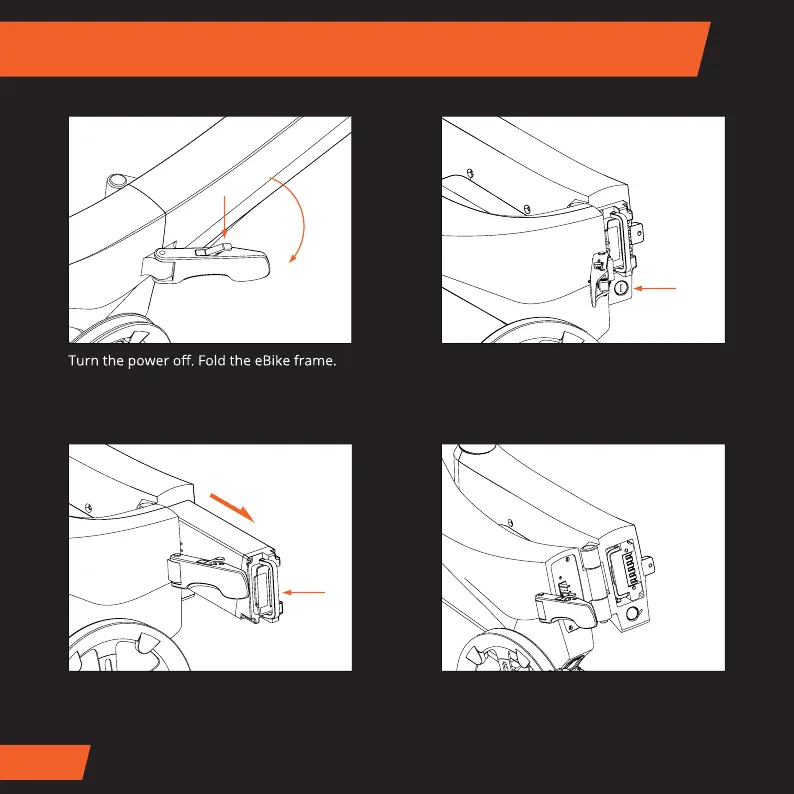
Fold the eBike frame and unlock the
battery lock using the battery locking key.
Pull out the battery from inside the frame,
using the handle, as shown in the image
above.
To re-insert the battery, push the battery
into position and lock it in place using the
locking key. Make sure the handle is folded
down again before closing.
Removing/Installing the battery



 To Next Page