EasyManua.ls Logo

miRider One - User Manual

miRider One
84 pages
Print Icon
To Next Page IconTo Next Page
Loading...
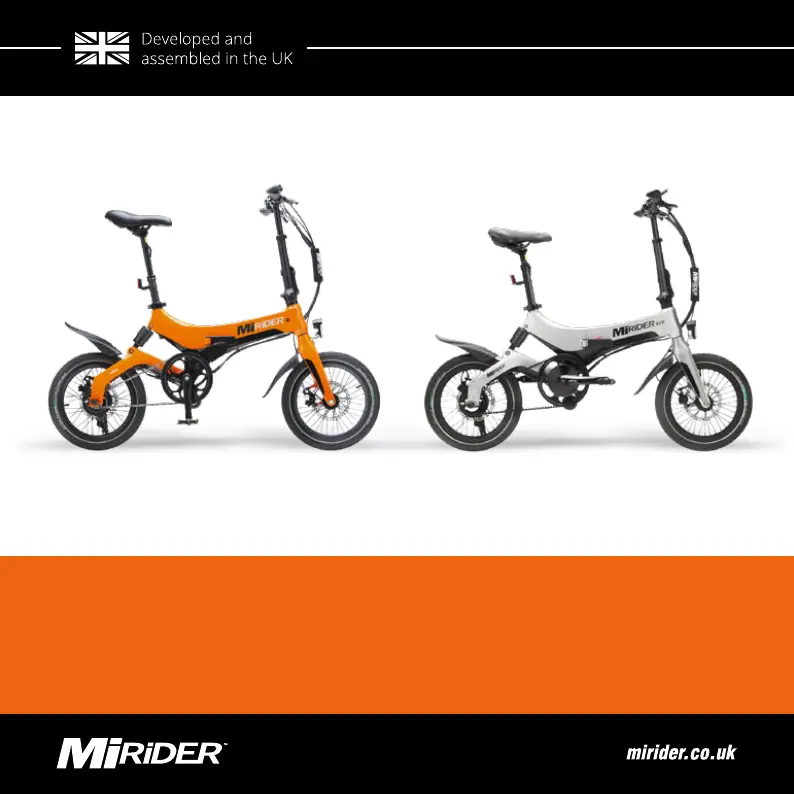
MIRIDER ONE | MIRIDER ONE GB3
USER MANUAL

Table of Contents

Other manuals for miRider One

Questions and Answers

  • R
    ricedavidAug 17, 2025
    Why is my miRider Scooter not providing enough miles?
    • S
      Stacy RobinsonAug 17, 2025
      There are several reasons why your miRider Scooter might not be providing enough miles. The battery may not be fully charged, so ensure it is fully charged. Always check the tyre pressure before use. Also, try reducing the power level whilst riding.
  • J
    Joseph MitchellAug 19, 2025
    How to fix no power assistance on miRider Scooter?
    • J
      Joseph RobinsonAug 19, 2025
      If your miRider Scooter has no power assistance when turned on, it may be due to a lack of power. First, check if the battery is installed correctly. If it is, then charge the battery.
  • J
    Joshua MirandaAug 22, 2025
    What to do if the battery of miRider Scooter cannot be charged?
    • J
      jacqueline27Aug 22, 2025
      If the battery of your miRider Scooter cannot be charged, the charger may not be plugged in correctly. Ensure the charger is correctly plugged into the socket and the jack is plugged into the port correctly.
  • T
    Thomas CoxAug 26, 2025
    Why is the display not working on my miRider Scooter?
    • M
      Martin TuckerAug 26, 2025
      If the display on your miRider Scooter is not working, it could be due to no power. Ensure the battery has been fully charged.
  • T
    Timothy WilliamsAug 28, 2025
    Why is my miRider One not providing enough miles?
    • S
      smithdianaAug 28, 2025
      If your miRider Bicycle isn't providing enough miles, several factors could be at play. First, make sure the battery is fully charged. Second, check the tire pressure before each ride. An aged battery or consistently high power mode usage can also reduce mileage. Try reducing the power level while riding to conserve battery.
  • H
    halldeniseAug 31, 2025
    What to do if the display is not working on miRider One?
    • J
      Jackson ZimmermanAug 31, 2025
      If your miRider Bicycle display isn't working, it's likely due to a lack of power. Make sure the battery is fully charged.
  • C
    Cindy BallardSep 2, 2025
    Why the motor does not work when power is on in miRider Bicycle?
    • D
      dmcmillanSep 2, 2025
      If your miRider Bicycle motor isn't working when the power is on, ensure the pedals are moving. The motor is designed to activate when the pedals are in motion.
  • D
    donaldcastroSep 5, 2025
    How to troubleshoot no power assistance when the miRider One is turned on?
    • A
      Alyssa JohnsonSep 5, 2025
      If your miRider Bicycle isn't providing power assistance when turned on, it's likely a power issue. First, check that the battery is correctly installed. Second, ensure the battery is adequately charged.
  • M
    Michael RodriguezSep 8, 2025
    What to do if the battery cannot be charged on miRider Bicycle?
    • C
      Cynthia MartinSep 8, 2025
      If the battery of your miRider Bicycle cannot be charged, the charger may not be properly connected. Ensure that the charger is correctly plugged into the socket and the jack is fully inserted into the charging port.
  • R
    Richard ClaytonSep 12, 2025
    Why is the power assistance not functioning on my miRider Bicycle?
    • J
      Jose Robinson DVMSep 12, 2025
      If the power assistance on your miRider Bicycle isn't working, there could be several reasons. First, check if the battery is installed correctly. Also, ensure that the battery is fully charged and that all cables are properly connected.

Summary

Preface

Warranty

Outlines the two-year warranty period for major components and one-year for others.

Product Information

Product Description

Describes the MiRiDER One (GB3) as an electric bike for paved roads with pedal assist up to 25 km/h.

Important Specifications

Lists key technical specifications like dimensions, weight, and maximum combined weight.

Main Parts

Illustrates and labels the primary components of the e-bike.

Handlebar MiRiDER One

Details the controls and display elements on the handlebar for the MiRiDER One.

Handlebar MiRIDER One GB3

Details the controls and display elements on the handlebar for the MiRiDER One GB3.

Battery and Charger

Identifies the battery, charger, and charging port components.

Safety

Intended Use and Foreseeable Unintended Use

Defines the proper usage and lists foreseeable unintended uses that may void warranty or cause harm.

Safety Warnings and Regulations

Provides critical safety advice for riding, maintenance, and general operation.

Installation

Unfolding Your E-bike Frame

Provides step-by-step instructions on how to unfold the e-bike frame.

Unfolding the Handlebar Stem

Guides users on how to unfold and secure the handlebar stem.

Preparation

Use

Switching Your E-bike On and Off

Explains the procedure for powering the e-bike on and off using the power button.

Setting the Assistance Level

Describes how to adjust the five levels of pedal assistance via the LCD screen.

Using the Throttle

Describes how to use the thumb throttle for power boosts from a standstill.

Using the Walk Assist

Guides on activating and using the walk assist feature for pushing the bike.

After Use

Charging the Battery

Covers essential safety and procedural information for charging the battery, including frame and separate charging.

Maintenance

Troubleshooting

Appendices

Technical Specifications

Compiles detailed mechanical, battery, and function specifications for both models.

miRider One Specifications

General IconGeneral
CategoryFolding Electric Bike
GearsSingle Speed
Maximum Load120 kg
FoldableYes
Battery36V Lithium-ion
RangeUp to 45 km
Top Speed25 km/h
Weight Capacity265 lbs (120 kg)
TiresPuncture Resistant
BrakesDisc Brakes
Brake TypeDisc
Color OptionsBlack, White
Frame MaterialAluminum Alloy

Related product manuals