34
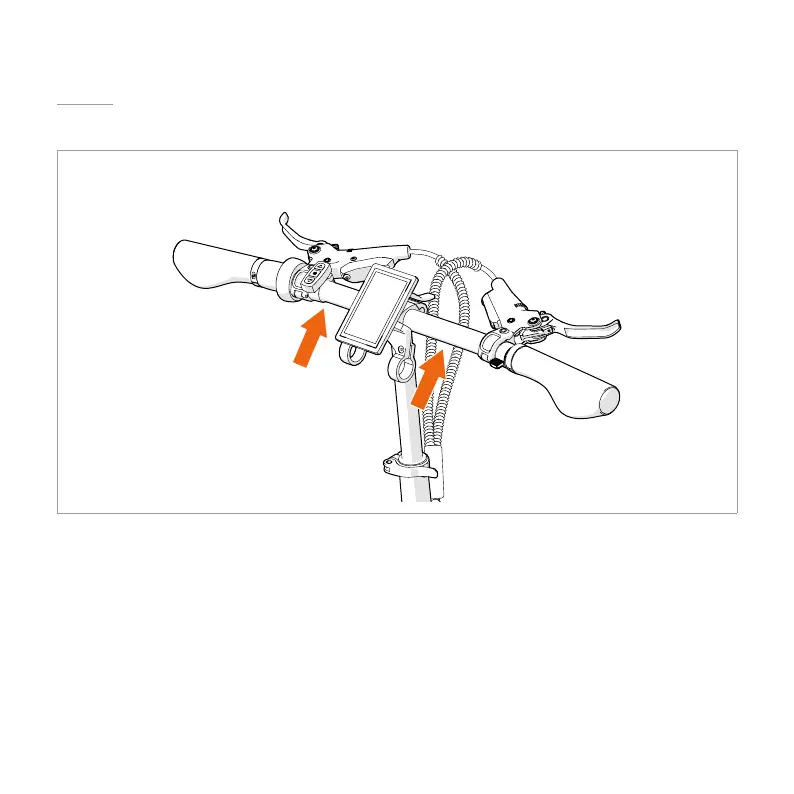
4.5. MOUNTING THE LCD SCREEN*
*This chapter is only applicable for the MiRiDER One GB3 or any MiRiDER with an upgraded LCD screen.
1. Remove the bolts from the mounting clamps with a M4 Phillips screwdriver.
2. Place the mounting clamps around the handlebar.
4 Make sure the rubber inserts stay in place.
4 Make sure the display is centred.
3. Tighten the bolts back on the mounting clamp with a M4 Phillips screwdriver.


 To Next Page