53
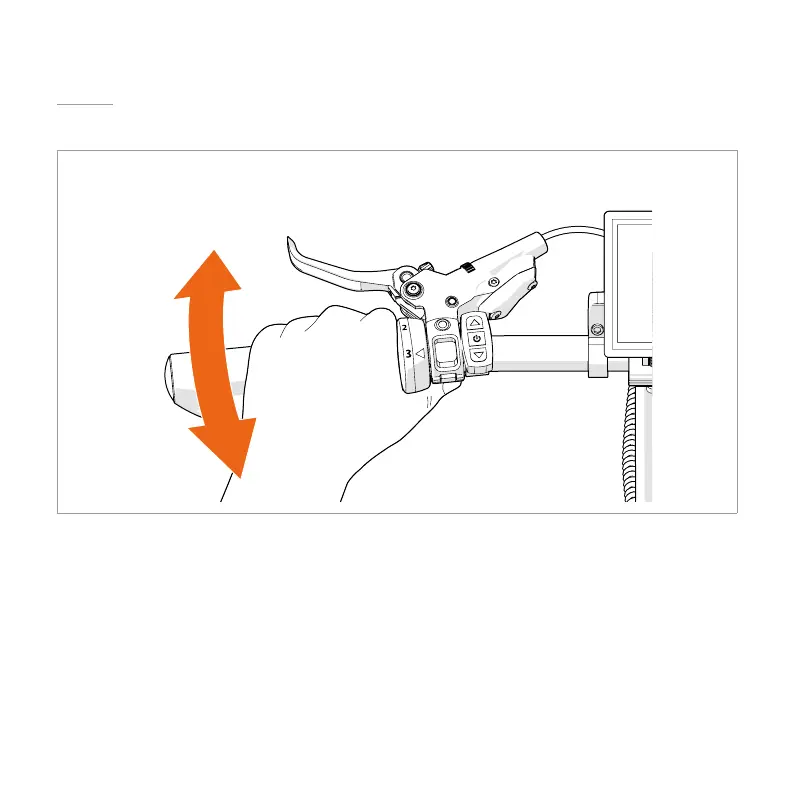
6.7. SHIFTING GEARS*
*This chapter is only applicable for the MiRiDER One GB3.
Twist the grip shifter to shift between the gears.
6.8. RESETTING THE TRIP DISTANCE AND TIME
1. Press the up and down button until the trip distance and single trip time indicators
ash.
4 Only applicable for the MiRiDER One GB3: If the lines on the display turn yellow, wait
until the lines turn white and repeat step 1.
2. Press the power button


 To Next Page