51
6.4. PREVIEWING DISPLAY FUNCTIONS
Pressthepowerbuttontoshowthedierentinformationpagesonthedisplay.
6.5. USING THE THROTTLE
You can use the throttle for two purposes:
· Giving you a power boost from a standing start.
· Givingyouapowerboost,equivalenttothelevelvepowerassistance,whenpedalling.
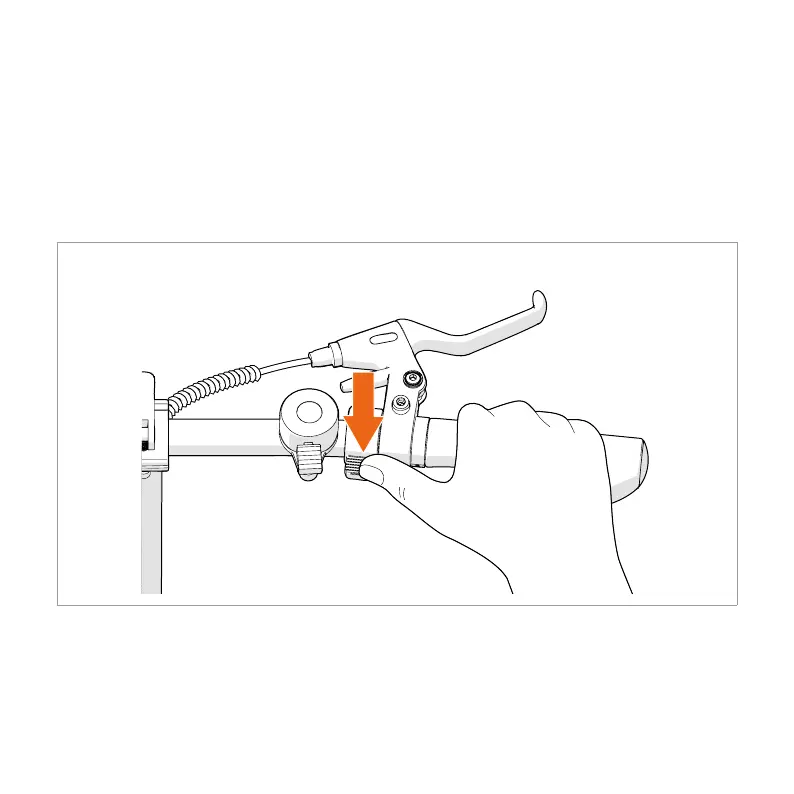
1. Push and hold the throttle with your thumb to enable the power boost.
2. Release the throttle to disable the power boost.


 To Next Page