57
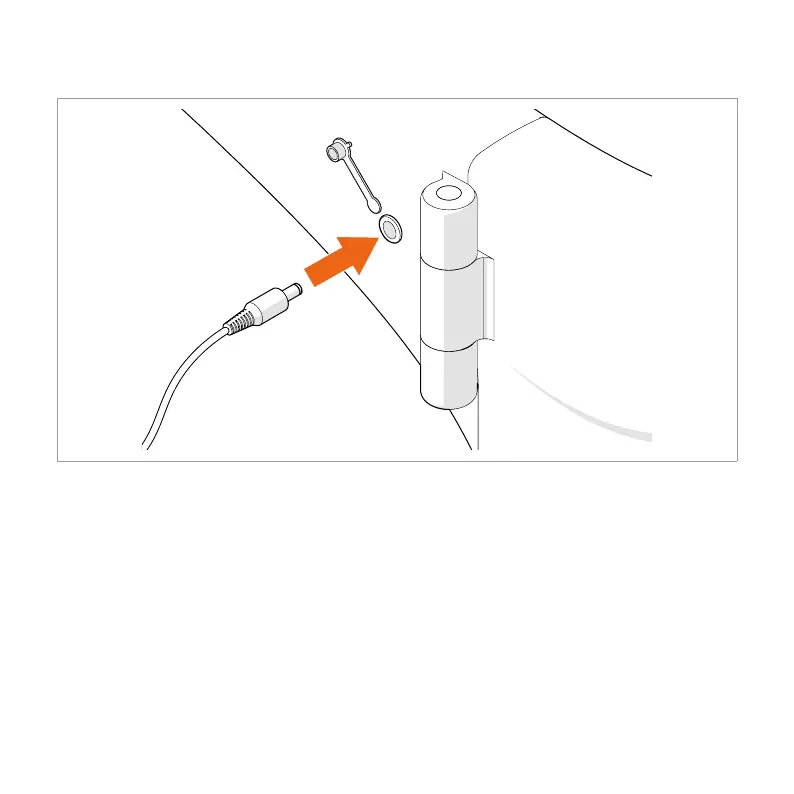
7.3.1. Charging the battery via the frame
1. Remove the dust cap from the charging port.
2. Insert the appliance plug of the power cable into the charger.
3. Insert the power plug of the power cable into a power socket.
4. Open the cover cap.
5. Insert the charging plug of the charger into the charger port on the frame.
4 The charging indication LED is red while charging the battery and green when the
battery is fully charged.
6. Unplug the charging plug when the charging indication LED lights up green.
4 Make sure the battery indicator on the display shows a full charge after fully charging
the battery.



 To Next Page