44
3. Close the handlebar stem clamp.
4 If the handlebar stem can still move, the handlebar stem clamp is not tight enough. To
adjust the clamp force, follow the instructions in chapter 4.9.Adjusting the clamp force.
6
WARNING
Always tighten the handlebar stem clamp to prevent the handlebar stem from moving
during cycling.
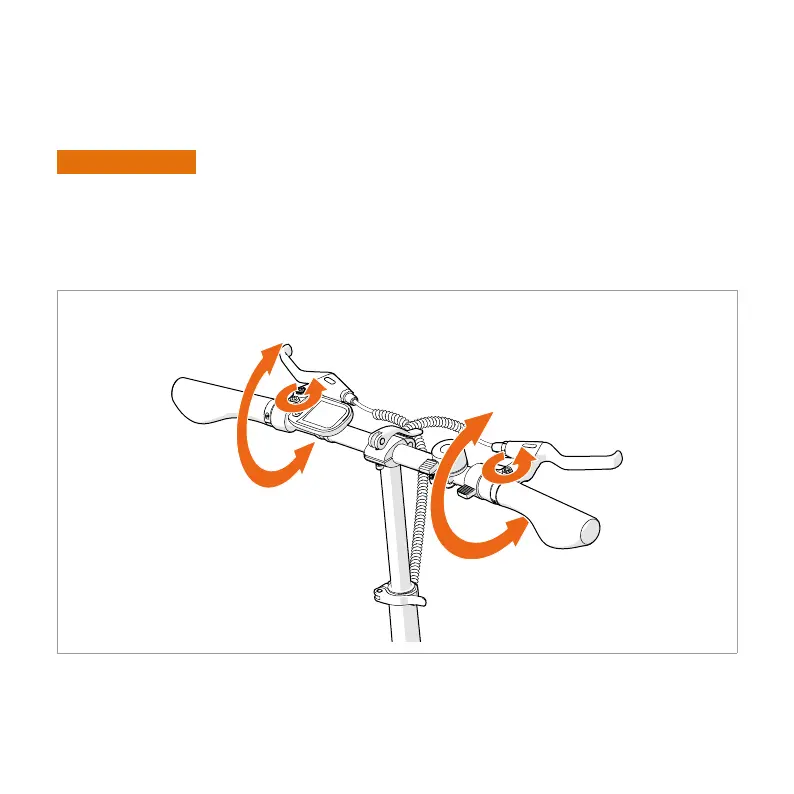
5.3. ADJUSTING THE BRAKE LEVERS
1. Loosen the clamp bolt(s) until the lever can rotate around the handlebar.
2. Twist the clamp until you can easily reach the lever with your hand on the handle.
3. Tighten the clamp bolt(s).


 To Next Page