• In DRY or COOL mode, ensure the Fan speed is
set to (auto), air blows downward in
set to (auto), air blows downward in
set to (auto), air blows downward in
set to (auto), air blows downward in
set to (auto), air blows downward in
direction (1). In HEAT mode, ensure the Fan
speed is set to (auto), air blows downward in
speed is set to (auto), air blows downward in
speed is set to (auto), air blows downward in
speed is set to (auto), air blows downward in
speed is set to (auto), air blows downward in
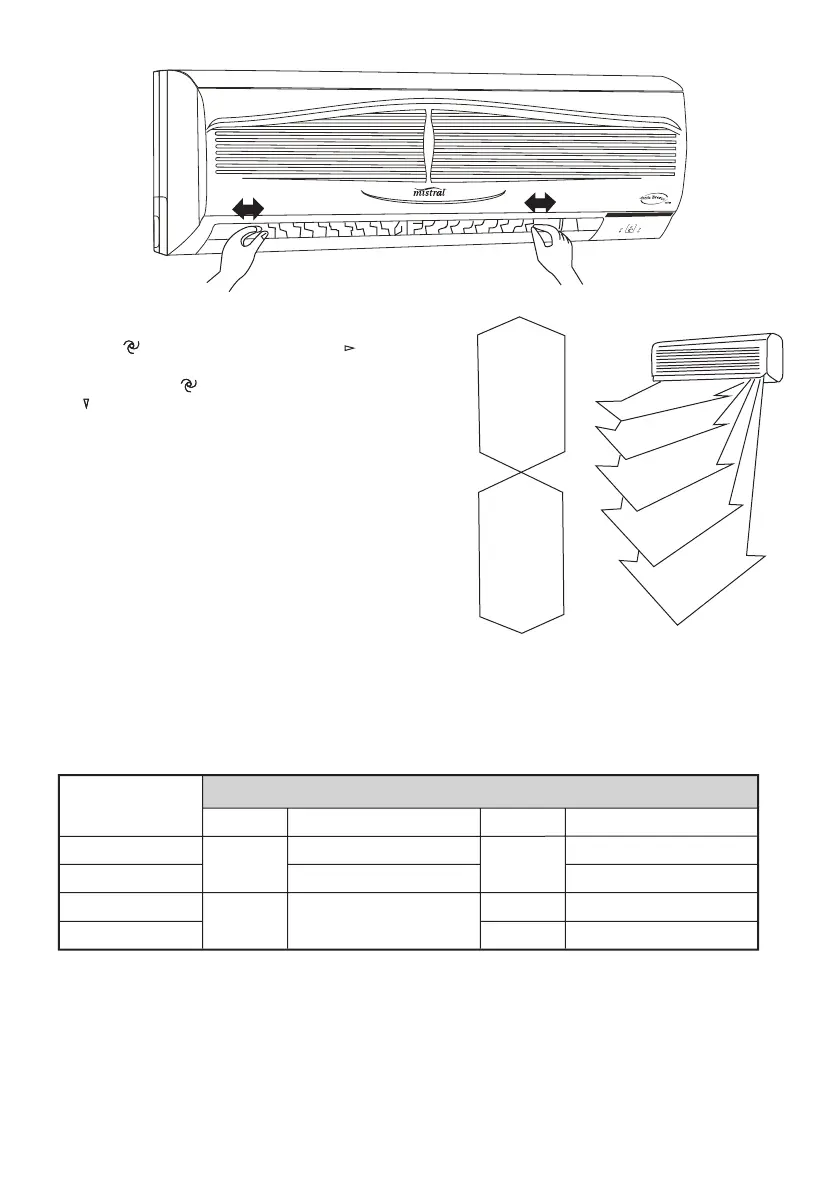
• Control the air direction with remote controller
to adjust up/down air fl ow direction. Avoid
turning defl ector with your hand to avoid injury.
6. Operation mode adjustment
• When the cool option has been selected no
When started, the unit will automatcially select
COOL or DRY or HEAT mode according to the
room temperature, if operation is stopped for
two hours, the unit will restart in the same
mode set when the unit is stopped. Once
operation mode is set, it will not be infl uenced
even if room temperature has changed. Press
MANUAL SWING button or SWING button to
change up/down air fl ow direction.



 To Next Page