7
Removing Mineral
Deposits
To keep your machine operating eiciently, you
should clean away the mineral deposits left by
the water regularly according to the water quality
in your area and the frequency use the appliance,
the detail is as follows:
1. Fill the water tank with water and descaler to
the MAX level in the gauge of the water tank
(the scale of water and descaler ratio is
4:1), for details refer to the instructions for
use of the de-scaler. Please use “household
descaler”, you can use citric acid instead of
the descaler (Ratio one hundred parts of water
and three parts of citric acid).
2. Press the Power switch to “ON” position and
the indicators of Large cup and Small cup
coee buons start to flash, wait until the
indicators light steadily.
3. Position a container on the cup holder grid.
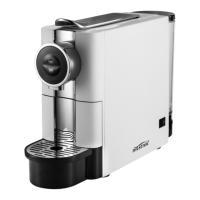
4. Press the Large cup or Small cup coee buon
and allow the liquid to flow. Once the desired
quantity has been reached, the water will stop
flowing out.
5. Wait for 20 minutes with the machine turned
on.
6. Press the Large cup or Small cup coee buon
until all of the water is used up.
7. Rinse the tank well and ll with clean water.
Continue to press the Large cup or Small cup
coee buon until all of water is used up.


 To Next Page