Home screen
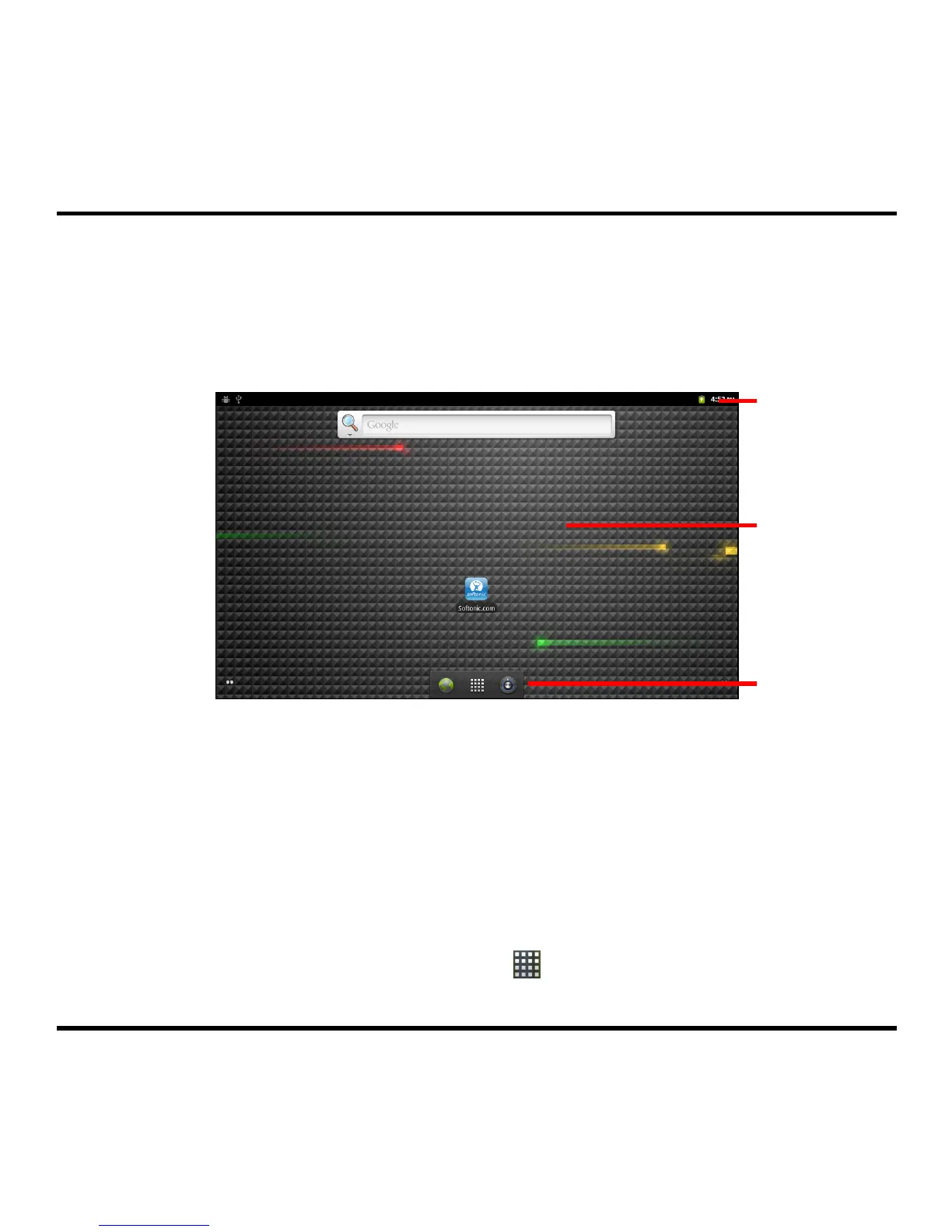
The Home screen is your starting place for various tasks, providing quick access to various
application and settings that you frequently use on your device.
Note: To display the Home screen, press the HOME button on your device at any time.
Status Ba
9
Desktop
Status Bar displays the System status icons and Notification icons.
System status icons are shown on the right side of the Status Bar, providing
information about your device’s status including the connection status, signal
strength, battery charging, and more.
Notification icons are shown on the left side of the Status Bar, reporting the arrival
of new Emails, calendar events, alarms, and other notifications.
Desktop includes the Home screen and four extended screens, allowing you to add and
access to your favourite application shortcuts/widgets.
Quick Launcher provides the Launcher icon (
) and two application shortcuts
(Browser and Settings), allowing you to access the programs on your device.
Quick Launche



 To Next Page